Can You Get Fortnite on PS4? A Practical Guide
This in-depth guide explains whether Fortnite is available on PS4, how to download it, how crossplay works, and practical troubleshooting tips for PS4 players in 2026. Learn how to link your Epic account for cross-progression and maximize performance.


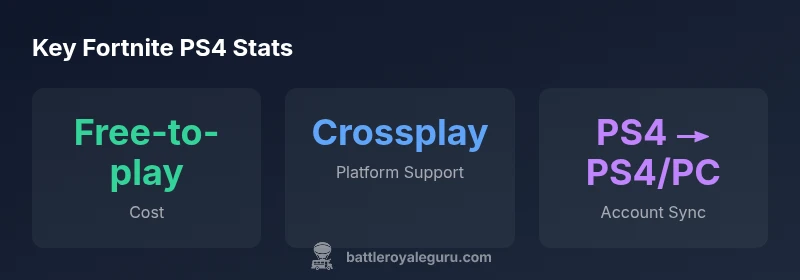
Yes — you can get Fortnite on PS4. The free-to-play battle royale is available for download from the PlayStation Store, and you do not need a paid PlayStation Plus subscription to play. After installing, log in with an Epic Games account to enable cross-progression and cross-play with PC, Xbox, Nintendo Switch, and mobile where supported. This quick answer sets the stage for a deeper dive into setup, crossplay considerations, and troubleshooting in 2026.
can you get fortnite on ps4: download steps
If you’re asking can you get fortnite on ps4, the answer is straightforward. Fortnite is a free-to-play title on PlayStation 4. To get it, head to the PlayStation Store, search for Fortnite, and select the download option. The process is quick on a stable internet connection, and there are no hidden fees beyond any data charges from your ISP. Once downloaded, launch the launcher, and you’ll be prompted to sign in with or create an Epic Games account. Linking your Epic account is essential for cross-progression and cross-play with other platforms. For PS4 users, this is one of the simplest paths into Battle Royale and Creative modes in 2026.
cross-platform play and progression explained
Fortnite’s cross-platform capabilities are a core part of its longevity. On PS4, you can play with friends on PC, Xbox, Nintendo Switch, and compatible mobile devices, provided you have an Epic Games account and enable cross-platform play in the settings. This section explains how cross-progression works: your cosmetics, save-the-world progress, and unlocked items can travel with you across devices, as long as you sign in with the same Epic account. The Battle Royale Guru team emphasizes testing crossplay with a friend on another platform to confirm that matchmaking and party invites work smoothly in 2026. Remember that crossplay settings can be toggled on or off depending on your preference for matchmaking with diverse inputs.
account setup and Epic integration for PS4
To ensure a seamless experience, create or sign into an Epic Games account and link it to your PlayStation Network account. This linkage is what enables cross-progression. After linking, verify that your Epic email and secure two-factor authentication are current for account safety. If you already own a separate Epic account on another platform, simply re-link to bring your progress to PS4. The integration process is designed to be user-friendly, but take a few minutes to confirm your email, password, and two-factor settings to prevent account lockouts. In 2026, Epic’s cross-platform strategy continues to rely on a single account to unify your Fortnite journeys across devices.
common issues and quick fixes for PS4 players
Some PS4 players encounter download stalls, long patch times, or post-launch performance hiccups. A few practical steps can reduce friction: ensure you have enough storage space, pause other downloads, and use a wired connection if possible. Reboot the PS4 if the download stalls, then retry. If you cannot sign into your Epic account, check your internet connection and verify that you’re using the correct login credentials. For crossplay issues, revisit the in-game settings to confirm cross-platform play is enabled. If problems persist, check Sony’s or Epic’s status pages for ongoing outages and apply recommended workarounds. These steps help keep your 2026 Fortnite PS4 experience smooth.
PS4 performance, resolution, and settings in 2026
Fortnite runs well on PS4 and PS4 Pro, with performance adjustments available in-game. You can switch between Performance Mode and Quality Mode to balance frame rates and resolution depending on your screen and preference. In 2026, many players opt for Performance Mode during intense battles to reduce input latency and frame drops. Ensure your system firmware is up-to-date and that your TV’s game mode is enabled for the most responsive experience. With these adjustments, can you get fortnite on ps4 and enjoy a stable, competitive experience across modes and map rotations.
cross-generation play: PS4 to PS5 and beyond
If you plan to upgrade to PS5 later, Fortnite’s cross-gen support makes progression portable. Your Epic account remains the linking thread, so you can continue your progress on PS5 with the same cosmetics and unlocks. Although the PS5 provides improved textures, higher frame rates, and shorter loading times, the PS4 library still receives ongoing support and updates through 2026. This cross-generation continuity is part of the broader Fortnite platform strategy and is particularly relevant for players who want to keep using PS4 hardware while planning a future upgrade.
parental controls, safety, and account security on PS4
Parents and guardians should review PS4 parental controls and age ratings for Fortnite. In parallel, configure Epic account security with a strong password and two-factor authentication. This ensures that your Fortnite purchases, cosmetics, and progression remain protected across devices. By aligning PS4 safety settings with Epic’s security recommendations, you can enjoy Fortnite without unnecessary risk. Battle Royale Guru recommends periodic audits of account recovery options to prevent lockouts after long breaks from the game.
PS4 troubleshooting: network, downloads, and outages
When Fortnite on PS4 runs into network or download issues, it’s usually related to network routing, DNS, or firewall settings. Start with basic network checks: verify your internet speed, restart your router, and switch DNS settings if needed. If outages affect Epic services, you’ll likely see status updates on official channels; wait times vary, but most PS4 users recover quickly once the service is restored. If issues persist, consider test-playing on a different network or on a wired connection to isolate the problem.
upgrading your setup: PS4-only players and future-proofing
As Fortnite evolves, you may weigh staying on PS4 versus moving to PS5 or newer hardware. The key is to leverage cross-progression to maintain your cosmetics and progress. If you plan to play with higher fidelity, a PS5 offers smoother frame rates and faster load times; however, PS4 remains a strong entry point for many players. Battle Royale Guru endorses evaluating your setup, storage capacity, and online speed to decide the best path forward in 2026.
Fortnite availability across PlayStation family
| Platform | Official Availability | Crossplay Support | Epic Account Required |
|---|---|---|---|
| PS4 | Yes (free download) | Yes | Yes |
| PS4 Pro | Yes (same as PS4) | Yes | Yes |
| PS5 (Backward Compatible) | Yes | Yes | Yes |
Questions & Answers
Is Fortnite free to play on PS4?
Yes, Fortnite is free-to-play on PS4 and does not require PS Plus. You can download it from the PlayStation Store and start playing right away after signing in with an Epic Games account.
Yes, Fortnite is free on PS4 and doesn’t require PS Plus.
Do I need PS Plus to play Fortnite on PS4?
No, you do not need PlayStation Plus to play Fortnite on PS4. The game is free-to-play and runs independently of PS Plus membership.
No PS Plus needed to play Fortnite on PS4.
Can I play with players on other platforms from PS4?
Yes. Fortnite supports crossplay across PC, Xbox, Switch, and mobile. Make sure cross-platform play is enabled in game settings and that your Epic account is linked.
Yes, you can play with friends on other platforms.
How do I transfer progress between PS4 and other platforms?
Use a single Epic Games account and link it to your PS4 profile. Your cosmetics, Battle Pass progress, and unlocks will follow you across platforms.
Link your Epic account to move progress.
What should I do if Fortnite won’t install on my PS4?
Check storage, pause other downloads, and verify your internet connection. If the problem persists, restart the PS4 and retry the download. Region outages can also delay installations.
Check storage and connection; restart and retry.
“Fortnite on PS4 remains a straightforward entry point for console players, with cross-progression tying your progression across platforms.”
Key Points
- Fortnite on PS4 is free to download and play.
- Link an Epic Games account for cross-progression across platforms.
- Crossplay with PC, Xbox, Switch, and mobile is supported.
- PS Plus is not required for Fortnite on PS4.
- Performance settings help balance fidelity and latency on PS4 hardware.