Fortnite Gift V-Bucks: Can You Gift V-Bucks and How It Works
Explore whether you can gift V-Bucks in Fortnite, plus practical, safe alternatives, platform tips, and a step-by-step approach to gifting without transferring currency.


If you’re asking fortnite can you gift v bucks, the direct answer is that you generally cannot directly transfer V-Bucks between Fortnite accounts. Battle Royale Guru's guidance shows safe alternatives: buy a V-Bucks gift card, gift items purchased with V-Bucks, or give non-V-Bucks gifts like a Battle Pass. The details below cover platform differences, safety tips, and step-by-step options.
Can You Gift V-Bucks in Fortnite? What the Official Policy Allows
Directly transferring V-Bucks between players is not supported by Epic Games as a built-in feature. In practice, you cannot simply press a gift button and send 1,000 V-Bucks from your wallet to a friend's account. The Battle Royale Guru team analyzed the policy across PC, console, and mobile stores and found that V-Bucks purchases are tied to a single Epic account and platform region. This means the recipient must be physically present on the same platform ecosystem to redeem and use the V-Bucks. However, there are safe, approved ways to show generosity without attempting cross-account transfers.
If your goal is to help a friend access content they want, you have options: buy a V-Bucks gift card from a retailer, or purchase an item that the friend can redeem with their own V-Bucks balance, such as a Cosmetic Bundle, Battle Pass, or a Gift Card code from official channels. These approaches respect platform constraints while still delivering value. In practice, always confirm the recipient's platform and region before purchasing an option, since some gift types are region-locked or platform-specific.
Practical Alternatives: How to Gift Fortnite Gifts Without Direct V-Bucks Transfer
When direct gifting isn’t an option, you can still create meaningful gifts that Fortnite players value. The most common route is a V-Bucks gift card from a reputable retailer, which the recipient redeems on their own Epic account. Another approach is to gift items that the recipient can obtain using V-Bucks, such as a Battle Pass or cosmetic bundles, if your store supports gifting those items directly. Finally, you can simply offer a prepaid code or digital card that the recipient can redeem for V-Bucks in their region. These methods avoid cross-account currency transfers while ensuring the value reaches the right player.
Before buying anything, confirm the recipient’s platform and region. Gift card availability and regional restrictions vary, and some options might be limited by country or device. If you’re unsure, opt for retailer gift cards and clearly communicate redemption steps to the recipient to prevent confusion.
Platform Considerations: PC, Console, and Mobile Gifting
Platform plays a big role in what gifting options are available. On PC and mobile, you often have more straightforward access to gift cards and codes. Console ecosystems (PlayStation, Xbox, Nintendo Switch) may have different retailer partnerships or store-specific gifting rules. A key takeaway is to always verify where the recipient will redeem the gift card or code and whether your chosen method is valid in that region. This minimizes the risk of non-redeemable codes or unsupported purchases.
For cross-platform friends, you’ll typically rely on a V-Bucks gift card or an in-store item that your friend can redeem via their own account. Direct transfer of V-Bucks between accounts remains unavailable in most cases, so plan accordingly and communicate platform expectations upfront.
Step-by-Step: How to Gift Using a V-Bucks Gift Card or Alternative Gift
Gifting V-Bucks via cards or alternatives is a multi-step process that varies slightly by region and platform. The core idea is to purchase a legitimate gift card or code, share it securely, and ensure the recipient can successfully redeem it on their Epic account. If you’re new to this, follow the steps below and adapt to your device.
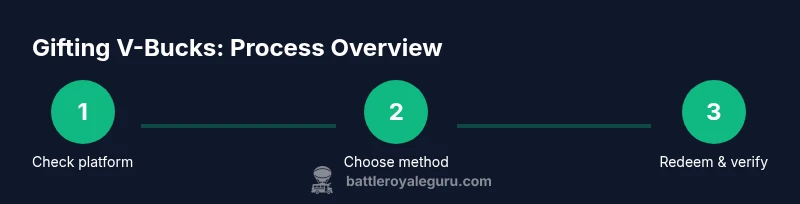
- Check gifting availability on the recipient’s platform. 2) Decide whether to use a V-Bucks gift card or an alternative gift (e.g., Battle Pass or cosmetic). 3) Purchase the chosen gift through an authorized retailer or store. 4) Share the gift code securely with the recipient, using a private message rather than public channels. 5) Have the recipient redeem the code on Epic Games and confirm the V-Bucks or item is added. 6) Confirm delivery and follow up if needed. This sequence helps ensure successful delivery while avoiding scams.
Common Pitfalls and Safety Tips
Be mindful of region locks, platform restrictions, and potential scams. Only buy from trusted retailers and never share codes in public forums or social media. Double-check the recipient’s Epic username and platform before purchase. If a code arrives with instructions, read them carefully and only redeem on the official Epic Games platform. If something goes wrong, contact Epic Games Support with your purchase receipt.
What If You Still Want to Gift V-Bucks Directly? Consider These Safer Routes
If the goal is to share value without a direct currency transfer, gift a V-Bucks card or purchase an item that the recipient can redeem using their own V-Bucks balance. Even though direct V-Bucks transfers aren’t typically supported, you can still surprise a friend with a thoughtful gift by aligning with the recipient’s platform and region, ensuring smooth redemption, and avoiding unsupported cross-account transfers.
Tools & Materials
- Recipient's Epic username(Ensure you have the exact display name and platform.)
- V-Bucks gift card or retailer digital code(Purchase from authorized retailers; verify code region.)
- Stable internet connection(Needed to redeem codes and confirm delivery.)
- Receipt or order number(Keep for proof of purchase if needed.)
- Personal message (optional)(Include a thoughtful note for the recipient.)
Steps
Estimated time: Total time: 15-25 minutes
- 1
Check gifting availability
Verify that the recipient’s platform and region support V-Bucks gifting options or retailer gift cards. This prevents buying a method that cannot be redeemed. If in doubt, choose a retailer gift card with broad regional support.
Tip: Pro tip: Always confirm the recipient’s platform before purchasing. - 2
Choose gifting method
Decide between a V-Bucks gift card and an alternative gift (e.g., Battle Pass or cosmetic). Consider what the recipient values and whether regional restrictions apply. Some items may require V-Bucks on the recipient’s account to redeem.
Tip: Pro tip: If you’re unsure about regional restrictions, pick a universal gift card option. - 3
Purchase the gift
Buy the selected gift from an authorized retailer or the official Epic store. Save the code securely or capture the order details for later verification.
Tip: Pro tip: Use a secure payment method and avoid sharing codes publicly. - 4
Share the gift securely
Send the code or gift details privately to the recipient. Use encrypted messaging or a trusted channel to prevent interception or fraud.
Tip: Pro tip: Include clear redemption steps and the platform they should use. - 5
Recipient redeems the gift
The recipient enters the code on Epic Games or on the retailer’s site per the issuing instructions. They should see V-Bucks or the desired item added to their account.
Tip: Pro tip: The recipient should double-check their balance after redemption. - 6
Verify delivery and follow up
Confirm with the recipient that the gift arrived and is usable. If issues arise, contact Epic Games Support with purchase proof.
Tip: Pro tip: Keep the receipt and any codes until redemption is verified.
Questions & Answers
Can I gift V-Bucks directly to another Epic Games account?
Direct gifting of V-Bucks between accounts isn’t typically supported. Instead, use a V-Bucks gift card or gift an item that can be redeemed with V-Bucks by the recipient on their own account.
Direct gifting of V-Bucks isn’t supported; use a gift card or alternative gift instead.
What gifting options are available if I can’t transfer V-Bucks?
Options include purchasing a V-Bucks gift card from an authorized retailer or gifting items that the recipient can obtain with V-Bucks, such as a Battle Pass or cosmetic bundles.
You can buy a V-Bucks gift card or gift items the recipient can redeem with V-Bucks.
Are V-Bucks gift cards region-locked?
Yes, many gift cards are region-locked. Check the recipient’s region and ensure the card you buy is valid there.
Gift cards often have regional restrictions; verify the recipient’s region.
Can I gift a Battle Pass to a friend?
In some cases you can gift items via the store, including Battle Pass bundles, which the recipient can redeem with their own V-Bucks balance.
You may be able to gift the Battle Pass via the store.
How do I redeem a V-Bucks gift card?
Open the Epic Games launcher or website, select Redeem Code, enter the code exactly as shown, and confirm the balance is added to the recipient’s account.
Redeem the code on Epic Games to add V-Bucks to the account.
What should I do if the gift isn’t delivered?
Contact Epic Games Support with proof of purchase and the gift details. Don’t share codes publicly while resolving the issue.
If issues arise, contact Epic Games Support with your receipt.
Watch Video
Key Points
- Understand direct gifting limitations for V-Bucks.
- Use official gift cards or alternative in-game gifts when possible.
- Always verify platform and region before buying.
- Share codes securely and keep receipts for support if needed.