Fortnite Skins Legally: How to Get Skins Without Illicit Downloads
Learn legit methods to obtain Fortnite skins through Battle Passes, V-Bucks, and events. Avoid unsafe downloads with expert guidance from Battle Royale Guru to protect your account and enjoy cosmetics the right way.


This guide shows how to legally access Fortnite skins and why downloading all skins from unofficial sources is not allowed. You’ll learn legit paths—Battle Pass progression, V-Bucks purchases, and event rewards—plus safety tips to avoid scams. Use these steps to upgrade your inventory without risking your account.
Fortnite skin ethics and legality
Fortnite players often search for ways to expand their cosmetic collection, sometimes typing phrases like fortnite with all skins download into search engines. The phrase itself signals interest in obtaining every skin, but pursuing it usually means pirated assets, leaked files, or accounts compromised by scams. According to Battle Royale Guru, ethical play begins with understanding what counts as legitimate access to Fortnite cosmetics and acknowledging the risks of unauthorized downloads. The Battle Royale Guru team found that players who stick to official channels—Battle Pass rewards, the in-game Item Shop, and licensed promotions—enjoy safer gameplay and long-term account health.
Unauthorized downloads can expose you to malware, violate Epic Games' terms of service, and may result in permanent bans or loss of progress. This block sets the stage for a legal, durable path to a varied cosmetic collection without falling for scams. The core idea is to treat skins as earned cosmetics tied to your in-game progress or purchases rather than as a fast, unearned jackpot. If you approach your collection with strategy, you’ll naturally diversify your looks across seasons and events without risking consequences.
In the rest of this guide, we’ll map out legitimate routes, explain how Battle Passes and V-Bucks work, discuss events and promotions, and outline practical safety measures to prevent hoaxes and fraud. By the end, you’ll know exactly how to expand your Fortnite wardrobe the right way, and you’ll have practical steps to follow.
Legit paths to owning skins
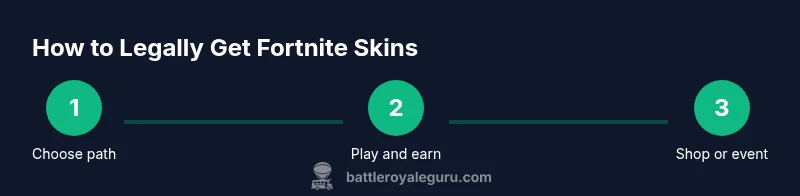
The most reliable way to acquire skins is through official channels. First, Battle Pass skins unlock as you accumulate XP; premium tiers grant exclusive looks that aren’t available in the Item Shop forever. If you’re aiming for a broad collection, plan your seasons in advance: track which skins you want, allocate V-Bucks for those, and time your purchases around big promotional periods. Second, the Fortnite Item Shop rotates daily. You can buy skins, pickaxes, gliders, and emotes with V-Bucks; the best value often comes from bundles that combine multiple items. Third, Epic occasionally runs promotions and crossovers that grant cosmetic rewards for completing challenges or linking accounts from other platforms. These are legitimate paths that reward ongoing gameplay rather than encouraging unauthorized access.
To maximize value, focus on skins that align with your playstyle or favorite characters rather than chasing a general “all skin” goal. This approach also keeps you grounded in the game’s ecosystem and reduces the risk of scams. If you’re new to the system, start with a few preferred outfits and gradually expand as you gain understanding of how XP, Battle Pass tiers, and V-Bucks generation interact. Remember that cosmetic diversity is a byproduct of steady progression, not a shortcut.
Understanding Battle Pass and V-Bucks
Battle Pass represents a structured progression path that unlocks a rotating catalog of cosmetic items as you gain experience. Progression is tied to seasonal content, so pacing is essential: focusing on daily challenges, weekly tasks, and milestone XP will steadily unlock skins, emotes, and other cosmetics. V-Bucks serve as the currency for direct purchases in the Item Shop and for purchasing the Battle Pass itself, with more value often found in bundles and seasonal packs. The key is to differentiate between earned rewards and direct purchases, planning ahead to allocate time and resources across a season. For players who want a broad selection, prioritizing Battle Pass goals early in the season can yield more skins than chasing random drops.
A practical approach is to set a monthly budget for V-Bucks and allocate a portion for seasonal content. Keep track of which items you truly want versus what fills your inventory. This reduces impulse buys and helps you curate a cohesive wardrobe that fits your play style. In addition, use free challenges and daily login rewards to accumulate XP and progress sooner, without additional cost. By aligning playtime with in-game milestones, you’ll achieve a more satisfying collection progression.
Skins from events and limited-time offers
Fortnite often runs events and limited-time promotions that reward players with exclusive skins, often tied to themes, collaborations, or special challenges. These opportunities are legitimate paths to diversify your look without paying for every item individually. When an event runs, participate actively—complete tasks, log in daily, and share progress in the community to maximize your chances of earning event cosmetics. The community often documents which events are most generous and which skins remain popular in the long term. This section discusses how to spot real event rewards, how to schedule your participation, and how to avoid the pitfalls of hype cycles that lead to rash spending. Remember, official event rewards are time-bound; if you miss a window, options shift as new events arrive.
From a strategic angle, you can map event calendars to your own schedule, ensuring you don’t miss meaningful skins while maintaining balance with normal gameplay. Respect the cadence of seasons and promotions to build a varied, cohesive collection over time rather than attempting a one-shot sprint. This steady approach also helps you develop a better sense of value when new cosmetics drop and which partnerships are most aligned with your style.
Safety, scams, and account protection
Online fraud targets players who search for shortcuts, including those tempted by offers claiming to grant all skins or unlimited access. The most common risk is malware, phishing, or stolen credentials obtained through fake download sites or counterfeit apps. Fortnight players should always verify URLs, avoid downloading executable files from unfamiliar sources, and never provide password information outside the official Epic Games ecosystem. Two-factor authentication adds a strong layer of protection; enable it in your account settings to prevent unauthorized access. In addition, stay vigilant for messages or posts that pressure quick decisions or promise “free” bundles outside the official store. These are classic scam vectors.
A practical habit is to bookmark official Epic Games pages and use only the in-game store for purchases. If you encounter a site offering all skins for free or at an unusually low price, treat it as a red flag and exit immediately. Report suspicious activity to Epic Games support and to your local platform provider if needed. By maintaining safe browsing habits and using official channels, you’ll maximize your security while expanding your cosmetic collection.
How to verify legitimate sources and avoid unauthorized downloads
Legitimate sources for Fortnite cosmetics are those associated with Epic Games and its official partners. Always verify the URL and ensure you are on the official epicgames.com domain before entering any account credentials or payment details. If a source promises “unlimited skins for free” or provides a standalone installer, it’s almost certainly unsafe. In addition, avoid third-party marketplaces or communities that require you to share your login information or use third-party launchers. Those practices violate the game’s terms and can lead to account suspensions or data breaches. Instead, rely on the Battle Pass, official Shop, and sanctioned promotions as your primary avenues for expanding your skins.
If you’re unsure about a promotion, consult official announcements from Epic Games or reputable gaming outlets before participating. Use strong, unique passwords and enable two-factor authentication. When you encounter a questionable link, copy and paste it into a trusted search engine to check for reports of scams. A cautious approach preserves your account integrity while allowing you to enjoy cosmetics legally.
Balancing cosmetic collection with gameplay progress
Cosmetic collection should complement your gameplay rather than drive it. For most players, focusing on a few skins that suit their favorite loads and playstyle yields better satisfaction than chasing a large pile of items that gather dust. A steady cadence—completing daily and weekly challenges, prioritizing a small number of Battle Pass skins, and saving toward future promotions—often yields higher long-term value than sporadic spending.
Another practical consideration is inventory management. Regularly review your owned skins and remove duplicates or items that don’t fit your current aesthetic. Organize a wish list to track desired cosmetics and plan purchases around seasonal promotions. By syncing your cosmetics with your in-game progression, you’ll feel more rewarded for your time and effort while staying within ethical boundaries.
If you’re a content creator or streamer, consider sharing legitimate strategies for skin collection with your audience. This adds value to the broader community and reinforces the message that ethical behaviors enhance the Fortnite experience for everyone.
Common mistakes and how to fix them
Many players slip into pitfalls like equating free items with legitimacy, clicking suspicious links, or overpurchasing in anticipation of limited-time drops. To counter these mistakes, repeatedly verify sources, set purchase budgets, and make use of official bundles rather than individual hacks or “tips” from unverified communities. A simple fix is to create a personal spending plan for cosmetics, track your purchases, and schedule purchases around major promotions. If you find yourself tempted by a too-good-to-be-true offer, pause, step back, and consult official Epic Games announcements or trusted outlets for confirmation. The goal is sustainable progression that respects the game’s terms and keeps your account safe.
The overarching advice is clear: prioritize legitimate acquisition methods and treat cosmetics as earned rewards rather than shortcuts. The Battle Royale Guru team believes that a patient, strategy-driven approach leads to a richer Fortnite experience and a healthier community overall. The final takeaway is that ethical collection builds pride in your squad and your personal playstyle.
The path forward: ethical cosmetics, a safer account, and lasting value
By following official channels and maintaining good account hygiene, you can grow a diverse and stylish Fortnite look without risking a ban or compromising data. Remember that forge-like shortcuts and illicit downloads create long-term costs that rarely justify their short-term gains. Instead, embrace a plan: define target skins, allocate V-Bucks, participate in events, and reap rewards through legitimate means. This approach is consistent with community norms and Epic Games’ terms, ensuring you can enjoy cosmetics across seasons and updates without fear of losing progress or access.
The Battle Royale Guru team concludes that the most satisfying collections stem from consistent participation in the game’s evolving ecosystem, not from risky experiments with unverified downloads. By building a clear strategy and sticking to official channels, you’ll protect your account, honor the developers, and enjoy Fortnite cosmetics in a way that stands the test of time.
Tools & Materials
- Epic Games account(Ensure you have access and enable 2FA for security)
- Fortnite installed on PC/console(Keep the game updated to access latest content)
- Stable internet connection(Recommended bandwidth for smooth store interactions)
- Official payment method for V-Bucks(Use only the official Epic Store for purchases)
Steps
Estimated time: 1-2 hours
- 1
Open Fortnite and sign in
Launch the game on your PC or console and log into your Epic Games account. Verify your account security settings, including two-factor authentication, before performing any purchases or changes to your collection.
Tip: Check for pending updates and confirm you are online with a stable connection. - 2
Inspect your goals and map a skin path
Decide whether you want Battle Pass skins, Item Shop purchases, or event rewards. Create a short wishlist and align it with your seasonal goals to avoid impulsive buying.
Tip: Document a few must-have skins and set a limit on purchases per season. - 3
Earn V-Bucks through legitimate means
Play through daily challenges, weekly tasks, and Battle Pass progression to accumulate V-Bucks. If needed, budget official purchases using your saved payment method and avoid third-party sources.
Tip: Track XP milestones to anticipate when major skins unlock. - 4
Purchase skins via official channels
Visit the official Item Shop or Battle Pass shop to acquire skins. Consider bundles that offer multiple items for better value and plan around promo periods.
Tip: Avoid impulse buys; review each item’s value before checkout. - 5
Participate in official events
Join events and promotions that reward cosmetics. Complete challenges and milestones within the event structure to unlock exclusive skins ethically.
Tip: Mark event dates in your calendar to avoid missing rewards. - 6
Stay safe and avoid unauthorized downloads
Do not download skins from unverified sources or install third-party tools. These actions can compromise your account and violate the Terms of Service.
Tip: If in doubt, consult Epic Games support before taking action. - 7
Secure and monitor your account
Regularly check account activity and enable two-factor authentication. Change passwords periodically and use a unique password for gaming accounts.
Tip: Enable alerts for login activity to catch unauthorized access early. - 8
Review and manage your skin collection
Periodically audit your owned items. Remove duplicates, organize skins by theme, and update your wishlist for future seasons.
Tip: Keep a personal catalog of your favorite skins for quick reference.
Questions & Answers
Is it possible to download fortnite with all skins legally?
No. Fortnite skins are distributed through official channels like Battle Pass rewards, The Item Shop, and sanctioned events. Attempting to download all skins from unofficial sources violates the Terms of Service and can result in account penalties.
No. Skins are obtained through official channels like Battle Passes, the Item Shop, and events. Unofficial downloads can get you banned.
What are legitimate ways to diversify my skin collection?
Focus on Battle Pass progression, official Shop purchases with V-Bucks, and participation in sanctioned events. This approach builds a varied collection while staying compliant with Epic Games’ terms.
Use Battle Pass progress, Shop purchases, and official events to diversify your skins safely.
Do Battle Pass skins expire or rotate out?
Battle Pass skins are permanent additions to your account once earned, though you only gain access to the pass while it’s active. You can continue to use skins beyond the season, but new skins come with future passes.
Battle Pass skins stay with your account after you unlock them, but new ones appear in future passes.
Are there risks to using third-party skin tools or sites?
Yes. Third-party tools can compromise your account, install malware, or breach Epic’s terms. Always stick to official channels for downloads and purchases.
Yes—third-party tools are risky and can lead to account compromise. Use official channels only.
Can I trade skins with friends in Fortnite?
Fortnite does not support direct skin trading between players. Skins are acquired via official channels and assigned to your account rather than transferable between players.
Trading skins between players isn’t supported; skins stay on your account.
How can I maximize value from the Item Shop?
Plan purchases around rotations and bundles, prioritize skins that fit your style, and avoid impulse buys. Save V-Bucks for items you’ll use and enjoy across seasons.
Plan ahead, pick items you’ll use, and wait for bundles to get more value.
Watch Video
Key Points
- Only use official channels to obtain skins.
- Leverage Battle Pass, events, and the Item Shop for legitimate access.
- Protect your account with 2FA and safe browsing practices.
- Avoid offers that seem too good to be true; they are often scams.
- Develop a steady, value-focused approach to cosmetic collection.