How Fortnite Emotes Are Made: From Concept to In-Game Animation
Explore the production pipeline behind Fortnite emotes—from concept art and motion capture to animation, audio design, and Unreal Engine integration. Learn the teams, milestones, and best practices that shape each expressive moment in Battle Royale.


By the end, you’ll understand the full pipeline behind how Fortnite makes emotes—from concept art and motion capture to in-game animation, audio design, and integration in Unreal Engine. This quick guide outlines core roles, milestones, and checks that influence emote quality and player readability. You’ll see how iteration, feedback, and platform constraints shape final releases.
What makes emotes in Fortnite expressive
Expressiveness in Fortnite emotes comes from clarity, timing, and performance that reads well at a glance. The Battle Royale Guru team notes that iconic emotes balance broad, readable gestures with subtle micro-movements to convey emotion even on small screens. Designers start with a core premise: what feeling should the emote evoke, and how will players use it in social moments, dances, and celebrations? That intent guides every other decision—from the pose language to the pacing of frames. Readability is essential; the silhouette of a featured pose must remain distinct as players crowd into groups or celebrate from a distance. Color choices, clothing, and props are tuned to read across outfits and body types, avoiding visual clutter.
Beyond aesthetics, feasibility matters. Each emote must fit within performance budgets and animation rigs used across platforms. A single emote is not a collage of unrelated moves; it’s a coherent sequence with a clear start, middle, and end. Designers map a few signature poses and transitions to a montage-like structure, then test at typical framerates and device constraints. The creative brief also specifies accessibility considerations, so the team builds variants for players who prefer slower pacing or alternative visual cues. In all cases, feedback loops with community teams and QA help ensure movement feels natural, not forced, and that it aligns with Fortnite’s tone of humor and swagger.
The creative pipeline: concept to asset
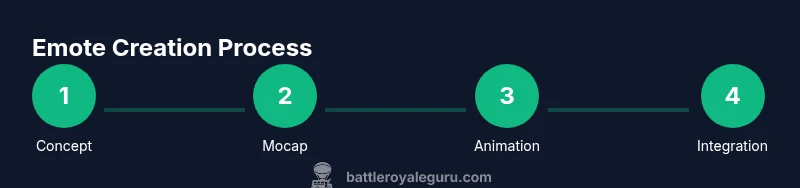
The journey from idea to an in-game emote is a collaboration between concept artists, animators, engineers, and sound designers. It starts with a concise brief that defines mood, duration, and scripting for the sequence. Concept artists produce rough sketches and mood boards to establish character pose language, timing, and fan-favorite gestures. From there, the art direction team refines the look, ensuring the style matches Fortnite’s expressive, over-the-top sensibility while remaining readable on all outfits.
Once approved, 3D artists sculpt the character’s limbs, hands, and clothing in a way that supports fluid motion. The rigging phase creates a skeletal system and control handles that animators will use to reproduce the emote’s motions. A strong emphasis is placed on modularity: designers propose a set of interchangeable poses or transitions so a single emote can feel fresh across seasons. The asset passes to animation teams for blocking, timing, and polishing, followed by a cross-team review that considers performance, accessibility, and visual clarity on different devices.
Motion capture and performance animation
Motion capture is a common starting point for expressive emotes because it captures authentic weight, timing, and personality. In Fortnite, performers wear lightweight suits that record full-body motion, with optional facial capture for subtle expressions when required. The captured data is cleaned and retargeted to the game’s character rigs, a process that preserves intent while adapting to the Fortnite skeleton. Animators then refine the motion to ensure the sequence remains legible when executed by players at various distances and screen sizes.
The next step is to craft the transition timing—how the emote begins, pivots, and ends so it can blend smoothly with other actions in the game. Animators adjust looping behavior for emotes that repeat or shuttle between poses. They also prepare a fallback animation for devices with limited processing power, ensuring the emote remains responsive even during network hiccups or frame drops. The result should feel natural, energetic, and aligned with the game’s playful tone.
Audio design and timing
Audio is a critical layer that often defines the feel of an emote. Sound designers create short, punchy cues that emphasize each gesture without overwhelming the player's ears. They synchronize foot taps, cloth swishes, or celebratory pops to specific frames, ensuring the audio nudges the player toward the intended emotional beat. In some cases, multiple audio variants exist for different regional locales or team-based celebrations, and these cues are tested for timing accuracy across platforms.
The team also considers accessibility—some emotes include audible cues that help players with visual impairments identify the action. For ceremonial or inclusive emotes, designers may provide alternative audio tracks that maintain rhythm while reducing complexity. Finally, audio assets are compressed to fit performance budgets and re-encoded to match device-specific sampling rates, so sound quality remains consistent from mobile to PC.
Technical integration: rigs, blends, and Unreal Engine
Importing emotes into Unreal Engine involves aligning the asset with the game’s rig, retargeting animations, and wiring them into the animation blueprints that drive character behavior. A typical emote is built as a montage or a sequence of animation assets that can be triggered by the player or by social features in the lobby. Animators use blend spaces to ensure a smooth transition between different poses, while event cues sync with audio and on-screen effects.
Performance considerations shape the final asset: compression, texture resolution, and skeleton complexity all influence frame rate. The team tests the emote in a variety of outfits and environment lighting to confirm readability. During optimization, root motion is evaluated for its impact on movement blending, and any creases or jitter in the mesh are corrected. Finally, the emote passes QA tests for consistency across platforms, including console and mobile builds.
Platform constraints, optimization, and performance
Fortnite operates across a wide range of devices with differing capabilities. Emote creators optimize for memory budgets, draw calls, and shader complexity. Some emotes are built with a simpler skeleton or shorter timing to preserve responsiveness on lower-end devices. Texture atlases and mesh optimization help maintain readable silhouettes even when the screen is crowded with players. The pipeline also accounts for network latency: emotes should trigger reliably even if the player experiences brief lag, so designers implement robust input handling and fallback states.
Cross-platform consistency is essential; animations must look similar on PC, console, and mobile, which sometimes requires platform-specific tweaks. The team also plans for seasonal updates—emotes can be repackaged into bundles or re-released with new outfits, but the underlying motion and timing must remain stable to avoid jarring changes for veterans.
Collaboration and quality assurance
An emote is rarely the work of a single artist; it requires tight collaboration across concept, art, animation, audio, and engineering teams. Regular design reviews, asset tracking, and version control keep iterations organized and repeatable. QA testers perform muscle memory checks, looking for abrupt stops, timing inconsistencies, or awkward silhouettes in crowded scenes. They also validate accessibility considerations, ensuring that slower versions or color-contrast adjustments do not degrade readability.
Epic internal guidelines and external playtests help confirm that the emote adheres to Fortnite’s brand voice and humor. The feedback loop is iterative: if testers flag issues, the team revisits the animation curves, adjusts timing, or replaces audio cues. The goal is a polished moment that feels satisfying at both macro (playlists and emote menus) and micro (in-game interactions) scales.
Cultural considerations and player feedback
The emote pipeline includes checks to avoid cultural insensitivity, stereotypes, or potentially offensive imagery. Teams monitor community feedback and social media to catch concerns early. When risk is detected, designers adjust poses, gestures, or audio choices before final release. The process also accommodates diverse player experiences, offering inclusive visuals and alternative cues that feel welcoming to a broad audience.
Player feedback often informs post-release adjustments. Bundling emotes with new seasons or events gives designers another chance to refine pacing or rename gestures for clarity. Across all iterations, the aim is to deliver emotes that feel as expressive as they are memorable, while maintaining Fortnite’s lighthearted, competitive tone.
What players see: emote design in practice
Players experience emotes through a fast, readable moment that punctuates social interaction. A successful emote reads clearly on a crowd shot, aligns with outfit aesthetics, and does not disrupt gameplay flow. Designers design with this constraint in mind, testing the motion against various screen sizes and in different lighting conditions. By balancing motion, audio, and timing, Fortnite emotes become small performances that players can share, spam, or celebrate with friends without pulling focus from the game itself.
Tools & Materials
- Concept art software (e.g., Photoshop, Procreate)(Used for mood boards, character poses, and initial sketches.)
- 3D modeling software (e.g., Maya, 3ds Max)(Create base meshes, clothing, and props.)
- Rigging/Animation software(Set up skeletons and control rigs for emotes.)
- Motion capture setup(Includes suit, sensors, and mocap studio access.)
- Motion capture data processing tools(Data cleaning and retargeting pipelines.)
- Unreal Engine (UE5/UE4)(Import, montage, and test within the game engine.)
- Audio workstations (e.g., Pro Tools, Audacity)(Record and edit emote-specific sound effects.)
- Quality assurance environment(Test across devices, framerates, and outfits.)
Steps
Estimated time: several weeks
- 1
Define emote brief and goals
Clarify mood, duration, and key poses. Align with game tone and audience expectations. Document success criteria and accessibility considerations.
Tip: Create a quick storyboard to anchor motion direction and transitions. - 2
Storyboard and concept art
Develop mood boards and rough poses that convey the intended emotion. Ensure readability from a distance and across outfits.
Tip: Keep silhouettes bold; avoid small, detailed gestures that vanish at mobile sizes. - 3
Build base rig and models
Create a clean skeleton, adjust clothing simulation, and ensure the mesh supports fluid motion without clipping.
Tip: Test poses on multiple outfits to catch silhouette issues early. - 4
Capture motion and initial animation
Record body motion with performers, then clean and retarget to Fortnite rigs. Begin blocking key frames and transitions.
Tip: Retargeting preserves intent while adapting to the game’s skeleton. - 5
Refine timing and transitions
Polish the sequence so starts, middles, and ends feel natural. Prepare a looping or looping-friendly variant if needed.
Tip: Use consistent frame pacing to keep emotes readable at all distances. - 6
Add facial expressions and details
Incorporate facial cues and hand gestures where appropriate. Balance subtlety with legibility for in-game use.
Tip: Avoid overfitting facial data; ensure expressions read clearly on small screens. - 7
Design and synchronize audio
Create short audio cues that align with frames and gestures. Prepare regional variants if necessary.
Tip: Test audio at different volumes to ensure it enhances rather than distracts. - 8
Import to Unreal, montage, and test
Bring assets into Unreal, assemble into a montage, and integrate into animation blueprints. Run cross-platform tests.
Tip: Check for jitter, artifacts, and timing consistency across devices. - 9
Finalize and optimize
Compress assets, adjust textures, and verify performance budgets. Prepare documentation for production handoff.
Tip: Keep a changelog and versioning for easy future updates.
Questions & Answers
What is an emote in Fortnite, and why does it matter?
An emote is a short character animation used for expression, celebration, and social interaction in Fortnite. It enhances player personality and group dynamics in the match lobby and gameplay.
Emotes are those short dances and gestures players use to express themselves in the game.
Do emotes rely on motion capture, or are they hand-animated?
Fortnite emotes use a combination of motion capture and hand animation. Mocap captures authentic weight, while animators refine the data for readability and performance across platforms.
Most emotes start with motion capture, then are polished by animators.
How are emotes tested for readability across devices?
Testing focuses on silhouette clarity, gesture recognition at distance, and animation stability across PC, console, and mobile. Feedback from QA ensures the motion is legible in varied view angles and lighting.
We test emotes on different devices to ensure you clearly read the gesture in any situation.
Can players create or upload their own emotes?
Fortnite does not currently provide a public emote creator for players. All emotes released in-game are developed by Epic Games and the Fortnite team.
Players don’t create emotes themselves in the current setup.
What teams are involved in emote creation?
Emotes involve concept art, animation, audio design, 3D modeling, rigging, lighting, and software engineers working in Unreal Engine. QA also tests for performance and readability.
A whole squad of teams collaborates to craft each emote.
How are emotes optimized for mobile performance?
Emotes are designed with lower polygon counts, efficient textures, and tighter timing to preserve responsiveness on mobile devices without sacrificing readability.
Mobile devices get leaner emotes that still read clearly.
Watch Video
Key Points
- Follow a clear brief to anchor emote intent
- Prioritize readability over complexity
- Test across devices and outfits for consistency
- Iterate with QA and community feedback
- Optimize assets early to meet performance budgets