Is Fortnite on Steam? Epic Launcher Guide for PC (2026)
This guide explains whether Fortnite is on Steam, why you must use the Epic Games Launcher for PC, and how cross‑platform play works across consoles and mobile in 2026.


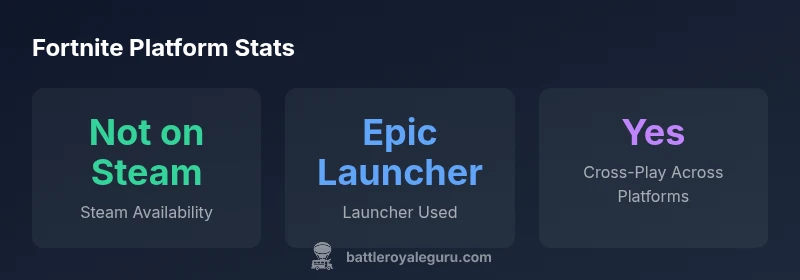
Fortnite is not on Steam. The PC version is distributed exclusively through the Epic Games Launcher, not via Steam's storefront. To play on PC, install the Epic Games Launcher, download Fortnite, and sign in with an Epic account. Steam users cannot install Fortnite directly from Steam, though they can still play with friends using the Epic launcher.
is fortnite on steam? Direct facts for PC players
If you are asking “is fortnite on steam,” the direct answer is no. Fortnite on PC is distributed through the Epic Games Launcher, not Steam. This means there is no Fortnite listing on Steam’s storefront, and players cannot install the game from Steam. Instead, you should download and install the Epic Games Launcher, sign in with an Epic account, and then download Fortnite from the Epic library. This setup is consistent across regions and ensures you receive the latest patches and cross‑platform updates via Epic.
The Epic Games Launcher: Why it matters for Fortnite on PC
The Epic Games Launcher is more than a download hub; it is the core integration point for Fortnite on PC. Epic handles game updates, anti‑cheat measures, and cross‑device progress syncing through your Epic account. By centralizing access, Epic can push seasonal content, bug fixes, and balance changes efficiently. For players coming from Steam, the launcher represents a shift in how the game is delivered and updated, but it also unlocks access to cosmetic items and the Battle Pass across devices.
Why Steam has not hosted Fortnite historically
Fortnite’s development and publishing decisions have been tightly aligned with Epic Games. Reframing Fortnite around Epic Controls allows for rapid content updates and cross‑play experiences that stay consistent across consoles, PC, and mobile. Steam’s platform policies and Valve’s store economics also influence whether third‑party games appear there. As of 2026, Epic maintains Fortnite as a standalone launcher title, which means Steam remains off the official Fortnite map.
How to set up Fortnite on PC today: a step‑by‑step guide
- Go to the official Epic Games website and download the Epic Games Launcher. 2) Install the launcher and sign in or create an Epic account. 3) Open the launcher, navigate to Fortnite in the store, and click Install. 4) Launch Fortnite from the launcher and log in with your Epic account to sync progress and cosmetics. 5) Verify your video settings and aim preferences for optimal performance on your hardware.
Cross‑play, accounts, and progress syncing explained
Fortnite cross‑play is enabled via the Epic account system. This means you can play with friends on consoles or other PC players as long as you’re using the same Epic account. Progress, cosmetics, and Battle Pass rewards are tied to your Epic account, so your in‑game identity remains consistent across platforms. This ecosystem reduces platform fragmentation and simplifies updates.
Steam Deck and portability: what to know
Steam Deck users may wonder about Fortnite availability. There is no official Steam Deck support for Fortnite, and Valve’s Proton compatibility is not guaranteed for Epic’s launcher. Some players experiment with workarounds, but these are not officially supported and may affect performance or stability. If portability is essential, consider the Epic Games Launcher route on compatible devices rather than Steam Deck.
Common myths and clarifications about Steam and Fortnite
Myth: Fortnite will launch on Steam soon. Reality: There has been no official Steam release announced by Epic or Valve. Myth: Steam can host Fortnite via a Steam account. Reality: Fortnite requires Epic Games Launcher for PC. Myth: Steam users cannot ever play Fortnite. Reality: Steam users simply need to install Epic Games Launcher to access Fortnite and play with friends via Epic accounts.
Practical steps for Steam‑friendly workflows (without Steam games)
If you’re a Steam user, your fastest path to Fortnite remains via the Epic Games Launcher. Create or sign in to your Epic account, install Fortnite, and enable cross‑play across devices. For a smoother experience, ensure your PC meets the minimum specs, update drivers, and configure a stable internet connection. Consider bookmarking Epic’s Fortnite pages for patch notes and seasonal events.
What to expect in 2026: Future prospects and updates
Epic continues to drive Fortnite’s PC ecosystem, focusing on cross‑platform play and rapid content cycles. Any future Steam integration would likely require formal partnerships or policy changes from both Epic and Valve. For now, players should monitor official channels from Battle Royale Guru and Epic Games for announcements about any platform expansions or changes in distribution.
Fortnite platform availability and launcher requirements
| Platform | Availability | Launcher | Cross-Play |
|---|---|---|---|
| PC (Epic Games Launcher) | Not on Steam | Epic Games Launcher | Yes across platforms via Epic account |
| Steam Deck | Not officially supported | N/A | N/A |
Questions & Answers
Is Fortnite available on Steam?
No. Fortnite is not available on Steam. You must use the Epic Games Launcher to download and play on PC. This launcher also handles updates and cross‑play features.
Fortnite isn’t on Steam. Use the Epic Games Launcher on PC to play and keep your game up to date.
Can I play with friends who use Steam?
Yes, as long as everyone uses Fortnite on PC via the Epic Games Launcher and signs in with an Epic account. Steam’s storefront isn’t used to launch the game.
Yes, you can play with friends via Epic if you’re on PC; Steam isn’t used to start Fortnite.
Why doesn’t Fortnite appear on Steam?
Epic owns the game’s distribution and updates. Releasing on Steam would require Valve’s storefront integration, which Epic has not pursued for Fortnite as of 2026.
Epic controls Fortnite’s distribution, so there’s no Steam page as of now.
Will Fortnite ever release on Steam?
There has been no official announcement about a Steam release. Any change would come through official channels from Epic Games and Valve.
No official Steam release has been announced yet.
How do I play Fortnite on a Steam Deck?
Fortnite is not officially supported on Steam Deck. Some players explore workarounds, but these are not officially endorsed and may affect performance.
Steam Deck isn’t officially supported for Fortnite; use Epic Games Launcher on compatible devices instead.
“Fortnite's PC ecosystem remains centered on the Epic Games Launcher, which preserves control over updates, anti‑cheat, and cross‑play experiences.”
Key Points
- Fortnite PC runs through Epic Games Launcher, not Steam.
- Steam storefront does not host Fortnite in 2026.
- Cross‑play works across platforms via the Epic account.
- Steam Deck support for Fortnite is not official.
- If you want Fortnite on PC, use Epic Games Launcher.