Where to Find Fortnite OG Zero Build: A Practical Guide
Learn where Fortnite OG Zero Build lives, how to enable it, and practical steps to jump in fast. This guide covers menu navigation, rotations, cross‑platform tips, and troubleshooting from Battle Royale Guru.


You’ll locate Fortnite OG Zero Build by switching to the Zero Build playlist in Battle Royale, selecting the OG ruleset if it’s available, and confirming your lobby settings before you jump in. Ensure you’re on the latest patch and that your account has access to Battle Royale. The steps are the same on PC, consoles, and mobile.
What OG Zero Build means in Fortnite today
OG Zero Build refers to the original zero-build experience where players cannot place structures, emphasizing aim and movement over building battles. In modern Fortnite updates, the zero-build playlist has rotated with variations, but many players still seek the classic rules for a purer combat contest. According to Battle Royale Guru, the community often labels OG Zero Build as the version that emphasizes mobility and weapon skill over building speed. In this section, we define the concept, clarify what to expect when you join, and outline how the current rules might differ from the earliest releases. You’ll learn how the game mode is classified, what weapon pools are available, and how matchmaking and rotations can affect your first match. For players returning after a break, understanding OG Zero Build helps you adjust your playstyle quickly and avoid missteps that can arise when building is disabled. Additionally, many players ask where is fortnite og zero build, and this guide aims to answer that question with practical navigation tips and rotation notes.
Where to find Zero Build in the main menu and playlists
To locate OG Zero Build, start from the Fortnite lobby and head into Battle Royale playlists. On PC and console, look under the Battle Royale section and scan for a Zero Build playlist. If an OG variant is available, it will be labeled clearly (for example, 'OG Zero Build' or a rotation tag). Language in the UI can vary by patch, season, or region, so always check the current patch notes for the exact naming. Battle Royale Guru notes that rotations are common and may push OG Zero Build into limited-time rotations, so you may need to search or refresh between sessions. If you don’t see OG Zero Build right away, try reloading the game or checking the in-game Store or News tab for timing on rotations. This section provides practical navigation steps and a mental map of where to look in most patches.
Understanding the OG ruleset and what stays constant
The OG ruleset typically disables all building actions, turning matches into pure gunplay and movement tests. While core mechanics—like aim, map knowledge, and rotations—remain, weapon pools and mats availability can differ by patch. Some rotations return to early-season configurations, while others preserve modern balance changes alongside the zero-build constraint. The key constant is the absence of building, not the exact weapon lineup. This means your approach should prioritize positioning, lensing for fights, and quick read on enemy habits rather than relying on high ground advantage built mid-fight. The popularity of OG Zero Build stems from a desire for a more predictable combat rhythm, so expect fewer improvisational fortifications and more engagement from a single or few forced builds.
Step-by-step path to enable OG Zero Build this session
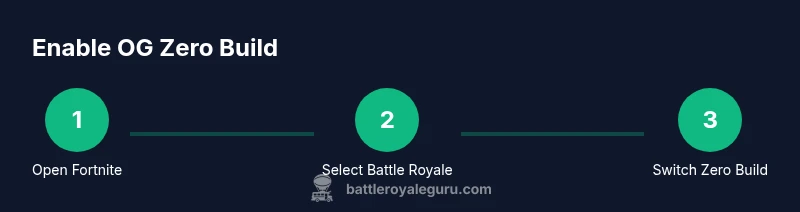
If you want to ensure you’re playing OG Zero Build this session, start by confirming you’re on the latest patch and that Zero Build is active in the Battle Royale playlist. Then, select Battle Royale, choose the Zero Build option, and look for any OG or classic ruleset label in the mode description. If your region shows multiple Zero Build playlists, pick the one labeled as OG or classic and verify the squad size and matchmaking options before entering. Remember that OG variants may rotate out of the playlist, so you may need to rejoin or wait for the rotation. By following the labels and rotation windows, you’ll maximize your chances of landing in the OG experience.
Platform-specific tips for PC, console, and mobile players
PC players typically enjoy faster input responsiveness and precise aiming with a mouse. Console players can optimize with controller layouts and comfort grips, while mobile users should check for touch control presets that favor quick scoping and quick peeks. Across platforms, ensure your account is linked correctly and that you’ve updated to the latest version. In some patches, OG Zero Build might be temporarily unavailable on certain platforms, so it’s useful to monitor official patch notes and community channels. Battle Royale Guru’s guidance emphasizes matching the mode to your preferred playstyle and comfort level, especially when rotations and labels differ by region.
Troubleshooting common issues when OG Zero Build isn’t visible
If OG Zero Build isn’t showing up, start with a simple refresh: restart Fortnite, sign out and back in, or restart your platform. Check for the latest patch notes to confirm the mode’s availability and rotation timing. If you’re playing on a console, ensure your system firmware is up to date and that the game isn’t in a restricted mode that hides certain playlists. On PC, verify game files through your launcher and test a different region if possible to see if rotation timing is region-locked. If all else fails, consult the official Fortnite support page or community forums for known outages related to OG Zero Build.
Timing, rotations, and how patches impact availability
Patches often shuffle which Zero Build variants are available, including OG-style rules, and may rotate on a weekly or bi-weekly cadence. Availability can depend on your server region, account status, and whether you’ve opted into experimental playlists. To stay ahead, read patch notes, subscribe to in-game notifications, and follow verified sources like Battle Royale Guru’s update summaries. The takeaway is to treat OG Zero Build as a rotating experience rather than a permanent fixture in every patch; plan your practice sessions around the expected rotation windows and stay flexible with mode labels.
Pro tips to get into OG Zero Build faster
Learn the map’s hot zones and common choke points to reduce travel time between fights. Practice landing techniques in controlled environments, so you’re ready to engage immediately when OG Zero Build pops up. Use a consistent loadout in zero-build to avoid surprise changes in weapon balance. Finally, join friends who value the OG playstyle to maximize communication and coordinated rotations. Following these tips will help you drop into OG Zero Build faster and with less confusion during rotations.
Quick verification checklist before you jump in
- Confirm you are on the latest Fortnite patch and that Zero Build is available in Battle Royale.
- Check for an OG or classic ruleset label in the mode description.
- Verify your input device and platform settings are optimized for zero-build combat.
- Review patch notes for any changes to weapon pools or mats.
- Have a rough game plan for early fights and rotation paths to minimize downtime during the match.
Tools & Materials
- Fortnite installed on your platform(Make sure the install is up to date with the latest patch.)
- Stable internet connection(Wired Ethernet is recommended for PC; stable Wi‑Fi acceptable on consoles/mobile.)
- Active Battle Royale account(Must have access to the Battle Royale mode and any required regions.)
- Controller or keyboard/mouse or touch input(Choose your preferred input method and ensure it’s configured.)
Steps
Estimated time: 12-20 minutes
- 1
Open Fortnite and navigate to Battle Royale
Launch the game and enter the Battle Royale lobby. This is the standard starting point for selecting Zero Build and any OG variants. Confirm you’re connected to the correct server region before proceeding.
Tip: If you’re on mobile, make sure you’re using the latest app version and have granted necessary permissions for network access. - 2
Select the Zero Build playlist
From the mode selection screen, choose the Zero Build playlist. This disables building entirely and sets the core gameplay pace for gunfights and movement.
Tip: If there are multiple Zero Build options, pick the one labeled clearly as OG or Classic to align with older rules. - 3
Look for OG/Classic rules label
Scan the playlist descriptions for OG or Classic tags indicating the more authentic zero-build ruleset. Availability varies by patch and rotation.
Tip: If you don’t see OG, check patch notes or community channels for rotation timing. - 4
Preview the lobby settings
Before joining, review the lobby settings such as squad size, region, and any caps. This helps you avoid mismatches that slow your entry.
Tip: Consider queuing with friends to minimize wait time and coordinate landing zones. - 5
Join the match
Enter the match and confirm you’ve loaded into the Zero Build environment with OG rules if available.
Tip: Use a hot drop or pre-planned rotation to maximize early fighting opportunities. - 6
Verify in-match rules
Once in-game, confirm there is no building or mats systems in effect and adapt your playstyle accordingly.
Tip: Adjust weapon choice and mobility options for quicker engagements. - 7
Adjust mid-game if OG rules rotate out
If OG rules rotate out mid-session, be ready to switch to standard Zero Build or another available mode without losing too much practice time.
Tip: Stay adaptable and use every match as a learning opportunity. - 8
Exit and review after the match
After the game, review your fights and rotations to identify improvements for the next OG Zero Build session.
Tip: Keep a simple note of 2–3 takeaways to apply in the next round.
Questions & Answers
What is OG Zero Build in Fortnite?
OG Zero Build is the classic zero-build mode where building is disabled, emphasizing gunplay, movement, and map awareness. Availability can vary by patch rotation, so players should verify the current game options before planning a session.
OG Zero Build is the classic no-build mode where building is disabled, focusing on gunfights and movement. Check the current patch to confirm availability.
How do I access OG Zero Build?
Access OG Zero Build by selecting the Zero Build playlist in Battle Royale and choosing the OG or Classic ruleset label if it appears. If rotation hides the option, wait for the next patch or check patch notes for the window.
You access OG Zero Build by choosing the Zero Build playlist with the OG label if it’s shown; if not, monitor patch notes for rotation timing.
Why can't I find OG Zero Build in my region?
OG Zero Build rotates with patches and regional availability. If you don’t see it, it may be due to rotation timing or regional settings. Checking patch notes or official channels helps confirm when it returns.
If OG Zero Build isn’t visible, it’s likely due to patch rotation or regional availability. Check patch notes for timing.
Does OG Zero Build differ across platforms?
Core OG Zero Build rules are platform-agnostic, but input methods and performance can vary. Practice with your preferred platform to optimize response times and accuracy.
The OG rules stay the same, but input methods differ by platform, so tailor controls to your device.
Can I play OG Zero Build with friends?
Yes, you can queue with friends if they’re in the same region and have access to the OG Zero Build playlist. Coordinate your lobby and squad setup for best results.
You can play with friends by queuing in the same OG Zero Build lobby and coordinating rotations.
What should I do if OG Zero Build is unavailable?
If OG Zero Build isn’t available, try standard Zero Build or wait for the next rotation. Use practice in other modes to maintain aim and movement skills while you wait.
If you can’t access OG Zero Build, switch to the standard Zero Build and continue practicing.
Watch Video
Key Points
- Identify OG Zero Build in the current patch before playing
- Use the Zero Build playlist and OG label when available
- Prepare for rotation-based availability across patches
- Practice quick rotations to enter OG matches faster
- Troubleshoot by checking patch notes and regional rotations