Unreal Editor for Fortnite: A Practical How-To for UEFN Creators
A comprehensive, practical guide to Unreal Editor for Fortnite (UEFN): setup, island creation, testing, optimization, and publishing tips for creators.


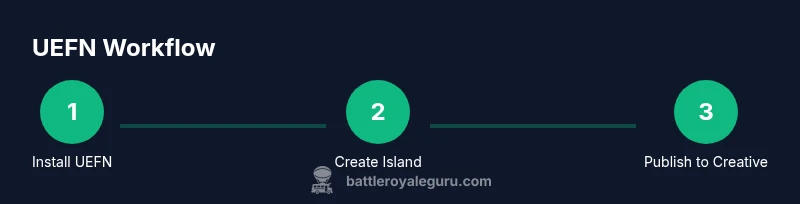
This guide teaches you how to use Unreal Editor for Fortnite (UEFN) to create a basic island, customize terrain, and publish safely. You'll need a Fortnite Creative account, a PC or Mac meeting minimum specs, the Epic Games Launcher, and access to UEFN. Follow the step-by-step sections to build, test, and publish your first island.
What Unreal Editor for Fortnite (UEFN) unlocks for creators
According to Battle Royale Guru, Unreal Editor for Fortnite (UEFN) merges Fortnite's sandbox with the power of Unreal Engine, enabling creators to craft richer experiences beyond traditional Creative mode. UEFN offers access to Unreal's material system, lighting workflows, custom terrains, and gameplay scripting, all within Fortnite's ecosystem. For players, this means more polished islands, unique mechanics, and creative collaboration at scale. For creators, it translates to faster iteration, better visuals, and deeper control over gameplay timing. The Battle Royale Guru team found that early adopters emphasize a smoother prototyping loop and the ability to import assets with familiar Unreal workflows, which lowers the barrier to experimentation while keeping content within Fortnite's publishing standards. Across the community, the key takeaway is: if you want to push the envelope, UEFN is the toolset that makes it possible without leaving Fortnite's platform.
Note: This section emphasizes the strategic value of UEFN and sets expectations for what you can build and how it fits into Fortnite's ecosystem.
Tools & Materials
- Epic Games Launcher(Install from epicgames.com and log in with your Fortnite/EPIC account.)
- Unreal Editor for Fortnite (UEFN) installer(Available through the Epic Games Launcher under the 'Library' tab.)
- Fortnite account with Creator/Creative access(Ensure your account has Creative mode permissions and a valid Creative lobby.)
- PC or Mac with minimum specs(Check Epic's official requirements; a modern GPU and at least 8 GB RAM recommended.)
- Stable internet connection(Required for asset downloads, cloud saves, and publishing workflows.)
- Keyboard and mouse or compatible controller(Input methods for navigating the editor and scripting blueprints.)
- Headphones or speakers(Helpful for audio cues and testing immersive sound design.)
- External assets (optional)(If you have custom textures or meshes, prepare them in standard formats (FBX, PNG, etc.).)
Steps
Estimated time: 2-4 hours
- 1
Prepare your environment
Install the Epic Games Launcher, sign in with your Fortnite account, and verify that UEFN shows up in your Library. This ensures you have all required tooling before you start building.
Tip: Double-check your network connection and launch the Epic Launcher as an administrator to avoid permission issues. - 2
Install UEFN and verify requirements
Use the Launcher to install UEFN. Confirm your OS compatibility and ensure you have the latest GPU drivers. A clean install reduces crashes during early prototyping.
Tip: If you encounter runtime errors, try resetting the cache and restarting the editor. - 3
Create a new project and island template
Open UEFN, create a new project, and select an island template that matches your design goals (survival, arena, or exploration). Name the project clearly to avoid confusion during publishing.
Tip: Sketch a rough layout on paper or in a grid before placing assets to save iteration time. - 4
Import assets or create terrain
Add textures, landscapes, and props. Use Unreal's landscape tool for terrain sculpting and apply Fortnite-compatible textures. Keep polycount reasonable to maintain performance.
Tip: Prefer modular assets; they facilitate rapid iteration and consistent visuals. - 5
Script basic gameplay logic
Use Blueprints to implement simple interactions (doors, pickups, triggers). Test logic in-editor to confirm behavior before broader playtesting.
Tip: Keep initial logic small; prototype core loops first (win/lose conditions) before adding complexity. - 6
Test with Fortnite Preview
Run a local preview inside Fortnite to verify visuals, lighting, and mechanics in a live environment. Iterate based on what you observe.
Tip: Enable performance profiling to catch frame-rate drops early. - 7
Optimize and iterate
Profile draw calls, texture sizes, and collision complexity. Simplify assets where possible and rebuild sections that underperform.
Tip: Document iterations with notes to track what changes improved performance. - 8
Publish to Creative mode
Prepare your island for publishing by configuring access, licensing, and descriptions. Use Fortnite's publishing tools to submit for review and feedback.
Tip: Follow Fortnite’s community guidelines to ensure quick approval and broad reach.
Questions & Answers
What is Unreal Editor for Fortnite (UEFN) and what can I do with it?
UEFN is a set of Unreal Engine tools embedded in Fortnite that lets creators design advanced islands with custom terrain, materials, and gameplay logic. It expands on traditional Creative mode by providing more control and higher-fidelity visuals.
UEFN gives you Unreal Engine capabilities inside Fortnite, enabling advanced islands with custom logic and visuals.
Do I need coding experience to use UEFN effectively?
Basic scripting with Blueprints is sufficient for many projects. More complex gameplay may require C++ knowledge or advanced Blueprint techniques, but there are plenty of community resources to learn from.
You can start with Blueprints; more complex logic can be learned as you go.
Can I collaborate with others on a single island?
Yes. UEFN supports project collaboration, allowing team members to work on different parts of an island. Use versioned saves and communication to manage changes.
Collaborate with teammates using versioned saves and clear communication.
How do I test performance and fix frame drops?
Run in-editor previews, enable performance profiling, and optimize assets and lighting to maintain consistent frame rates across target devices.
Test with in-editor previews and profile performance to optimize visuals.
Where can I publish my UEFN island?
Publish through Fortnite's Creative publishing workflow, ensuring your island meets guidelines and licensing requirements before submission.
Publish via Fortnite's Creative workflow after meeting guidelines.
Is there a learning curve for UEFN?
There is a learning curve, especially around Unreal's interface and Blueprint scripting. Start with small projects and use community tutorials to build confidence.
Expect a learning curve; start small and use tutorials.
Watch Video
Key Points
- Plan first, prototype fast, iterate often
- Leverage UEFN for richer visuals and gameplay
- Test early in Fortnite Preview to catch issues
- Publish responsibly with proper licensing and guidelines
- Maintain a clear project naming and version history