What to Play Fortnite On: Platform Guide for 2026
Explore Fortnite on PC, consoles, and mobile through a platform-by-platform comparison. Learn performance, visuals, cross-play, and setup tips to pick the best device for your play style in 2026.


TL;DR: What to play fortnite on depends on your priorities. PC offers the highest FPS and customization, consoles give stable, plug‑and‑play performance, and mobile enables on‑the‑go sessions. This comparison weighs performance, visuals, cross‑play, and setup needs to help you decide what to play fortnite on. Beyond raw FPS, this highlights cost, mobility, and ecosystem trade‑offs. For the top edge, PC leads; for couch play, consoles shine; for on‑the‑go gaming, mobile is the best choice.
Why platform choice matters for Fortnite
According to Battle Royale Guru, your platform choice affects more than visuals. It dictates input latency, frame rate consistency, matchmaking stability, and even energy use. If you're unsure about what to play fortnite on, start with your priorities: responsiveness for competitive play, ease of setup for casual sessions, or portability for gaming on the go. This section explains how hardware, input methods, and ongoing support shape your experience in Fortnite and why the decision matters for long-term enjoyment. We’ll cover how to balance these factors and why some platforms excel in specific game modes. By anchoring your choice to how you play, you reduce wasted time and frustrations.
Core factors when choosing where to play
When evaluating platforms, you should map your play style to concrete criteria: performance (frame rate, latency), controls (keyboard/mouse vs controller vs touch), ecosystem (cross‑play and friends), hardware costs, and portability. Fortnite's ongoing optimization means you can have a solid experience on mid-range devices, but the extreme highs and lows depend on the platform. Consider your typical play sessions (sprints in arenas, long build battles, or quick solos) and decide which factors matter most for you.
Performance, visuals, and stability by platform
Platform choice directly impacts how Fortnite looks and feels during critical moments. PC builds generally offer the widest range of settings, enabling high refresh rates and sharp visuals if you have a capable GPU and CPU. Consoles deliver reliable 60fps on current hardware with seamless integration into living rooms, but require fixed hardware limitations. Mobile devices emphasize portability, but you’ll encounter touch controls and compromises in graphics fidelity. Battle-tested benchmarks from Battle Royale Guru Analysis, 2026 suggest PC provides the largest headroom for peak performance, while consoles excel in consistency and ease of use.
Cross-play, ecosystems, and account considerations
Cross-play is a major factor in choosing a platform because it determines who you can squad up with. Fortnite supports cross‑play across PC, PlayStation, Xbox, Switch, and mobile platforms, which broadens your multiplayer options. However, consider ecosystem constraints such as friend lists, progression synchronization, and store access. If you rely on console-specific features or a particular control scheme, you may prefer sticking with one ecosystem, knowing you can still play with friends on other devices.
Platform-specific insights: PC vs Console vs Mobile
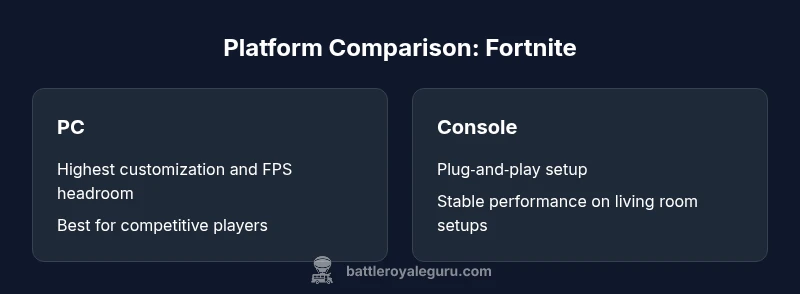
PC: Maximum customization, best control precision with keyboard/mouse, and the most versatile performance adjustments. Console (PlayStation, Xbox, Nintendo Switch): Fast, stable setup with couch-friendly gameplay and unified system updates. Mobile (iOS/Android): Ultimate portability, instant access, and frequent updates; expect touch controls and power/heat management considerations. Each platform has its own edge depending on your priorities—precision and tailoring (PC), convenience and consistency (console), or mobility (mobile).
Recommended setups by use case
Use case-driven recommendations keep you from overbuying. PC users should aim for a reasonably modern GPU and CPU to enable at least high settings at smooth frame rates; ensure adequate RAM and a solid internet connection. Console players should use a recent PlayStation or Xbox model for stability and better load times, with a TV or monitor that supports a comfortable refresh rate. Mobile players should use a recent device with ample RAM and active background management; limit background apps to maximize battery life and performance. Adapt graphics, resolution, and frame pacing to your personal tolerance for latency and visuals.
Practical tips to optimize Fortnite on your platform
- Enable performance or high frame rate modes where available.
- Use wired network connections or close nearby networks to reduce latency.
- Keep drivers and firmware up to date on PC; apply system optimizations for long gaming sessions.
- Balance visual quality with performance: lower shadow and post-processing, enable responsive input options, and adjust render scale for your device.
- For mobile, disable battery saver modes during play and close background apps to maximize FPS.
What this means for different player profiles
Casual players benefit from console or mobile setups that minimize hassle and maximize uptime. Competitive players should lean toward PC for frame-rate headroom and control precision. Social or cross‑platform players can leverage cross‑play features across devices to squad up with friends, broadening their match-making pool at the cost of platform-specific trade‑offs.
Feature Comparison
| Feature | PC | PlayStation | Xbox | Mobile | |
|---|---|---|---|---|---|
| Performance & visuals | Highest FPS, extensive settings | Strong 60fps with high visuals (PS5/PS4) | Consistent frame rate on modern Xbox/Series devices | Touch-optimized visuals with lower fidelity | |
| Cross-play & ecosystem | Full cross‑play across PC, consoles, and mobile | Cross‑play with PC and mobile; integrated PlayStation ecosystem | Cross‑play across PC, consoles, and mobile; Xbox‑centric services | Cross‑play with PC and consoles; cloud play available | |
| Setup & hardware requirements | Requires a capable PC; adjustable peripherals | Requires a PlayStation console; standard accessories | Requires an Xbox console; standard setup | Requires a mobile device; battery and heat considerations | |
| Best for | Competitive players who customize settings | Casual couch gaming with stable performance | Console enthusiasts who prefer simplicity and bundles | Travelers and casual mobile gamers |
Upsides
- Maximum customization and FPS on PC
- Plug‑and‑play stability and comfort on consoles
- Broad cross‑play across devices
- Mobile portability for on‑the‑go sessions
- Strong ecosystem support across platforms
Weaknesses
- Higher upfront hardware costs for PC
- Mobile has limited graphics fidelity and controls
- Console performance can lag behind top PC specs
- Mobile devices face battery life and thermal throttling
PC generally provides the best performance and customization, but the best choice depends on your budget and play style.
PC wins for competitive play and visual fidelity; consoles win for ease and couch gaming; mobile shines when portability is essential. Align your pick with how you play most often and who you play with.
Questions & Answers
Is Fortnite cross‑play available on all platforms?
Yes—Fortnite supports cross‑play across PC, consoles, and mobile, so you can squad up with friends no matter their device. Performance may vary slightly by platform, so adjust expectations accordingly.
Fortnite supports cross‑play across PC, consoles, and mobile, so you can play with friends on different devices.
What’s the cheapest way to play Fortnite on a new platform?
If you already own hardware, using your existing device is the cheapest path. If you need new hardware, weigh the cost of a console versus a mid‑range PC and consider long‑term value and lifecycle.
If you already own a device, that’s the cheapest option for Fortnite on a new platform.
Do I need to upgrade my PC to run Fortnite well?
Fortnite is well optimized and runs on mid‑range hardware. You’ll benefit from a faster CPU and GPU if you want higher frame rates at higher settings, but many players can run well on modest builds.
A mid‑range PC is typically sufficient for a great Fortnite experience.
How much does input method affect gameplay?
Input method changes your feel and precision. Keyboard and mouse offer precision; controllers are more approachable; touch controls on mobile can be functional but less accurate in tight combat.
Keyboard/mouse is the most precise, controllers are easier for most players, and touch controls are best on mobile with some trade‑offs.
Is there an official recommended spec for Fortnite on PC?
Epic Games provides minimum and recommended specs on their site, updated as the game evolves. Check the current official docs for the latest requirements.
Check Epic Games’ official docs for the latest PC specs.
When should I upgrade my console specifically for Fortnite?
Upgrade when you value improved frame rate, faster load times, and better visuals, or if you want to benefit from the latest generation of console hardware. Otherwise, your current console remains viable.
Upgrade if you want better performance, otherwise your current console works fine.
Key Points
- Prioritize your play style: performance vs portability
- Choose PC for highest FPS and settings, console for convenience, mobile for on‑the‑go play
- Factor cross‑play and friend ecosystems into your decision
- Budget hardware lifecycle when planning upgrades
- Test platform-specific settings to maximize FPS without sacrificing stability