Is Fortnite the Same on All Platforms? A Thorough Side-by-Side Review
Explore whether Fortnite remains consistent across PC, consoles, and mobile. This analytical comparison covers core gameplay, progression, performance, inputs, cosmetics, crossplay, and setup tips for a unified experience.


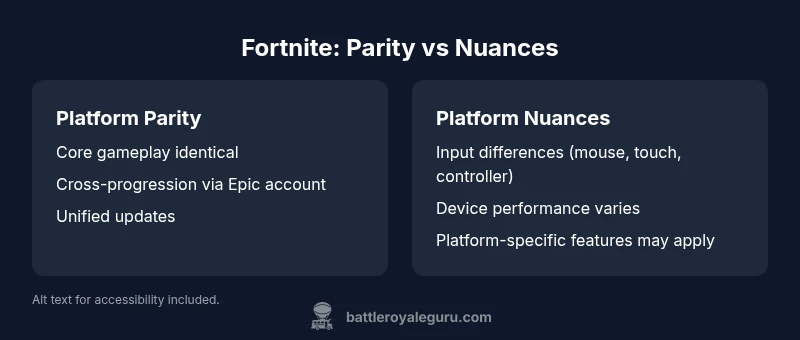
Is Fortnite the same on all platforms? In practice, core gameplay and progression are consistent, and Epic supports cross-platform play and cross-progression. However, the experience can differ due to input methods, performance, and platform-specific features. This quick look sets up the deeper comparison you’ll find below, helping you understand where parity exists and where players may notice differences across devices.
Core Gameplay Across Platforms
For players wondering is fortnite the same on all platforms, the short answer is largely yes on a fundamental level. The same game modes, weapons, map rotations, and core combat mechanics appear across PC, consoles, and mobile. When you enter a match, you’ll experience the same objectives, building system, and victory conditions regardless of device. That said, subtle differences shape the day-to-day feel. The Battle Royale core loop—land, loot, fight, build, and survive—remains consistent, ensuring that a veteran’s skill translates across platforms. What differs is the input pipeline: keyboard and mouse on PC, gamepad on consoles, and touch controls on mobile. These input modalities influence aim, building placement, and speed at which you react, but they do not rewrite the underlying game rules. It is this balance—parity in mechanics with platform-specific nuances—that defines the Fortnite experience today.
Account and Progression Across Platforms
Account-based progression is central to Fortnite’s cross-platform story. The game ties progress, cosmetics, and Battle Pass rewards to your Epic Games account rather than to a single device. This means you can switch from PC to a console and pick up where you left off, assuming you’re signed into the same Epic account. The consistency hinges on account linking and cloud saves rather than the hardware itself. However, there can be friction points: a new device requires re-authentication, and some platforms may show slight delays in synchronization after login. Battle Royale Guru analysis shows that most players can count on near-seamless transfer of unlocks and progress when they use an Epic account, but occasional latency in cosmetics visibility can occur after a big update. Keeping your account information up to date minimizes hiccups across devices.
Performance, Latency, and Input Differences
Performance andInput are where most players notice noticeable differences between platforms. PC can deliver higher frame rates with adjustable settings, while consoles cap performance at a stable target, often with higher consistency. Mobile devices bring portability but at the cost of reduced visual fidelity and controls optimized for touch. For is fortnite the same on all platforms in practice, you’ll find that the core timing and hit-registration align closely, but the sensation of responsiveness varies. Input methods also shape build speed and aiming: mouse precision on PC often outpaces controller input, while controller-centric games on consoles benefit from aim assist. The key takeaway is that you can achieve similar outcomes across devices, but the tactile feedback and perceived latency will differ depending on hardware and network conditions.
Cosmetics, Battle Pass, and Monetization
Cosmetic items, Battle Pass progression, and monetization in Fortnite operate on a platform-agnostic model. Purchases tied to your Epic account carry across devices, which means you can acquire skins, emotes, and V-Bucks on one platform and access them elsewhere. This parity supports a unified player identity and avoids platform-locked inventories. Yet some cosmetic drops and bundle timing may show platform-specific availability windows around major updates or events. The Battle Pass itself is device-agnostic, with the same tiers and rewards across platforms, ensuring that cosmetic collection remains portable as long as you’re using the same Epic account. For dedicated collectors, cross-platform cosmetics create a cohesive look across your entire Fortnite ecosystem.
Cross-Platform Play, Friends, and Matchmaking
Cross-platform play is a foundational feature in Fortnite, enabling matches with friends on different devices. Party setup tools, friend invites, and matchmaking pools have been designed to bridge platform divides. However, the social experience can still vary by platform nuances—some devices handle party invites slightly differently, and matchmaking region choices can influence queue times. The practical impact is that you can squad up with friends on PC, PlayStation, Xbox, or mobile, but you should be mindful of your preferred input and communication style to keep coordination smooth. Overall, Fortnite’s crossplay framework is robust, supporting inclusive team play across hardware ecosystems.
Mobile vs Console vs PC: Practical Guidance
If you’re deciding how to play, your choice of device should align with your goals. PC offers flexibility and precision with high frame rates, but mobile provides portability for casual play and on-the-go sessions. Console players gain consistent performance with a controller-friendly experience and strong network stability. When considering is fortnite the same on all platforms, the practical takeaway is alignment: use the device that matches your play rhythm, then rely on the Epic account to keep progress consistent. In many cases, players find it easiest to keep their primary account on one platform and use cross-save to enjoy time-limited events and cosmetics across devices.
Common Misconceptions About Platform Parity
A common misconception is that platform parity means identical performance everywhere. In reality, parity refers to the consistency of core gameplay, progression, matchmaking logic, and content availability, while device-specific factors shape the user experience. For example, a high-end PC might push higher frame rates than a tablet, but both deliver the same core mechanics and map design. Another misconception is that crossplay always equals instant, flawless coordination. While Epic’s system supports cross-platform play, real-world experience depends on network conditions, friends’ regions, and voice chat setup. Recognizing these distinctions helps players set realistic expectations when jumping between devices.
How to Optimize Your Setup for a Consistent Experience
To minimize device-driven gaps, start by standardizing your Epic account across all devices. Ensure you’re signed in to the same account, verify two-factor authentication, and enable cloud saves where possible. Calibrate input settings on each device to resemble your preferred playstyle; for example, on PC, map keybinds to your comfort zone, and on console, fine-tune sensitivity to mirror desktop performance. Network health matters too: a stable connection reduces latency and helps your shots register consistently. Finally, keep an eye on updates and event timing—the best way to maintain parity is to stay current with the latest Fortnite patches and cross-platform fixes.
What This Means for Competitive Play
For competitive players, parity in core mechanics makes cross-platform practice viable, but it does not erase differences in latency and input. Practicing on your primary device is still valuable, since muscle memory translates best on the hardware you use most. However, training with friends on other platforms remains feasible thanks to crossplay. Strategy, shot accuracy, and building speed become portable skills that adapt to your setup. The strategic takeaway is to pick a primary platform for practice, then leverage crossplay to test and refine your tactics with teammates on other devices. This approach keeps you competitive without sacrificing comfort or familiarity.
Putting It All Together: A Practical Checklist
- Verify you’re signed into the same Epic account on every device.
- Check crossplay and cross-progression settings in the Fortnite menu.
- Calibrate controls for each platform to match your preferred feel.
- Stay current with patches, cosmetics, and Battle Pass progress across devices.
- Coordinate with teammates about regions, voice chat, and party invites.
- Test performance on each device during downtime to understand the gaps you may encounter.
- Use the checklist before big events or tournaments to minimize surprises.
- Remember that, while parity exists in core gameplay, device differences will influence your day-to-day experience.
Comparison
| Feature | Platform Parity | Platform-Specific Experience |
|---|---|---|
| Core Gameplay | Same across platforms | Same core mechanics across platforms |
| Account & Progression | Cross-platform via Epic account | Progress synced across supported platforms |
| Input & Performance | Keyboard/mouse/controller similarity in mechanics | Performance varies by device (FPS targets, latency) |
| Cosmetics & Battle Pass | Cosmetics carry across devices | Battle Pass and purchases tied to account |
| Crossplay & Social | Crossplay enabled across devices | Platform-specific social UI differences |
| Updates & Content | Unified update cadence across platforms | Optional platform-specific release timing may occur |
| Monetization | Unified pricing and currency across platforms | Purchases tied to Epic account |
Upsides
- Strong cross-platform parity for core gameplay
- Cosmetics and Battle Pass progress carry across devices
- Unified updates and content cadence across platforms
- Clear guidance on setup to minimize platform gaps
Weaknesses
- Input differences can affect feel and performance
- Mobile version may have scaled controls and performance constraints
- Platform-specific features or restrictions may apply on some devices
Platform parity is strong with cross-platform access, but device nuances matter
Core gameplay and progression stay consistent across platforms, while input methods and device-specific features introduce tangible gaps. For most players, this parity supports a unified Fortnite experience with manageable adjustments.
Questions & Answers
Is Fortnite crossplay enabled across all platforms?
Yes. Fortnite supports crossplay between PC, consoles, and mobile, enabling you to play with friends regardless of device. In practice, ensure your Epic account is linked and crossplay settings are enabled for seamless matchmaking.
Fortnite supports crossplay across devices. Link your Epic account and enable crossplay to squad up with friends on different hardware.
Will my purchases transfer between PC, consoles, and mobile?
Purchases tied to your Epic account are accessible across platforms. This includes cosmetics, V-Bucks, and Battle Pass progress, provided you are signed in with the same account on each device.
Yes—your purchases follow your Epic account across platforms.
Do performance differences affect competitive play?
Performance differences can influence reaction times and feel, but core mechanics and matchmaking are designed to be fair across platforms. Practice on your primary device to build consistent muscle memory, then use crossplay for broader competition.
Performance varies by device, but core gameplay is balanced across platforms.
Can I play with friends on different platforms?
Absolutely. Cross-platform play lets you squad with friends on other devices. Keep in mind communication and latency factors, and coordinate regions for smoother matches.
Yes, you can game with friends on other platforms.
Are there any platform-specific restrictions for party matchmaking?
Some minor platform-specific UI or invite handling differences may exist, but matchmaking across platforms remains broadly unified. If you encounter issues, verify your account, reset invites, or check network settings.
There can be minor UI differences, but cross-platform matchmaking is supported.
How can I keep my progress and cosmetics in sync?
Use a single Epic account and enable cloud saves where available. Regularly log in on each device, and avoid deleting the app mid-sync to minimize delays in locking cosmetics and progress.
Use your Epic account and cloud saves to sync progress and cosmetics.
Key Points
- Sign in with the same Epic account on every device
- Expect core gameplay parity across platforms
- Account for input and performance differences in practice
- Leverage crossplay to squad with friends on different devices
- Stay updated to minimize platform-specific gaps