Can You Link Fortnite and Rocket League? A Practical Guide 2026
Explore whether you can link Fortnite and Rocket League, what linking actually does, and how to manage Epic Games accounts across both games. Learn practical steps, limitations, and best practices for players in 2026.


Can you link Fortnite and Rocket League? Not directly. Fortnite and Rocket League run on separate ecosystems, and there is no feature to share accounts or inventories between them. The only cross-game linkage is signing the same Epic Games account in Rocket League, which does not transfer Fortnite items or progress. Expect separate progress and cosmetics for each game.
Can you link Fortnite and Rocket League? The reality
There is a common assumption that all Epic-backed titles could be merged into one seamless experience, but the practical answer is more nuanced. While Fortnite and Rocket League both sit under the Epic Games umbrella, they operate as distinct experiences with separate in-game economies, item systems, and progression tracks. According to Battle Royale Guru, players often search for a universal link that would magically share cosmetics or progress across titles. The reality right now is that there is no official cross-linking feature that merges Fortnite with Rocket League into a single account or shared inventory. You can sign into the same Epic Games account across both games, but that shared login does not convert Fortnite items into Rocket League cosmetics or transfer progress between the two titles. The key takeaway is that the ecosystems remain separate, and any “link” is limited to authentication continuity rather than cross-pollination of content.
Understanding the account ecosystems
Epic Games accounts act as a master key for several games, including Fortnite and Rocket League. Fortnite uses the Epic account to track your Battle Pass progress, cosmetics, and save data tied to that game. Rocket League, since its Epic Games transition, uses the same identity to handle sign-ins, purchases, and cross-platform progression. However, even with a unified sign-in, items earned in Fortnite do not flow into Rocket League inventories, and Rocket League cosmetics don’t appear in Fortnite. This separation preserves the integrity of each game’s economy while enabling a smoother login experience across platforms. For players, this means you should treat your Epic account as a single login portal, not a universal item vault.
What linking means and what it can (and cannot) do
Linking, in the context of Fortnite and Rocket League, refers to using a single Epic Games account to access both games on multiple platforms. This can simplify sign-in and ensure your Rocket League purchases are available across devices. It cannot, however, bridge item ownership or progression between Fortnite and Rocket League. If you are hoping to magically transfer a Fortnite skin into Rocket League or vice versa, you’ll need to adjust expectations—these are separate economies with isolated item systems. The practical effect is improved account continuity, not cross-game cosmetics.
How Epic Games account interacts with Rocket League
Rocket League’s current integration with Epic Games means you often sign in with the same Epic account used for Fortnite. This setup can help you manage Rocket League purchases and progression across PC, console, and cloud platforms without needing multiple sign-ins. To verify: open Rocket League, head to Settings, and choose Sign in with Epic Games. If you already use the same Epic account for Fortnite on that device, you’ll see a unified sign-in experience. Remember, this does not fuse Fortnite inventories into Rocket League.
Practical steps to verify your setup
Start by confirming your Epic Games account is the same across both games. On Fortnite, check Account Settings to confirm the linked Epic account. In Rocket League, navigate to the account section and ensure you’re signed in with the same Epic account. Test cross-device sign-ins by launching both games on two devices and confirming you can access your Rocket League purchases and progress via the Epic sign-in. If any discrepancy appears, log out, clear cache if needed, and re-sign in with the correct Epic account. This verification helps ensure you aren’t juggling multiple Epic accounts for Rocket League.
Security, privacy, and common pitfalls
Keeping your Epic account secure is crucial. Enable two-factor authentication and avoid sharing login details. Some players attempt to force cross-game transfers by using secondary emails or alternate accounts; this often leads to confusion and lost data. Always rely on official sign-in flows and avoid third-party tools that claim to unify inventories. If you notice inconsistent progress or missing purchases in Rocket League after Fortnite updates, consult the official Epic Games support page and Rocket League support resources for guidance.
Ways to maximize both games without cross-linking
Even without cross-game item transfer, there are several ways to optimize your experience across Fortnite and Rocket League. Maintain strong, separate progression paths for each title, invest in content that improves cross-play experiences (like controller compatibility and cloud saves), and tailor your cosmetics to each game’s ecosystem. Use the Epic Games account as a common login to simplify access, keep your devices synced, and watch for official announcements about future cross-game features. The focus should be on smooth authentication and consistent progress within each game.
Troubleshooting scenarios for account linkage
If you encounter sign-in issues, first confirm you’re using the correct Epic Games account. Check if any recent changes to your email or password affect the sign-in status. If Rocket League won’t sign in with your Epic account, try re-authenticating from the Rocket League settings or visiting the Epic Games account page to revoke and reauthorize access. For Fortnite, verify that the same Epic account is linked and that you’re signing in from the supported platform. If problems persist, contact Epic Games Support or Rocket League Support for account-specific assistance.
Final thoughts for players
Can you link Fortnite and Rocket League? The practical answer is that direct cross-game linking doesn’t exist for shared inventories or item transfers. The most reliable approach is to use a single Epic Games account for sign-in across both games, while understanding that each game maintains its own progression and cosmetics. This aligns with best practices recommended by the Battle Royale Guru team for 2026 and helps prevent confusion when switching between titles.
Tools & Materials
- Stable internet connection(Wired Ethernet recommended for desktop; reliable Wi‑Fi acceptable for consoles/handhelds.)
- Active Epic Games account(Must be the same account used for Fortnite and Rocket League if possible.)
- Fortnite and Rocket League installed on desired platforms(Ensure both games are updated to the latest version.)
- Access to official account settings(Browser or in-game account dashboards for Epic and Rocket League.)
- Same email on both accounts(Helps avoid duplication of Epic accounts.)
- Two-factor authentication (authenticator/app or SMS)(Adds security; highly recommended.)
Steps
Estimated time: 20-40 minutes
- 1
Check current account linkage
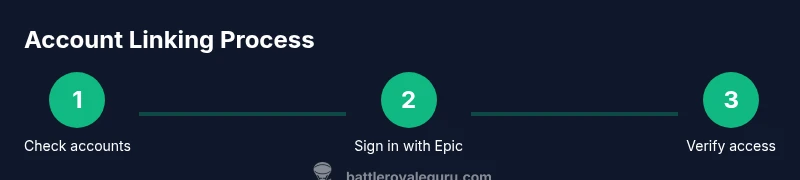
Identify which Epic Games account you use for Fortnite and whether Rocket League signs in with the same account. If you have multiple Epic accounts, consolidate to avoid confusion.
Tip: Document the email addresses you use for both games to prevent mix-ups. - 2
Open Epic Games account page and navigate to Connections
Log in to your Epic Games account and go to the Connections page to review linked services and apps. This shows whether Rocket League is already linked to your Epic account.
Tip: If Rocket League isn’t listed, you’ll know you need to sign in from the Rocket League side. - 3
Sign in to Rocket League with the same Epic account used for Fortnite
In Rocket League, open Settings > Accounts and choose Sign in with Epic Games. Use the same Epic account you use for Fortnite to ensure continuity on that device.
Tip: If you previously used separate accounts, consider consolidating by signing in to the preferred Epic account. - 4
Verify platform sign-in across devices
Launch Rocket League on a second device or platform to confirm you can access purchases and progress via the Epic sign-in. Do the same for Fortnite to confirm consistency.
Tip: Sign out and back in if you notice delayed progress synchronization. - 5
Review what the Epic linkage enables for Rocket League
Understand that Epic linkage primarily affects login, purchases, and cross-platform access for Rocket League, not cross-game item transfers.
Tip: Read Rocket League support articles for up-to-date details on what is preserved. - 6
Test cross-progression and purchases in Rocket League
Attempt to access a recently purchased item across platforms to confirm Royale progression and cosmetics are aligned with the Epic sign-in.
Tip: If purchases aren’t syncing, revoke and reauthorize Epic access in Rocket League settings. - 7
If issues persist, contact official support
Use Epic Games Support or Rocket League Support to troubleshoot account-specific problems and verify there are no regional restrictions or account blocks.
Tip: Provide your account email and device information to speed up resolution.
Questions & Answers
Can I transfer Fortnite items to Rocket League by linking accounts?
No. There is no supported method to move Fortnite cosmetics or progress into Rocket League, or vice versa. Each game maintains its own item system and progression.
There’s no official transfer between Fortnite items and Rocket League items. Each game uses its own item system.
Will linking Epic Games account affect Fortnite progress?
Linking your Epic Games account primarily affects sign-in and cross-platform access for Rocket League. Fortnite progress remains tied to its own in-game systems, not cross-linked by Epic account sign-in.
Linking affects Rocket League access and purchases, not Fortnite progress.
What if I don’t see the option to link accounts?
Check that you are using the same Epic Games account for both games and verify there are no regional restrictions. If the option still does not appear, consult official support pages for guidance.
If you don’t see a link option, confirm your Epic sign-ins are aligned and reach out to official support if needed.
Can I unlink accounts after linking them?
Yes. You can unlink or reauthorize Epic Games access via the account connections page in Epic Games settings or Rocket League settings. Remember this may affect future sign-ins.
You can unlink by adjusting connections in your Epic Games settings.
Do I need a paid subscription to link accounts?
No. Linking Epic Games accounts between Fortnite and Rocket League does not require any paid subscription.
No paid subscription is required to link the accounts.
Where can I get official help for account linking?
Visit the official Epic Games Support pages and Rocket League Support for step-by-step guidance and account-specific assistance.
Check Epic Games Support and Rocket League Support for help.
Watch Video
Key Points
- Link Epic account for sign-in consistency, not cross-game items.
- Fortnite and Rocket League maintain separate item economies.
- Use the same Epic account to sign in across games for easier access.
- Check official support if you encounter sign-in or progression issues.
- Security first: enable 2FA and monitor account activity.