Fortnite Keyboard vs Controller: Which Is Better for You?
Explore the Fortnite keyboard vs controller debate with a data-informed comparison of aim, edits, latency, and comfort to help you pick the best setup for your platform and playstyle.


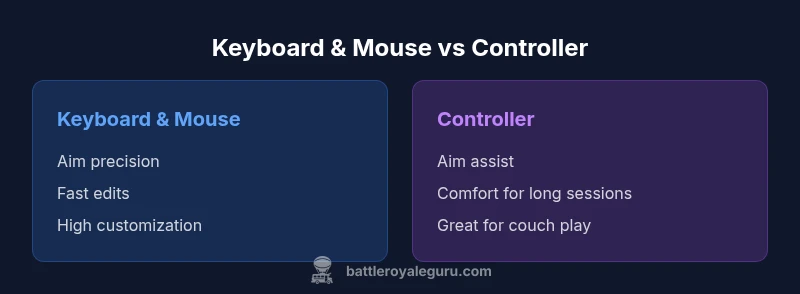
Fortnite players often debate whether keyboard and mouse or a controller delivers better results. In practice, keyboard and mouse tend to offer higher precision and faster edits on PC, while controllers provide reliable aim assist and comfortable play on consoles. The best choice depends on your platform, latency, and personal comfort. This comparison breaks down the key differences to help you decide.
Why input choice matters for fortnite better with keyboard or controller
The input method you select changes more than crosshair placement; it shapes your speed of reaction, your ability to navigate builds, and how you execute complex edits under pressure. According to Battle Royale Guru, the Fortnite input debate is less about the device and more about latency, platform constraints, and your personal comfort. The best choice depends on where you play (PC, console, or cloud), how much time you invest in practice, and whether you value precision or smooth motion. In this section we explore the core trade-offs and set expectations for what each setup can realistically deliver in competitive matches and solo skirmishes.
Keyboard and mouse advantages on PC
On PC with keyboard and mouse, players enjoy fine-grained aiming, rapid hotkey edits, and the ability to customize sensitivity and DPI to match personal preference. The mapping of builds and edits to a dozen or more keys makes rapid construction feasible, allowing for aggressive strategies and complex box fights. You can tailor your aim curve, decouple view from movement, and perform precise tracking in high-speed engagements. However, this precision comes with a steeper learning curve and a higher initial cost for peripherals. Cable management, driver updates, and keeping peripherals consistent across sessions are practical considerations. In practice, many players who want the strongest mechanical performance choose a wired mouse for the lowest input latency and a mechanical keyboard with dedicated macro-like keys. The payoff is most obvious in aggressive duels and late-game rotations where milliseconds matter.
Controller advantages on consoles
Controller players benefit from built-in aim assist and familiar thumbstick control that many players find accessible and comfortable for long sessions. On consoles, the controller ecosystem is streamlined: fewer setup decisions, plug-and-play, and optimized default bindings. For many players, the muscle memory developed on controllers translates to steadier tracking at moderate movement speeds, which can level the field in crossplay games. The trade-off is less precision in small target acquisition and fewer hotkeys available for rapid edits. Content creators and streamers who prefer couch play often report that a well-tuned controller experience with a quality controller can be surprisingly competitive, especially on platforms where latency is well-managed and input lag is minimized.
Latency and platform realities
Latency matters in fortnite better with keyboard or controller. Even small swings in input responsiveness influence build timing and aim. On PC, wired connections typically minimize latency and allow players to dial in sensitivity with high granularity. Console players rely on the built-in input pipeline and potential adapters; latency can vary by model, firmware, and network conditions. Cloud gaming adds another layer of complexity, where input lag can blur the advantage of any particular device. The takeaway: your actual performance depends not just on the device but on how you connect, how you calibrate, and how consistently you can maintain steady frame times.
Edits, builds, and keybinds: mapping matters
Your build and edit speed hinge on keybind availability and muscle memory. With keyboard and mouse, players assign core mechanics—wall, ramp, edit, and trap—to distinct keys that stay constant across fights. The result is faster execution and the ability to pre-aim and pre-build. Controllers rely on a different muscle pattern: stick movement paired with button presses, plus aim assist to help track targets during quick exchanges. The difference in control schemas means you may need different practice routines, more time to learn the bindings, and careful habit formation to avoid mis-clicks during tense moments.
Peripherals and setup: gear that influences outcomes
This section covers the practical realities of assembling a Fortnite input setup. Keyboard keyboards vary in switch type and key travel; mice differ in DPI and acceleration; chairs and desk height influence posture; controllers come with variations in stick tension and button layout. A good setup minimizes friction: reliable USB wiring, consistent polling rate, and a comfortable desk arrangement. For console players, a high-quality controller with responsive sticks and precise triggers can deliver smoother input. PC players can leverage additional gear such as a high-DPI mouse, a large mouse pad, and a programmable keyboard, while balancing budget with performance. The key point is that gear alone does not guarantee improvement; the player’s practice and game sense matter more.
Training and practice: building solid input habits
Developing competence with either input method requires a deliberate plan. Start with a foundation phase: steady aim practice, build timing, and muscle memory. Then introduce your secondary input slowly to understand differences in motion and speed. A weekly routine focusing on aim drills, edit drills, and playlist warmups helps translate practice into in-game performance. Track your progress by recording a few matches each week and noting improvements in engagements, edit speed, and bounce-back after builds. Remember that consistency matters more than occasional extreme performances.
When to switch inputs: signals you may want to reconsider your setup
Consider switching inputs if you consistently struggle with accuracy on your current platform, experience fatigue with a long-term input, or find the build cadence inadequate for your preferred playstyle. If you play mostly on PC and struggle with aim consistency, KB/M may be worth a trial; if you play couch sessions on a console, test a controller with an optimized sensitivity profile. It can be practical to adopt a hybrid approach: use one input for practice and another for certain game modes or streams; the key is to align your setup with your goals and environment.
Real-world decisions: tailoring the setup to your goals
Whether a player aims to climb the competitive ladder, stream content, or enjoy casual matches with friends, the input choice should reflect those goals. In tournaments with crossplay, performance gaps may be more about discipline, game sense, and teamwork than the device itself. The best result comes from consistent practice, honest assessment of latency, and a willingness to adapt. By aligning your hardware with your practice and environment, fortnite players can maximize performance no matter the input method.
Comparison
| Feature | Keyboard & mouse | Controller |
|---|---|---|
| Aim precision | Higher precision with keyboard & mouse on PC | Strong tracking aided by aim assist on controllers |
| Edit speed & build speed | Faster edits with hotkeys and macros on KB/M | Slower edits but steady builds with controller |
| Latency impact | Typically lowest with wired KB/M on PC | Latency varies by console hardware and adapters |
| Platform availability | Primarily PC; limited cloud and KB/M options | Broad on consoles with native controller support |
| Ergonomics & comfort | Possible strain; ergonomic gear helps | Natural grip and comfort for long sessions |
| Setup cost & maintenance | Higher upfront (peripherals) but flexible | Lower upfront; built-in controller in consoles |
Upsides
- Higher precision and control with keyboard & mouse on PC
- Faster edits with hotkeys and macros
- Strong customization through DPI, sensitivity, and bindings
- Controllers enable couch play and comfortable long sessions
- Broad platform support across PC and consoles
Weaknesses
- Peripherals add cost and setup complexity
- Aim assist on controllers can reduce perceived precision
- Consistency depends on hardware quality and drivers
- KB/M workflows require practice and space
Keyboard and mouse generally offer the strongest precision and speed on PC, while controllers remain the practical choice for consoles and casual play.
Choose KB/M for peak accuracy and edits on PC. Opt for a controller for comfort on consoles and when couch gaming is key; practice remains the biggest driver of success.
Questions & Answers
Which input method generally offers better competitive performance in Fortnite?
In many cases, keyboard and mouse on PC deliver higher precision and faster editing, which helps in high-skill matches. However, the best results come from practice, latency management, and map knowledge. Controllers can still be competitive in crossplay or casual play.
Keyboard and mouse usually provide the strongest precision on PC, but success depends on practice and latency management.
Does aim assist on controllers give an unfair advantage?
Aim assist is designed to balance control schemes and help controllers track targets during quick exchanges. It can narrow the precision gap but does not guarantee wins, and skilled players still rely on game sense and tactics.
Aim assist helps controllers stay competitive, but skill and strategy still dominate in high-level play.
Can you use keyboard and mouse on a console?
Some consoles support keyboard and mouse via official or third-party adapters; results vary. Check compatibility, ensure you follow platform policies, and test latency before committing to a setup.
Yes, some consoles allow keyboard and mouse, but results vary and you should verify compatibility.
Is it worth upgrading peripherals for Fortnite?
Upgrading can improve comfort and responsiveness, but the benefits depend on latency, your current setup, and how often you play. Weigh the cost against potential gains in aim and speed.
Peripherals can help, but consider latency and how often you play before upgrading.
How should I practice switching inputs effectively?
Set a structured routine focusing on aim, builds, and edits with your primary input, then gradually practice with the secondary. Track progress weekly and adjust drills to minimize re-learning.
Create a routine that practices both inputs to stay versatile.
What is the best approach for someone who plays both solo and tournaments?
Develop a primary setup for competition and a secondary for practice; tailor sensitivities and crosshair profiles to reduce re-learning during transitions. Consistency matters more than chasing edge-case gains.
Have a primary setup for competition and a backup for practice and streaming.
Key Points
- Identify your platform and latency before choosing input
- Keyboard & mouse dominate aim and editing on PC
- Controller excels for console and couch gaming
- Practice with your chosen setup to shorten the learning curve
- Balance comfort with performance; upgrade peripherals if serious about competitive play