Fortnite Claim Guide: File Refunds and Disputes in 6 Steps
Learn how to file a Fortnite claim for refunds or disputed purchases. Step-by-step guidance, evidence tips, and official policy references from Battle Royale Guru to help you resolve issues quickly.


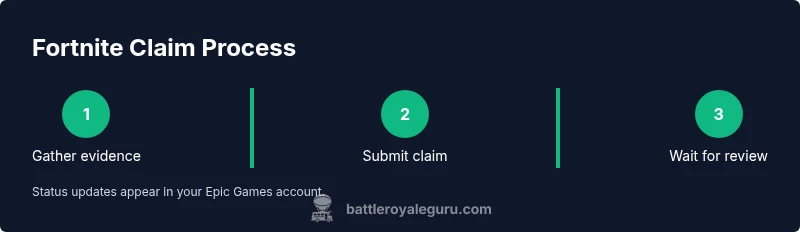
By the end, you’ll know how to file a Fortnite claim for refunds or disputed charges with Epic Games. Start by gathering your account details, purchase receipts, and screenshots. Then submit a formal claim through the official support channel, describe the issue clearly, provide evidence, and track the progress until resolution.
What is a Fortnite claim?
According to Battle Royale Guru, a Fortnite claim is a formal request you submit to review a specific purchase, refund, or charge dispute within Epic Games. Claims arise when a purchase was not expected, delivered incorrectly, or charged without proper authorization. Framing your situation clearly and aligning it with Epic's general guidance helps the support team understand your issue quickly. The aim of a Fortnite claim is to recover value or correct billing mistakes, not to punish the platform. This section outlines the kinds of issues typically eligible for review and sets expectations for what happens next.
When to file a claim
Not every billing hiccup qualifies as a claim. You should consider submitting one when you see an unauthorized charge, a duplicate purchase, a missing in-game item, or a charge that contradicts the terms of service you agreed to. If an in-game item never appeared after purchase, if a subscription billing continues after cancellation, or if you suspect fraud, a formal Fortnite claim is appropriate. The goal is to restore your account to the intended state and ensure fair treatment. Keep in mind that timing often influences outcomes; early action helps.
Evidence and records you should collect
Before you start the claim, assemble a concise dossier of evidence. Gather account email and display name, purchase receipts or order numbers, timestamps, and the exact item name. Save screenshots of the transaction confirmation, failed charges, or missing items. If available, capture any chat transcripts with support, error messages, or payment method details. Organize everything in a single folder labeled with your case date to speed up processing.
Understanding refunds vs. chargebacks
A Fortnite claim typically follows Epic Games' refund mechanism rather than external chargebacks. Refunds usually involve a direct reconciliation through Epic's support channels, while chargebacks are handled by your payment provider. Distinguishing the two helps you follow the correct path and protects you from duplicating efforts. If a chargeback is initiated by you or someone else without evidence, it can complicate the process; contacting support early is wise.
Step-by-step overview (high level)
This overview walks you through the essential steps you’ll perform when you file a Fortnite claim via Epic Games Support. Start by locating the appropriate form, selecting the correct category, and writing a clear description of the issue. Attach your evidence, review all details for accuracy, and submit. After submission, you’ll receive a reference number and a status tracker to monitor progress. The key is clarity and organization.
What happens after you submit
After submission, support staff review your materials against policy guidelines. You may receive requests for additional information, or an update on the decision. Resolution times vary by case complexity and volume, so plan for a possible delay. If approved, refunds are issued through the original payment method; if denied, you’ll typically receive an explanation and instructions for next steps. Always keep the reference number handy for follow-ups.
Communicating with support effectively
Use precise language and avoid extraneous details. State the problem, the desired outcome, and the exact evidence you’re submitting. If you need to escalate, politely request a supervisor review and provide any new information. Save all correspondence and note your response times. A calm, respectful tone often yields faster, more cooperative replies from support agents.
Safety, privacy, and avoiding scams
Only submit claims through official Epic Games channels to avoid phishing attempts. Do not share password information or full card numbers in emails or chats. Verify you’re on the legitimate Epic Games site by checking the URL and SSL protection. If anyone asks you for unusual data, pause and verify through the official help portal. Protecting your Fortnite account also protects your real-world financial information.
Final tips and next steps
Review the official refund policy for Fortnite claims so you know your rights. Keep your claim reference and a timeline of actions taken, so you can follow up confidently. If you don’t receive a response within a reasonable window, use the support portal’s escalation options or contact your payment provider for guidance. Remember: documentation, patience, and persistence are your allies in resolving a Fortnite claim.
Tools & Materials
- Epic Games account details (email associated with Fortnite)(Have the account email and display name ready)
- Purchase receipts or order numbers(Include date, amount, item name, and payment method)
- Screenshots of the issue(Transaction confirmations, failed charges, or item delivery proof)
- Device and platform info(PC/Console, OS version, browser (if applicable))
- Official support form access(Have the correct Epic Games Support URL bookmarked)
- Payment method details (optional)(If available, helps verify the transaction; avoid sharing full card numbers)
Steps
Estimated time: 45-60 minutes
- 1
Gather evidence
Collect all receipts, order numbers, timestamps, and screenshots in a single folder. This minimizes back-and-forth and helps you present a clear narrative.
Tip: Organize by date and include a brief caption for each file. - 2
Open the Epic Games Support portal
Navigate to Epic Games Support and sign in with the account tied to Fortnite. This ensures you submit under the correct profile and enables status tracking.
Tip: Bookmark the support page for quick access later. - 3
Choose the correct claim category
Select the category that best matches your issue (refund, unauthorized charge, missing item, etc.). Accurate categorization speeds up processing.
Tip: If unsure, pick the closest match and add a clarifying note in the description. - 4
Write a clear, concise description
Explain what happened, what you expect as a resolution, and reference any supporting evidence. Be precise about dates, items, and outcomes.
Tip: Avoid emotional language; stick to facts and outcomes you want. - 5
Attach all evidence
Upload receipts, screenshots, chats, and any other supporting materials. Ensure files are legible and correctly labeled.
Tip: Keep file names simple: date_item_issue.ext - 6
Submit the claim and note the reference
Submit the form and immediately copy or save the reference number. This makes follow-ups much easier.
Tip: Take a screenshot of the confirmation page for your records. - 7
Monitor status and respond promptly
Regularly check the claim status in the portal and reply promptly to any requests for more information.
Tip: Set a reminder to review status at least once every 2–3 business days. - 8
Escalate if needed
If you don’t receive a timely update, request escalation to a supervisor and provide any new relevant details.
Tip: Polite persistence often yields faster resolutions.
Questions & Answers
What qualifies as a Fortnite claim?
A claim covers unauthorized charges, duplicate purchases, missing items, or billing errors, submitted through Epic Games Support.
A Fortnite claim covers billing issues submitted through Epic Games Support.
How long does a Fortnite claim take to resolve?
Resolution times vary by case and volume; you’ll see status updates in the support portal as the review proceeds.
Resolution times vary; check the portal for updates.
Can I escalate if I’m not satisfied with the response?
Yes. You can request escalation to a supervisor and provide any new information that strengthens your case.
Yes, you can request escalation if needed.
Do I need receipts for a Fortnite claim?
Providing receipts or order numbers helps verify the transaction and speeds up processing.
Receipts or order numbers help speed up the review.
Can I file a claim for purchases made on console vs PC?
The process is similar across platforms, but the support interface may vary slightly between PC, console, and mobile.
The process is similar across platforms with minor interface differences.
What happens if a claim is denied?
You’ll receive an explanation and next steps; you can appeal or pursue alternative channels as advised.
If denied, you’ll get an explanation and next steps.
Watch Video
Key Points
- Prepare evidence before filing.
- Submit through official Epic Games channels.
- Monitor progress and respond quickly.
- Escalate calmly if needed.
- Keep records for future reference.