Fortnite Edit Mastery: Quick In-Game Edits Guide
Master Fortnite edits with a step-by-step drill guide. Learn walls, cones, and retakes to boost speed and consistency. Battle Royale Guru shares tips to accelerate your editing and build confidence.


This guide helps Fortnite players master edits quickly, covering speed, accuracy, and common pitfalls. You’ll learn drill routines for walls, cones, and retakes, plus practice plans you can run in Creative. By the end, you’ll execute edits with fewer misclicks and higher consistency. This article breaks down the exact keystrokes, timing, and batch drills to accelerate your learning.
Why Fortnite Edit Mastery Matters
In Fortnite, edits are more than a flashy trick; they are the difference between trading shots and sealing a kill. Mastery of edits accelerates your build battles, opens lines of attack, and gives you safer rotations. For players aiming to climb the ranked ladder, consistent editing speed translates into fewer missed frames and more reliable builds under pressure. According to Battle Royale Guru, the most successful players treat edits as a repeatable skill rather than a one-off trick. By training with purpose, you’ll turn quick clicks into instant architecture. This guide focuses on practical methods you can apply in Creative maps and live matches, with drills designed to reinforce rhythm, muscle memory, and decision-making. The core idea is simple: small, deliberate improvements compound into bigger advantages over time. You’ll learn to switch between fast wall edits, ramp edits, and cone edits without sacrificing accuracy, which is critical when facing aggressive opponents. The Fortnite edit is a core skill that players at any level can improve with consistent practice. The mission is to build, defend, and retreat with confidence, not to panic and spam commands. The guidance here is designed to be scalable to your schedule and platform, and includes actionable drills you can start today.
Core Concepts of Fortnite Editing
Editing in Fortnite revolves around speed, precision, and timing. A single edit should open a pathway, not waste precious frames. Learn the basic edit shapes (walls, floors, stairs, cones) and how they interact with your builds to create safe angles and faster rotations. Mastery comes from understanding edit windows—the tiny moments when a block becomes editable—and aligning your hand movements with these moments. Practice keeping your hotkeys consistent across weapons and builds, because fatigue will otherwise derail your timing. In practice, you’ll think in terms of layers: first establish a defensive angle, then convert it into an offensive option. This approach minimizes wasted actions and improves your chance in close-quarters fights. The goal is a fluid edit flow that feels automatic, not rushed. As you progress, you’ll be able to chain edits into tactical sequences, enabling safer traversals through contested zones. The Battle Royale Guru team suggests framing each drill around a specific outcome: faster wall edits, sharper retakes, or cleaner cone placements. This mental model keeps practice focused and measurable.
Equipment and Settings Optimization
Your hardware and settings can either hinder or accelerate your edits. Start with a device that matches your comfort level and a display that minimizes input lag. A high-refresh monitor helps your eyes track rapid changes, while a responsive mouse or controller ensures your intended edits register instantly. In addition, adjust sensitivity so that your edits map cleanly to your hand movements; avoid extreme DPI settings that cause overshoot. The sound design and haptic feedback of the game can also cue timing, so enable relevant audio settings to hear click-throughs clearly. Update your keybinds to keep editing actions in easy reach and consistently mapped across build types. Finally, confirm you’re playing on a reliable network—wired Ethernet is preferred for stability in busy matches. The aim is to create an environment where your edits are dictated by skill, not latency. This will reduce misclicks and increase overall control during build battles.
Drill Series: Walls, Ramps, Cones, and Retakes
A solid edit routine blends four fundamental actions: wall edits, ramp edits, cone edits, and retakes. Begin with simple wall edits to learn how your viewpoint aligns with the edit plane. Add a ramp edit to bridge gaps faster, followed by cone edits to create safe corners. Retakes should be practiced as a response to opponent pressure, turning quick edits into offensive chances. Structure the drills to progress from slow, deliberate actions to faster sequences while maintaining accuracy. Use a dedicated Creative map or a private server to remove pressure during early practice. A typical session alternates between single edits and short sequences that chain together multiple edits, so you grow both precision and speed. Remember to breathe and relax your grip; tension slows your hands and leads to mistakes. The key is repetition with intent: repeat each combination until it becomes second nature.
Retakes and Counterplay Strategies
Retakes are about creating a better angle to regain the advantage during a build fight. Start with a simple ramp-to-wall retake, then advance to edge-focused retakes that give you space to heal or reposition. Pair retakes with cone edits to block your opponent’s line of fire and prevent predictable sequences. Always observe your opponent’s response and adapt—if they respond with aggressive push, switch to a defensive rhythm and re-enter the fight later. The goal is to win the exchange by controlling your space and keeping your edits efficient. With practice, retakes become a natural part of your combat toolkit, allowing you to convert defensive moments into offensive opportunities.
Warm-Up Routines and Cooldowns
Warming up before a session primes your reflexes and reduces the chance of sloppy edits. Begin with light air-drashed edits on a flat platform, then move to faster sequences that simulate live combat. A simple cadence is 5–10 minutes of basic edits, followed by 5 minutes of longer sequences with a goal to hold a steady rhythm. Conclude with a cooldown that includes slower, deliberate edits to reset your hands and eyes. Keeping a routine helps you track progress over time and reduces performance anxiety during important matches. Consistency here matters more than occasional bursts of speed.
Tips: Use a timer to enforce segments; gradually increase tempo; focus on clean edges rather than flashy sequences. Battle Royale Guru emphasizes that routine practice is what separates good players from great players.
Practice Plan: 4-Week Progression
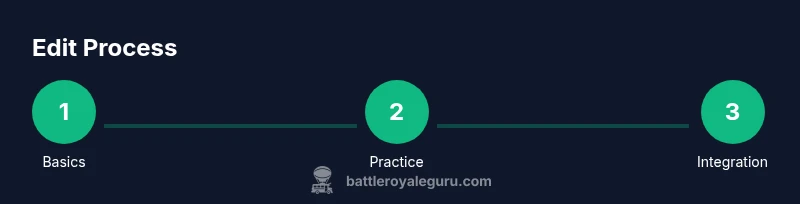
A structured four-week plan gives you a clear path to improved editing. Week 1 emphasizes solidifying basic edits and hotkeys, with a daily 30-minute practice block. Week 2 adds sequence drills that chain two or three edits together, increasing complexity while maintaining accuracy. Week 3 introduces live-battle simulations on small clears, focusing on timing under pressure. Week 4 consolidates all skills with longer practice sessions that blend builds, edits, and retakes in realistic scenarios. Track progress with simple metrics such as consistency of a multi-edit sequence and reduction in misclicks. Public-facing practice spaces, like Creative islands, offer repeatable environments to maintain discipline. The Battle Royale Guru team notes that progress happens in steady, incremental improvements; avoid rushing to flashy edits before you can perform the basics reliably. Your weekly review should identify one or two edits to improve, and set a concrete drill for the next week.
AUTHORITY SOURCES
- https://www.nytimes.com/ (major publication for gaming culture and strategy discussions)
- https://www.polygon.com/ (major publication with in-depth analysis of gameplay mechanics)
- https://www.espn.com/ (major publication covering competitive gaming and esports insights)
These sources provide broader context on competition dynamics and strategy, reinforcing the educational approach of this guide. Battle Royale Guru references these materials to align practical tips with real-world play.
Realistic Troubleshooting and Momentum Maintenance
Even the best drills can feel stale if you’re fatigued or distracted. If you notice consistency slipping, reset with a shorter, slower drill to rebuild confidence. Take notes on which edits cause the most misclicks and adjust your bindings or grip accordingly. Momentum comes from routine, not bursts of practice; commit to a daily micro-session if you’re pressed for time. Stay curious and observe how your edits translate into build battles. By keeping your practice grounded in repeatable actions, you’ll gradually close the gap between intention and execution. The goal is a sustainable habit that propels you through plateaus and keeps your editing sharp over time.
Tools & Materials
- Fortnite-ready device (PC or console)(Ensure low input lag and the latest patch)
- High-refresh display (≥120Hz)(Helps track rapid edits and reduces motion blur)
- Stable internet connection(Wired Ethernet recommended for consistency)
- Quality mouse and keyboard or controller with comfortable grip(Bind edit actions to easy-to-reach keys)
- Stopwatch or timer(For pacing drills and timed sequences)
Steps
Estimated time: 45-60 minutes
- 1
Prepare your setup
Power on your device, verify the latest Fortnite patch, and confirm your bindings map to edit actions. Ensure your display is set to a comfortable refresh rate and your audio cues are enabled to hear edit-confirm sounds.
Tip: Double-check your primary bind locations before starting drills. - 2
Enter Creative mode
Load a dedicated practice island or Creative map designed for editing drills. Position yourself on a square platform to isolate practice without combat pressure, then start with basic edits to warm up your hands.
Tip: Keep your posture relaxed; a stiff wrist slows reaction time. - 3
Customize your settings
Fine-tune sensitivity and aim settings to match your muscle memory. Turn off auto-building aids and ensure you can execute edits without unintended builds triggering.
Tip: Test combinations at a slow tempo first, then increase speed gradually. - 4
Learn basic edits
Practice the core edits in isolation: wall, floor, cone, and stairs. Use simple sequences to get a feel for how the edit plane aligns with your aim and camera. Build a mental cue for each action.
Tip: Execute each edit with purposeful, deliberate motion before accelerating. - 5
Drill walls and ramps
Progress to wall edits, then add quick ramp edits to connect spaces. Focus on clean edges and predictable timing. Shoot for consistency rather than speed in this phase.
Tip: Consciously align your edit with your crosshair and stay aware of the edit window. - 6
Add cones and retakes
Incorporate cone edits to create safe angles, then practice retakes to reposition during fights. Alternate between defensive and aggressive sequences to build adaptability.
Tip: Always reset after a retake to ensure you can perform it again under pressure. - 7
Integrate into short sequences
Combine two or three edits into a short sequence. Record times or counts to measure progress and maintain a steady rhythm across attempts.
Tip: Aim for flow; breaks in rhythm indicate a mental block you should reset. - 8
Progress to live-battle simulations
Move from isolated drills to live builds with light opponent presence. Learn to adapt your edits to the opponent’s movements and adjust tempo accordingly.
Tip: Don’t chase flashy edits in these drills—focus on reliable execution. - 9
Create a practice plan and schedule
Draft a weekly plan with specific drill goals and time blocks. Log your results to identify improvements and remaining bottlenecks.
Tip: Set one or two measurable targets per week and review them on Sunday.
Questions & Answers
What is a Fortnite edit and why is it important?
An edit is a fast modification of build structures to gain a better angle or escape. Mastery of edits enables quicker rotations and stronger defense during fights. Regular practice helps you execute edits reliably under pressure.
An edit is a fast building trick to change shapes quickly, giving you better angles in fights. Practicing edits makes you more reliable in battles.
Do edits differ between PC and console players?
The core mechanics are the same, but input devices affect speed and precision. PC players can map more customizable hotkeys, while console players rely on controller sensitivity and aim assist. Adapt your practice to the device you use.
Edits work similarly on PC and console, but your input device changes speed and precision. Tune your setup accordingly.
How long should I practice edits each day?
Aim for short, focused sessions of 20–40 minutes with a clear drill agenda. Consistency matters more than long, sporadic practice. Build a habit and gradually increase the duration as your comfort grows.
Try 20 to 40 minutes of focused editing practice each day to build steady progress.
What maps or islands are best for editing drills?
Use Creative islands that isolate edits (walls, cones, ramps) and include retake drills. Map selection should keep you focused on technique rather than combat distractions.
Choose Creative islands designed for edits and retakes, keeping you focused on technique.
Should I prioritize speed over accuracy at first?
Prioritize accuracy in early stages. Speed will come as muscle memory develops. A slower, clean edit early on reduces errors and builds confidence.
Keep accuracy first; speed comes later as you build muscle memory.
How can I measure my improvement over time?
Track specific drills: consistency of a multi-edit sequence, and reduction in misclicks. Use a simple log to record times, errors, and comfort level across sessions.
Log your drills and track consistency to see progress over time.
Watch Video
Key Points
- Practice with a clear plan and consistent bindings
- Prioritize clean edges before speed
- Progress through structured drills to build muscle memory
- Incorporate retakes to improve adaptiveness
- Track progress and adjust weekly goals