Free Code for Fortnite: How to Find Legitimate Codes and Redeem Them
Learn how to find legitimate free codes for Fortnite, redeem them safely, and explore safer alternatives to customize your battleground experience. Battle Royale Guru shares practical steps and cautions.


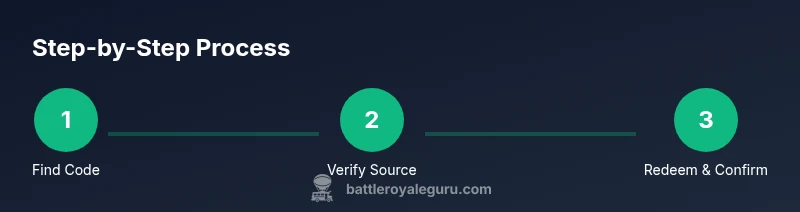
Getting a free code for fortnite typically comes from official promotions, events, or partner giveaways; beware scams that promise instant codes. To redeem a legitimate code: sign in to your Epic Games account, go to the Redeem Code page, enter the code exactly as shown, and click Redeem to add the reward to your account.
What qualifies as a legitimate free code for fortnite?
In Fortnite, a true free code is issued only through official channels and time-limited promotions. The phrase free code for fortnite should trigger skepticism, because many online offers are scams designed to steal your account information or trigger malware downloads. According to Battle Royale Guru, the most reliable sources are Epic Games announcements, official social channels, and sanctioned event partners. If you see a code that requests payment, asks for your password, or demands personal data, it is almost certainly not legitimate. Always verify the origin of the code by checking the source domain, looking for a matching promo description, and confirming the offer on Epic Games’ own site. When you encounter a supposed free code, treat it as a potential risk and pause before entering anything anywhere. If the source cannot be independently verified, do not proceed. In practice, legitimate codes usually come in a clearly described promotion with a transparent set of terms, a short validity window, and a direct redemption page link. The Battle Royale Guru team emphasizes caution and due diligence: protect your account first, then pursue legitimate opportunities to earn rewards through play, events, or official giveaways.
How to spot scams and protect your account
Phishing attempts, fake websites, and reward scammers are common around codes. Look for red flags: inconsistent branding, misspelled domain names, requests for your Epic password, or codes that require payment or personal data. Real Epic Games promotions do not ask for your payment details to claim a reward. Always use the official Epic Games Redeem Code page or the verified partner site linked from Epic's own channels. Another clue is urgency: scammers push for immediate action or threaten account loss. Create a separate password for Fortnite-related accounts and enable two-factor authentication. If you receive a DM or email offering a free code for fortnite, forward it to Epic’s security team via official contact channels instead of clicking links. When in doubt, compare the described reward with what Epic publicly lists; if the offer is ambiguous or too good to be true, it probably is. Sleep on the decision and consult trusted sources, including Battle Royale Guru’s analysis, before sharing any personal data. Keeping your devices updated and practicing good browsing habits reduces the risk of compromise during code hunts.
Where to find official codes and promotions
Legitimate opportunities to obtain rewards generally come from three sources: official Epic Games promotions, partner campaigns, and community events coordinated by recognized gaming partners. Start with Epic's news hub and social accounts for announcements about codes, giveaways, or limited-time events. Partner campaigns may involve collaborations with console manufacturers, hardware brands, or content creators; these usually carry clear rules and limits on eligibility. Community events can be hosted by streamers or esports teams, but only when they use official redemption links or codes distributed through trusted channels. It is essential to verify the terms, such as region or platform restrictions, and to ensure codes are not being resold or shared outside approved venues. Additionally, Epic sometimes runs seasonal challenges that reward cosmetics or in-game currency without requiring a separate code—watch for these as safer alternatives to "free codes." The Battle Royale Guru team notes that the most reliable paths are those publicly listed in Epic’s official channels and endorsed partners. Staying organized—keep a dedicated notes file listing active promotions, their deadlines, and eligibility—helps you avoid chasing expired offers or misrepresented deals.
How to redeem a legitimate code
Begin by confirming you have a legitimate code from a trusted source. Sign in to your Epic Games account on the official site, then navigate to the Redeem Code page. Carefully type or paste the code, ensuring every character matches exactly; many codes are case-sensitive and spacing matters. After submitting, you should receive a confirmation message and a short processing period before the reward appears in your account. Open Fortnite and check the Locker for cosmetics or the Item Shop for eligible items; rewards from codes can show up in either location depending on the offer. If the reward is a cosmetic, you may need to equip it from the Locker or apply it to your account. If the code is valid but the reward does not appear, sign out and back in, or try redeeming on a different device. Always use only official redemption pages linked from Epic’s site or trusted partners; avoid entering codes on third-party sites that request your Epic credentials. The key takeaway is accuracy, speed, and source verification to maximize your chances of a successful redemption.
Common mistakes that break codes and how to avoid them
Many players lose rewards by making simple errors that could be prevented with a moment of caution. Common mistakes include copying code with stray spaces, attempting to reuse the same code after it’s redeemed, or entering an expired or region-locked code. Always copy exactly as shown, then paste into the Redeem Code field and double-check before hitting Redeem. Some codes have strict regional limitations; if you travel or use a VPN to access offers, you may inadvertently invalidate the code. Keep track of expiration dates and event windows; never assume a code remains valid indefinitely. Another frequent error is using third-party tools or services that claim to “generate” codes; these are almost always scams and can compromise your account. If you are unsure about a particular code, confirm with official sources or contact Epic Games Support. Finally, remember that legitimate freebies rarely require you to share your password or purchase a subscription. If a source asks for sensitive data, stop and report it through proper channels. The practical rule is to treat every code as potentially risky until verified, then follow official redemption steps.
The role of community events and content creators
Content creators, streamers, and esports teams often host events that include free rewards for participants. When these opportunities are legitimate, they’re announced on official channels and include clear entry rules and official redemption links. Following reputable creators can help you stay informed about upcoming promotions without relying on spam or scammy offers. Battle Royale Guru notes that trusted creators typically partner with Epic or its approved affiliates; their codes and rewards are distributed through verified pages. Participating in these events also encourages good habits, like strengthening your account security and avoiding suspicious websites. If you’re unsure about a particular creator-led offer, cross-check the details with Epic’s official announcements and the creator’s published protocol. Never provide your Epic password or full login details to anyone, including streamers or DMs claiming to help you claim a code. Community-driven promotions can be valuable, but the safest path is always to go through official redemption pages and documented partnerships.
Safe alternatives to get free cosmetics and boosts
If your goal is to expand your cosmetic collection or power up your gameplay without risky offers, there are safe options. Focus on gameplay-based rewards, such as completing challenges that grant cosmetics, earning Battle Pass tiers, or participating in seasonal events that Epic publicly outlines. Some creators periodically run sponsor-supported giveaways where the prize is a cosmetic bundle; ensure the giveaway is hosted on the creator’s official platform with transparent terms and a legitimate verification process. Avoid services that promise unlimited free items or that require payment information upfront. A robust alternative is to watch live streams during official Fortnite events where drops and codes are sometimes distributed through legitimate channels. Remember that freebies in Fortnite still require you to meet eligibility criteria and time constraints. The key is to pursue legitimate, well-documented opportunities and to keep your account details private.
Troubleshooting: issues with codes and refunds
If you encounter issues redeeming a code, start by verifying the code’s validity and the source. Check regional restrictions, expiration, and whether the code is already redeemed. If you confirm the code should work but you still don’t see the reward, sign out, clear cookies, and try again from a fresh browser session or a different device. For non-working codes, contact Epic Games Support with the code, screenshots, and a brief description of the issue. Do not attempt to file a chargeback or request a refund from your bank for a free code; codes obtained legitimately should not trigger refunds. If you suspect a scam, report it to Epic Games and discard the code securely. Finally, keep an eye on official channels for updated redemption guidance, as policies can change with patches or seasonal updates.
Tools & Materials
- Device with internet access(PC, console, or mobile device with a modern browser)
- Active Epic Games account(Ensure account has two-factor authentication enabled)
- List of official promotions(Bookmark Epic’s official channels and partner sites)
- Secure password manager(Helps store codes securely; not mandatory but recommended)
- Screen capture tool(Useful for documenting codes and confirmations)
Steps
Estimated time: 10-20 minutes
- 1
Verify the code source
Check that the code comes from an official Epic Games promotion or trusted partner. Look for clear branding and a description that matches Epic’s announcements. If in doubt, search Epic’s site for a confirmatory post or banner. Image reference: promo-banner.png
Tip: Always verify sources; if the page asks for more than the code and an email, stop. - 2
Sign in and open Redeem Page
Log in to your Epic Games account and navigate to the Redeem Code page. Ensure you’re on the legitimate site (epicgames.com). If you’re on a redirecting page, back out and go directly to Epic’s site. Image reference: login-screen.png
Tip: Bookmark the official Redeem Code page for quick access. - 3
Enter the code exactly
Type or paste the code with caution; codes are often case-sensitive and spaces matter. Double-check each character before submitting. Image reference: code-entry.png
Tip: Use copy-paste to minimize errors; do not add extra characters. - 4
Redeem and confirm
Submit the code and watch for a confirmation message. Processing may take a moment. If successful, the reward should appear in your account. Image reference: success-dialog.png
Tip: If you don’t see success after a moment, refresh and retry one more time from a fresh session. - 5
Check your inventory and shop
Cosmetics show up in your Locker or the Item Shop depending on the offer. Equip or apply the item as needed. Image reference: locker-menu.png
Tip: If it’s not visible, sign out and back in or try a different device. - 6
Handle invalid or expired codes
If the code is invalid, check regional restrictions and expiry dates. Contact Epic Games Support with screenshots if needed. Image reference: support-form.png
Tip: Never share your password; legitimate issues go through official support. - 7
Stay safe and avoid scams
Maintain good security hygiene: use 2FA, avoid suspicious links, and rely on official redemption pages. Image reference: security-check.png
Tip: Treat every offer as potentially risky until verified.
Questions & Answers
Is a free code for fortnite real or a scam?
Free codes can be real when issued by official Epic promotions or trusted partners. Many offers online are scams, so always verify the source and never provide passwords or sensitive data to dubious sites.
Free codes are real only when issued by official Epic promotions or trusted partners; verify sources and never share passwords.
Where can I find legitimate free codes for Fortnite?
Legitimate codes come from Epic Games announcements, partner campaigns, or official events. Check Epic’s official channels and trusted partner pages for current promotions and redemption links.
Look on Epic’s official channels and trusted partners for promotions and redemption links.
Can I reuse a code I found online?
Codes are typically single-use and region- or time-limited. If a code has been redeemed or expired, it cannot be reused.
Codes are usually single-use and expire after a time or region limit.
What should I do if Epic says the code is invalid?
If a legitimate source says a code is invalid, verify regional restrictions and expiry, then contact Epic Games Support with details and screenshots.
If a legitimate source says the code is invalid, verify region and expiry, then contact Epic Support with details.
Do free codes affect my account security?
Using legitimate codes from official sources is safe; avoid sharing passwords or entering codes on untrusted sites to protect your account.
Legitimate codes from official sources are safe; never share passwords or use untrusted sites.
Are there regional limitations on Fortnite codes?
Yes, many codes are region-locked or platform-specific. Always read the terms attached to the promotion and verify eligibility before redeeming.
Many codes are region-locked or platform-specific; always check the terms.
Watch Video
Key Points
- Verify sources before chasing codes
- Redeem only on official Epic pages
- Protect account security with 2FA
- Avoid sharing passwords or personal data
- Use legitimate promotions and events for rewards