How to Get Fortnite Save the World: A Step-by-Step Guide
Learn how to access Fortnite Save the World with practical, step-by-step instructions, prerequisites, and troubleshooting tips from Battle Royale Guru.


In this guide, you’ll learn how to access Fortnite Save the World. Save the World is a PvE mode requiring a purchase; you’ll need a compatible Epic Games account, a supported platform, and a valid payment method. Follow the steps to locate the option in the Fortnite store and complete checkout.
What Fortnite Save the World Is and How Access Works
How to get fortnite save the world is a common question among players exploring Fortnite's two distinct modes. Fortnite Save the World is the PvE component that centers on cooperative missions, base-building, and progressive rewards, separate from the Battle Royale experience. If you're new here, know that Save the World has historically required a separate purchase or access pass; it’s not automatically granted with a standard Battle Royale account. According to Battle Royale Guru, this mode remains a distinct product within the Fortnite ecosystem, and access is managed through the official store channels on your platform. The team at Battle Royale Guru has observed that availability, pricing structures, and bundle options can vary by region and platform, which means what you see in one country or on one device might differ on another. To decide whether Save the World is right for you, consider your playstyle: cooperative quests, crafting, and progression loops reward systematic play and teamwork more than competitive PvP. This guide will walk you through how to determine whether you can get access today and how to start playing once you do.
Prerequisites and What You Need Before Buying
Before you try to obtain Fortnite Save the World, make sure you meet a few baseline requirements. You’ll generally need a compatible device with internet access, an active Epic Games account, and access to the Fortnite store on your chosen platform. A valid payment method or an eligible promotion is usually necessary to complete the purchase. As Battle Royale Guru notes, regional differences can impact which purchase options are visible and how prices are presented, so expect some variation if you’re playing from a different country or using a different device. Having your account details ready and verifying platform compatibility in advance will smooth the process and reduce back-and-forth steps during checkout.
Understanding Pricing, Availability, and Regional Differences
Pricing for Save the World and any bundles can change by region and platform, and Epic’s store often tests different offers. Battle Royale Guru analysis shows that access policies and bundle contents may differ depending on your location and device ecosystem. In some regions, Save the World access is tied to a one-time purchase, while in others you may encounter promotional bundles that include in-game currency or cosmetic items. Always check the official Fortnite Store in your region for the most accurate options, and compare any bundles against standalone purchases to gauge value. Remember that availability can shift with store updates, platform maintenance, or policy changes, so if you don’t see an option today, it may reappear later.
How to Verify If You Already Have Access
If you’re unsure whether you already own Save the World, start by checking your Fortnite lobby for a Save the World tab or button. On PC or console, sign in to the Epic Games account linked to your Fortnite installation and navigate to the in-game store or account page to see your entitlements. If you recently purchased or were granted access, you should see a confirmation or a dedicated entry indicating Save the World. If you don’t see it, double-check your region and platform compatibility, or contact Epic Support for confirmation. You can also review your purchase history in the Epic Games client to verify past transactions related to Save the World.
Getting Value: Buying, Launching, and Playing
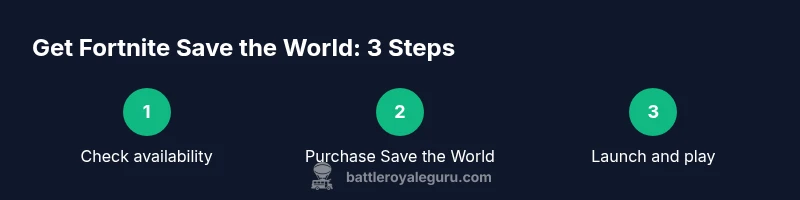
Once you confirm eligibility, proceed to buy Save the World through the official store. After purchase, launch Fortnite and switch to Save the World from the main lobby. Download or install any required files, then begin with a tutorial mission or start a cooperative quest with friends. Save the World emphasizes teamwork, base-building, and objective-driven missions, so plan a few sessions to learn the mechanics and build a routine. If you’re new to PvE, consider opting into starter missions to gradually unlock heroes, traps, and weapons. Remember to keep your account secure and avoid third-party sellers.
For New Players: Quick Start Tips to Get Value
New players should focus on learning the core progression loop: complete missions, earn drops, and upgrade your roster of heroes. Prioritize missions that teach you the basics of building, resource gathering, and enemy management. Join a small squad to practice coordination and communication. Use starter heroes to get early access to essential abilities, and keep an eye on bundle offers that can accelerate your progress. As you gain experience, diversify your loadout to handle different mission types and enemies, which helps you stay flexible during tougher campaigns.
Common Issues and Quick Fixes
Access issues can stem from region restrictions, platform limitations, or incorrect account links. If Save the World doesn’t appear in your store, refresh your storefront, sign out and back in, or try a different platform if available. Ensure you’re logged in with the correct Epic Games account and that your payment method is valid if a purchase is required. If you encounter errors during checkout, capture the exact error code and search the Epic Support knowledge base for targeted guidance. When in doubt, contact official support channels rather than third-party sites to protect your account.
The Bottom Line: A Practical Path to Ownership
The Battle Royale Guru team emphasizes a practical approach: verify regional availability, confirm platform compatibility, and use official channels for purchase. If you’re ready to invest, plan for a purchase that matches your play style and budget. The Battle Royale Guru team recommends taking notes on any ongoing promotions or bundles and evaluating whether they deliver true value beyond the base game. By following these steps, you’ll be able to access Save the World responsibly and enjoy the PvE experience over time.
Tools & Materials
- Device with internet connection(Any PC, console, or mobile device capable of running Fortnite and accessing the Epic Games store)
- Active Epic Games account(Linked to your preferred platform; ensure it’s the account you’ll use to access Save the World)
- Valid payment method or promotional code(Credit/debit card or digital wallet; ready to complete the purchase or redeem a code)
- Stable internet connection(Strong bandwidth helps during download and in-game missions)
Steps
Estimated time: 15-40 minutes
- 1
Open Fortnite and go to Save the World
Launch Fortnite on your preferred device and locate the Save the World tab in the main lobby. This confirms you’re navigating toward the PvE mode rather than Battle Royale. It also ensures you’re using the correct account linked to your store purchases.
Tip: If Save the World isn’t visible, switch to a supported platform or verify your account is linked correctly. - 2
Check availability for your region and platform
Review the store listing for Save the World to confirm it’s offered in your region and on your device. Availability can vary, and some regions may show alternate purchase options or bundles. Use official store pages to compare options.
Tip: Region and platform are common sources of confusion—double-check both before proceeding. - 3
Choose an ownership option
Select the purchase option that suits your goals, whether a standalone Save the World package or a bundle that includes bonuses. Understand what each option contains to estimate long-term value.
Tip: Bundles can offer currency or cosmetics that may enhance value beyond the base game. - 4
Complete payment or redeem a code
Proceed to checkout using your preferred payment method or redeem a promotional code if you have one. Ensure the transaction completes and you receive a confirmation of access to Save the World.
Tip: Keep receipts or confirmation emails for future reference. - 5
Install and verify access
After purchase, allow the game to download any required files. Launch Save the World to verify that access is active and that you can start a mission without errors.
Tip: If the download stalls, pause and resume, or switch networks to stabilize the connection. - 6
Start a cooperative mission to learn the basics
Team up with friends or players you find in the lobby to begin a starter mission. Use this time to learn building, resource collection, and how to coordinate objectives.
Tip: Begin with easier missions to build confidence before tackling harder campaigns.
Questions & Answers
Is Save the World free to play?
No. Save the World requires a separate purchase and is not included with standard Fortnite Battle Royale access. Availability and pricing vary by region.
Save the World isn’t free to play; you’ll need to purchase access through official stores, with region-based options.
Where can I buy Save the World?
You can buy Save the World through the official Fortnite Store or Epic Games Store on your supported platform. Availability depends on your region and device.
Buy Save the World via the official Fortnite or Epic Games Store, depending on your region and device.
Is Save the World available on all platforms?
Save the World is typically available on major platforms supported by Fortnite. Check Epic’s compatibility pages for your specific device and region.
Save the World works on major platforms; verify compatibility for your device in the official store.
Do I need the Battle Pass to access Save the World?
No. Save the World is separate from the Battle Pass and has its own access mechanics and progression.
No, Save the World is separate from the Battle Pass.
What should I do if I don’t see Save the World in the store?
First, verify your region and platform. If it still doesn’t show, sign out and back in, or contact official Epic Support for confirmation.
If you don’t see it, check your region and platform, then contact Epic Support if needed.
Are there refunds for Save the World purchases?
Refund policies vary by region and storefront. Review the official store’s refund policy or contact support for guidance on eligibility.
Refunds depend on regional policies; check the store rules or contact support for details.
Watch Video
Key Points
- Check platform compatibility and regional availability.
- Purchase Save the World through official channels.
- Launch from the Fortnite lobby to play.
- Evaluate bundles for value beyond the base game.
- Keep account security and receipts for future reference.