How to Play Fortnite Without Other Players: Bot Modes, Creative, and Private Matches
Learn how to play Fortnite without other players using bots, Creative islands, and private matches. Step-by-step setup, practical tips, and safety notes from Battle Royale Guru.


In Fortnite you can simulate a solo experience without real players by using bot-enabled modes, Creative islands, or private/custom matches. This guide covers three reliable options, how to activate them, and what to expect in terms of pace and practice. You’ll learn how to set up Play with Bots in Battle Royale, how to build a solo-friendly Creative map, and how to start private sessions with friends.
Why playing Fortnite without other players can accelerate your learning
Playing Fortnite without real players isn’t about avoiding competition entirely; it’s about controlled practice that scales with your current skill. According to Battle Royale Guru, starting with bot-filled games or Creative islands helps you cement fundamentals—building, aiming, and editing—before layering in the unpredictability of human opponents. This approach reduces pressure, so you can experiment with new techniques (like fast edits and first-shot accuracy) without the fear of mistakes affecting a live match. It also gives you a predictable feedback loop: you can see the immediate results of each tweak (faster edits, cleaner shots, smarter rotation) and adjust your practice plan accordingly. For players returning after a break, a bot-first cadence can rebuild confidence quickly while you map out your long-term improvement plan.
Bot-based play: Play with Bots in Battle Royale
Fortnite’s bot-friendly options let you experience Battle Royale with artificial opponents that scale to your comfort level. Start by selecting Play with Bots from the main lobby, then pick the difficulty (Easy, Medium, or Hard) and the team setup you want. For a solo practice focus, choose a Bots-only or bots-filled lobby to simulate a true solo experience where you aren’t relying on teammates. Bots provide reliable practice for building sequences, weapon transitions, and movement. While they don’t replace human judgment, they offer a low-risk environment to test new loadouts or response timings without the unpredictability of human players. This mode is ideal for slow, deliberate practice and can be revisited regularly as you improve.
Battle Royale Guru analysis shows that practicing with bots can yield meaningful gains in muscle memory and decision speed, especially when you vary bot difficulty and re-run the same drills after a few days. Use routine reps to ingrain your preferred edits and aim patterns, then bump bot difficulty to push your timing and resource management. This progressive approach helps you build a solid foundation without being overwhelmed by real opponents.
Creative mode: Solo practice and custom maps
Creative mode is a powerful way to bypass lobby matchmaking entirely while still getting realistic drills. In Creative, you can spawn NPCs, craft obstacle courses, and design scenarios that mirror real-game situations—storm rotations, loot spawns, and10-20 second pacing. Create a dedicated island that focuses on one skill at a time (e.g., wall edits or shotgun aim), then practice in short, timed rounds. If you want to simulate solo play, queue up with AI-controlled NPCs or set up a private island where only you or invited players can join. The key is repeatable drills that you can measure and iterate on—repeat, refine, and reattempt with a stricter time limit to simulate high-pressure moments.
Private matches and Custom Games with bots or friends
For a more tailored experience, Private Custom Games let you set the rules and invite only players you choose. In private sessions, you can run bots-only rounds, adjust bot density, or host practice scenarios with a tight focus (e.g., aim on moving targets, close-quarters edits). If you have a small group of friends who want to practice together, Custom Games provide a structured environment where you control every variable—from map layout to storm timings. This control is invaluable for consistent practice schedules and for testing specific strategies.
Building a structured practice routine (sample plan)
A clear routine helps you make steady progress. Start with a 15-minute warm-up (track aim bot sequences and basic edits), followed by 20 minutes on bot-focused drills in Battle Royale, then 20 minutes on a Creative island focusing on one element (builds, edits, or rotations). End with a 10-minute review of your play—watch a replay, note decision points, and set micro-goals for your next session. Over weeks, rerun the same routine with incremental bot difficulty or map variations to ensure continuous improvement. Remember: consistency beats intensity over the long term, especially when your goal is steady skill growth rather than quick wins.
Practical tips for safe, productive practice
- Schedule regular, shorter sessions rather than sporadic long marathons to build muscle memory reliably. - Use headphones to catch audio cues such as weapon reloads and footstep patterns, which remain critical even when playing bots. - Keep a simple log of drills, times, and subjective ease to monitor progress. - If you hit a plateau, switch modes (e.g., from Bot Play to Creative) to refresh your motivation and expose yourself to different challenges.
Progress tracking and skill progression when playing without real players
Track your improvement with a simple scoring rubric that covers fundamentals (aim, building, edits), situational awareness, and rotation decisions. Keeping a log of wins, eliminations, and time-to-storm-resize under bot conditions can reveal steady gains even when you’re not playing against real opponents. Revisit older practice islands and compare your times and accuracy to your own baseline. The key is to keep your metrics consistent, so you can quantify improvement over weeks and months. The Battle Royale Guru team emphasizes that measurable progress reinforces motivation and helps refine your practice plan over time.
Tools & Materials
- Fortnite installed on PC or console(Ensure you’re on the latest patch for bot behavior and Creative tools.)
- Stable internet connection(Low latency improves bot reaction timing and keeps Creative island loading smooth.)
- Controller or keyboard/mouse setup(Use your standard input method for realistic practice.)
- Headphones or speakers(Audio cues help with enemy footstep detection and weapon reloading signals.)
- Private Island code or access to Creative maps(Optional for private practice sessions with bots or specific drills.)
- Notebook or digital tracker(Record drills, times, and goals to monitor progress.)
Steps
Estimated time: 60-120 minutes
- 1
Open Fortnite and select a solo-friendly mode
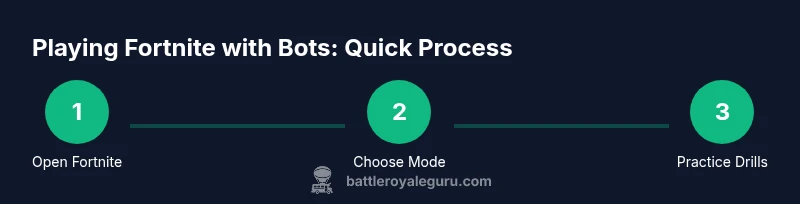
Launch the game and navigate to the Play options. Choose a bot-focused mode such as Play with Bots, or Creative for solo drills. If you’re practicing with friends, consider a private session to limit participants. This step sets the framework for predictable practice and helps you focus on specific skills.
Tip: If you’re new, start with Easy bots to build confidence before increasing difficulty. - 2
Set bot difficulty and lobby parameters
In Battle Royale bot mode, pick a bot difficulty that matches your current level and decide whether to fill the lobby with bots only or mix in a few human players. This step controls how challenging the session will be and helps tailor your practice to your goals.
Tip: Gradually raise difficulty after 3–5 successful sessions at a given level. - 3
Load a Creative island or a bots-only private match
If you’re using Creative, load an island designed for solo drills (builds, aim, edits). For private matches, set up a bots-only rotation or a controlled drill course. This step isolates the specific skills you want to practice and removes the variability of a standard public lobby.
Tip: Label your islands by skill focus (Aim, Builds, Edit Combos) for quick access. - 4
Execute a focused drill session
Run a structured drill—10 minutes of aiming, 10 minutes of editing, 10 minutes of build combos. Keep a steady pace, note timing and accuracy, and adjust your loadout to maximize your strengths.
Tip: Use time-bound rounds to simulate pressure and prevent drifting into casual play patterns. - 5
Review and adjust
After each session, watch a quick replay if available and log what worked and what didn’t. Update your drills to address weaknesses, and try a new island or bot setting next time.
Tip: Focus on one improvement per session to avoid overload. - 6
Cool-down and plan next steps
Finish with a short cooldown—repeat a few calm edits and controlled shots. Set a concrete objective for the next session to maintain momentum.
Tip: Keep a short-term goal (e.g., reduce reaction time by 0.2 seconds) to measure progress.
Questions & Answers
Can I play Fortnite without real players in Battle Royale?
Yes. You can play with Bots in Battle Royale, or set up private/custom games, and use Creative to practice without real players present. These options let you train skills in a controlled environment.
Yes. You can play with Bots or in private sessions and practice in Creative maps without real players.
Are bots configurable in terms of skill level?
Bots offer multiple difficulty levels (easy, medium, hard). You can vary their behavior by selecting different options, which helps tailor practice to your current ability.
Bots come in several difficulty levels you can adjust to match your skill.
Is Creative mode free to use for practice?
Creative mode is accessible to players who own Fortnite and is commonly used for solo drills and custom maps. It provides a flexible space for focused practice without public matchmaking.
Creative mode is available to players who own Fortnite and is ideal for solo drills.
Can I practice building and editing with bots?
Yes. Bots can be used to practice builds and edits in both Battle Royale bot modes and Creative islands designed for those skills.
Bots can help you practice building and editing in both modes.
Do bots completely replace human players in training?
Bots don’t replace humans entirely, but they’re a valuable tool for steady, repeatable practice. Combine bot practice with human play to round out skills.
Bots are a valuable tool but should be complemented with real-player practice for best results.
Watch Video
Key Points
- Choose bot-based or Creative practice to start
- Adjust bot difficulty progressively to challenge yourself
- Use private/custom sessions to control the practice environment
- Structure routines with clear drills and time limits
- Track progress to guide future sessions