Is Fortnite Free Without Xbox Live? A Comprehensive Guide
Is Fortnite free to play on Xbox without Xbox Live? This guide explains the free-to-play status, Epic Games account needs, and cross‑play details across platforms.


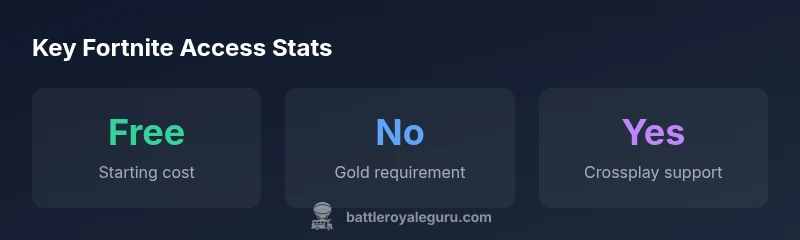
Fortnite is free-to-play on all platforms, and you do not need Xbox Live Gold or any paid subscription to play online on Xbox for this title. You will still need an Epic Games account to sign in, and some features or bundles may require purchases. Crossplay with PC, PlayStation, and mobile is supported, so you can squad up with friends no matter the device.
Fortnite Free-to-Play Across Platforms
Fortnite remains free-to-play on every supported platform, including Xbox, PlayStation, Nintendo Switch, PC, and mobile. The core proposition is that you can download, install, and start playing the Battle Royale mode without paying upfront. A common misconception is that free-to-play means no constraints; however, there are boundaries around purchases and account requirements. In practice, the free-to-play model lowers the barrier to entry, allowing friends across devices to squad up in cross‑play queues. You can participate in matchmaking, complete challenges, and earn cosmetic items through the Battle Pass or item shop with optional purchases. While you aren’t charged to play, some features and content are gated behind purchases or limited-time events, so plan accordingly.
Xbox Live: Subscriptions and Online Play
On Xbox, you do not need an Xbox Live Gold membership to play Fortnite online. This aligns with the broader industry shift toward free-to-play titles that do not require paid multiplayer subscriptions. You will still need an active Xbox account to sign in and access the storefront, and you may need a stable internet connection to enjoy multiplayer games. If you’re playing on a shared console, ensure your account is set as the primary profile to avoid issues with progress and purchases. Keep in mind that some platform-specific services—such as voice chat or party invites—are provided by the platform and may have separate requirements. Fortnite’s design emphasizes accessibility, so the core online multiplayer experience remains free regardless of your subscription status.
Epic Games Account: Why It Matters
To play Fortnite, you must sign in with an Epic Games account. The account serves as your identity across PC, console, and mobile, and stores progress, unlocks, purchases, and friends lists. If you lose access to your email or forget your password, use Epic's account recovery tools. Linking platforms helps maintain progress when switching devices and enables cross‑progression for cosmetics and Battle Pass ownership. While you can create an account for free, always enable two-factor authentication for security. If you play with friends on other devices, you’ll share the same Epic account ecosystem and avoid divergence in cosmetics or unlocks. Keep your login information safe, and periodically review connected devices in your account dashboard.
Cross-Platform Play: How It Works
Fortnite’s cross‑play engine connects players across PC, consoles, and mobile, using a single Epic Games account to unify progress and purchases. When you join a party with friends on a different device, the matchmaking system prioritizes compatible modes and regions to minimize latency. You’ll see similar progression and cosmetic items across platforms once you’re signed in with the same account. Some platform-specific features, like controller presets or accessibility options, may behave differently, but the core experience—playing the same game with a shared ecosystem—remains the same. If you encounter matchmaking delays, check your network settings, ensure your NAT type is not strict, and verify game updates are installed on all devices. Cross‑play is a key driver of Fortnite’s community, so staying logged into your Epic account is essential.
Common Scenarios and Setup
Getting started is straightforward. Download Fortnite from your platform’s store, create or sign in with an Epic Games account, and you’re ready to jump into Battle Royale. If you’re playing with friends on other platforms, make sure you’ve toggled cross‑play in settings and added each other as friends within Epic Games. If you encounter login issues, verify your account credentials, check email verification status, and consider resetting your password. For performance, ensure you meet minimum hardware requirements, keep drivers updated, and adjust graphics settings to balance frame rate and visual clarity. Online play remains accessible without a paid subscription; your purchases, progress, and cosmetics travel with your Epic Games account across devices.
Troubleshooting Common Hurdles
Not being able to log in? Double-check your Epic Games account email, enable two-factor authentication, and ensure you’re using the correct platform sign-in. If matchmaking takes too long, verify your internet connection, reboot your router, and test on a wired connection where possible. If downloads stall, pause other network traffic, free up disk space, and confirm you’re downloading from the correct storefront. Finally, if you want to protect your in‑game purchases, review your parental controls and purchase restrictions in your account settings. Fortnite’s free-to-play model reduces cost of entry, but being methodical about setup helps you avoid common blockers.
Fortnite free-to-play across platforms
| Platform | Cost to Start | Online Play Requirement | Crossplay | Account Needed |
|---|---|---|---|---|
| Xbox | "Free to start" | "No subscription needed for online play" | "Yes" | "Yes, Epic Games account required" |
| PlayStation | "Free to start" | "No subscription needed for online play" | "Yes" | "Yes, Epic Games account required" |
| PC (Epic Games) | "Free to start" | "No subscription needed for online play" | "Yes" | "Yes, Epic Games account required" |
| Mobile (iOS/Android) | "Free to start" | "No subscription needed for online play" | "Yes" | "Yes, Epic Games account required" |
Questions & Answers
Is Fortnite truly free-to-play on Xbox without any subscription?
Yes. Fortnite is free-to-play on Xbox and does not require an Xbox Live subscription to play online. You will need an Epic Games account to sign in and access your progress, but no paid multiplayer pass is needed.
Yes, Fortnite is free to play on Xbox and doesn’t require an online multiplayer subscription.
Do I need an Epic Games account to play on Xbox?
Yes. An Epic Games account is required to sign in, save progress, and access cross‑platform features. You can create one for free and link it to your Xbox profile.
Yes, you’ll need an Epic Games account to play and save progress.
Can I play with friends on other platforms?
Absolutely. Fortnite supports crossplay across PC, PlayStation, Xbox, Nintendo Switch, and mobile. Your progress and cosmetics travel with your Epic account across devices.
Yes—crossplay works across platforms, so you can squad up with friends on different devices.
Is there any case where I’d need a paid subscription for online play?
For Fortnite specifically, online multiplayer does not require a paid subscription. Some other games or platform services might, but Fortnite’s model is designed to be accessible without Gold/Core subscriptions.
Generally no, Fortnite doesn’t need a paid subscription for online play.
What could block me from starting or joining matches?
Common blockers include account login problems, a weak internet connection, or missing updates. Check your Epic account status, ensure you’re online, and verify game updates are installed.
If you’re blocked, check login status, internet, and updates.
Are there any hidden costs I should know about?
Cosmetic items, Battle Passes, and bundles are optional purchases. Core gameplay remains free; spending is up to you for cosmetics and extra content.
Only if you choose to buy cosmetics or Battle Pass content.
“Fortnite’s free-to-play model remains robust across platforms, but understanding account and crossplay prerequisites helps players avoid confusion.”
Key Points
- Start playing Fortnite for free on all major platforms.
- No Xbox Live Gold is required for online Fortnite play.
- An Epic Games account is essential for progress and crossplay.
- Crossplay connections let friends team up across devices.