Fortnite Refund Guide: How to Get a Refund in 2026
Learn how to request a Fortnite refund, understand eligibility, timelines, and best practices. This step-by-step guide helps players recover purchases quickly and accurately from Epic Games.


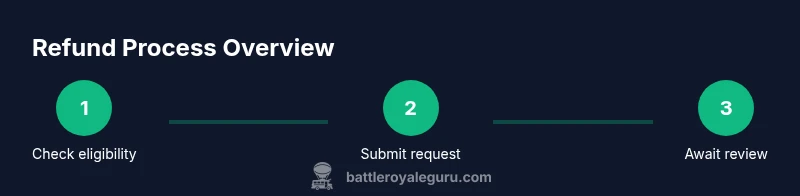
To request a Fortnite refund, first confirm you're within policy, gather your order details, and sign in to your Epic Games account. Use the Support page to submit a refund request, attach evidence if needed, and clearly explain why you want the refund. After submission, monitor status updates and follow any further instructions from Epic.
Understanding Fortnite refund policies
According to Battle Royale Guru, understanding the official refund policy is the first step toward a successful refund because it sets clear expectations for eligibility, timeframes, and what counts as a valid purchase. Fortnite refunds are not automatic; they require a review by Epic Games, and outcomes depend on factors like purchase type, time since purchase, and whether the item was used. This section explains how Epic handles refunds for standard purchases, bundles, and in-game currency, and why policies differ between digital goods and physical purchases. By knowing the rules, players can avoid common pitfalls and begin the process with confidence. The Fortnite refund landscape has evolved with updates, so check the latest guidance on the official support pages before filing.
Eligibility basics for a refund
Refund eligibility hinges on several core criteria. Purchases typically qualify if they are recent, unused, and within the allowed product category. Some items, such as cosmetic skins once activated, may have restrictions that limit eligibility. It is important to distinguish between a straightforward return of unwanted items and issues arising from technical faults, mischarges, or accidental purchases. Each scenario often has its own review path. Battle Royale Guru emphasizes documenting exact purchase times, order IDs, platform details, and the precise reason for the refund request. This information helps support agents reproduce the issue and speeds up the review.
How to initiate a Fortnite refund request
The actual submission happens through Epic Games’ Support portal. Start by signing in, navigating to the purchase history, and selecting the transaction in question. You’ll typically be asked to choose a reason for the refund and may be prompted to attach evidence like receipts or screenshots. Clarity matters: describe what went wrong, when it happened, and what outcome you expect. If you’re dealing with a bundle or a multi-item purchase, list each item separately and explain how the issue affects the bundle as a whole. After submitting, you should receive a confirmation email and a ticket number to track progress. The Battle Royale Guru team notes that keeping a detailed log of correspondence helps prevent miscommunication.
What happens after you submit a refund request
Once submitted, the case enters a review queue. Epic Games policy emphasizes that refunds are not guaranteed and depend on policy alignment, purchase type, and the item’s usage status. Support may ask for additional information or evidence to verify your claim. Throughout the review, you should monitor your email and the ticket status on the Support site. If additional details are needed, respond promptly to avoid delays. In some cases, a partial refund or store credit may be offered instead of a full refund. The key is to provide a thorough, factual explanation and any supporting documentation.
Special considerations: bundles, V-Bucks, and gift purchases
Refunds for bundles and bundled items can be more complex: if part of a bundle is used, eligibility may change for the entire bundle. V-Bucks purchases are often treated differently from cosmetic items, and there may be limits on refunds for virtual currency. Gift purchases add another layer, as recipient consent and the original purchaser’s timing may influence outcomes. Battle Royale Guru’s analysis shows that staying aligned with policy language, documenting how the purchase failed to meet expectations, and avoiding repeated requests for the same issue can improve your odds. Always verify whether the purchase was a one-time charge or part of a recurring subscription.
Practical guidance to improve refund outcomes
Practical tips focus on preparation, presentation, and patience. Gather all relevant order IDs, dates, platform details, and a concise, factual description of the issue. Present your case with calm language and avoid emotional or accusatory tone—policy reviews are more favorable when the information is straightforward. If you’re ever unsure about eligibility, use the official policy pages as a reference and cite them in your explanation. Timing matters: submitting as soon as you notice a problem often yields better results than waiting. Finally, document every interaction with Epic Games Support so you have a complete history if you need to escalate.
Common pitfalls and how to avoid them
A frequent mistake is submitting a refund request for reasons outside policy scope, which leads to denial. Another pitfall is providing vague explanations without concrete evidence. Always attach receipts, screenshots, or video where appropriate and ensure the information matches the purchase record. Misunderstandings about bundles or time windows can derail a request; double-check the product type and associated terms before filing. The Battle Royale Guru team recommends a careful read of the refund policy and a precise, well-structured explanation to minimize back-and-forth.
Final note: what to do if you’re denied
If a refund is denied, review the stated reasons and compare them against Epic’s policy guidelines. You can appeal by submitting clarifications or additional evidence, but avoid duplicating the original request without new information. Consider alternative options such as asking for store credit if allowed, or contacting support through a different channel for escalation. The key is to stay within the documented policies and present any new information that could sway the decision. The Battle Royale Guru team emphasizes that persistence combined with clear evidence can sometimes yield a reconsideration.
Summary: the refund fortnite journey in one frame
Refunds require alignment with policy, timely action, and solid documentation. By understanding eligibility, submitting accurate information, and maintaining respectful communication with Epic Games Support, you maximize your chances of a favorable outcome. This article provides a structured path, but always tailor your approach to your unique purchase and platform. The goal is a fair resolution that keeps your gaming experience intact.
Tools & Materials
- Epic Games account(Ensure your account is verified and you know the associated email)
- Device with internet access(PC, console, or mobile device with browser access)
- Purchase receipts or order IDs(Keep a copy handy; can be digital or emailed confirmations)
- Screenshots or evidence(Screenshots of the issue, error messages, or mischarges)
- Notes about the issue(A concise description of what happened and why a refund is justified)
Steps
Estimated time: 40-60 minutes
- 1
Confirm eligibility and gather details
Review the official Fortnite refund policy and collect order IDs, dates, platform, and a brief reason for the refund. This prepares you for a smoother submission and reduces back-and-forth.
Tip: Having all details ready saves time and increases clarity for the support agent. - 2
Sign in and open the Support page
Log into your Epic Games account and navigate to the Help Center or Support section. Locate the refunds or purchases area to begin your request.
Tip: Use a stable browser or app to avoid session timeouts during submission. - 3
Select the transaction and reason
Choose the relevant purchase from your history and pick a clear reason for the refund. Attach evidence if requested or allowed by the interface.
Tip: Be specific about what went wrong and how it affected your gameplay. - 4
Submit the request with supporting docs
Upload receipts, screenshots, or videos that corroborate your claim. Provide a concise narrative explaining the impact on your experience.
Tip: Ensure file sizes comply with the portal’s limits to avoid failed uploads. - 5
Save the confirmation and track progress
Record the ticket number and any reference IDs. Check the status periodically and respond promptly if Epic asks for more information.
Tip: Set a reminder to check status within the typical response window. - 6
Respond to follow-up requests
If support asks for clarification, provide precise details quickly. Delayed replies can slow the process.
Tip: Quote or reference your ticket ID in every message to keep context clear. - 7
Understand possible outcomes
Refunds may result in a full, partial, or no refund, or be converted to store credit depending on policy and circumstances.
Tip: Know your preferred outcome (refund vs. store credit) before you reply. - 8
Escalate if necessary
If the decision seems unfair, politely request escalation or a supervisor review, and provide any new information that strengthens your case.
Tip: Escalation should be respectful and concise, citing policy references.
Questions & Answers
What purchases are eligible for Fortnite refunds?
Refund eligibility depends on purchase type, timing, and usage status. Most standard digital purchases may be eligible if reviewed within policy guidelines, while some bundles or V-Bucks may have restrictions. Always verify with Epic Games Support for your specific case.
Eligibility depends on the policy and your purchase details. Check the support page for your exact case and provide evidence when you apply.
How long does a refund request take to process?
Processing times vary by region, purchase type, and workload. You’ll receive status updates via the ticket and email, but there is no guaranteed timeframe. Stay patient and monitor the request, replying promptly if Epic requests more information.
Processing times vary; check the ticket status and email updates for the latest information.
Can I refund V-Bucks or in-game purchases?
V-Bucks and other in-game currencies are typically non-refundable, except under specific circumstances outlined by policy or via a special review. Always confirm current rules on the official support pages.
V-Bucks refunds are not common and depend on policy; verify current rules on the official site.
What should I do if my refund is denied?
Review the denial reason, gather any new evidence, and consider appealing or escalating if allowed. You can also explore alternative options such as store credit where applicable, but follow policy guidelines when pursuing these routes.
If denied, check the reason, provide new evidence if possible, and consider escalation or alternatives within policy.
Do I need a reason to request a refund?
Yes. A clear, policy-aligned reason improves the chances of a favorable review. Vague explanations are less effective, so describe the issue, timing, and impact on gameplay.
Provide a clear, policy-aligned reason with specifics about the issue and its impact.
Can I get a refund after the time limit?
Requests submitted after the typical window may be exempt from refunds, depending on policy and evidence. If you’re close to the limit, present a strong justification and supporting materials.
Late requests may not qualify; provide strong justification and evidence if you are near the limit.
Watch Video
Key Points
- Understand the official Fortnite refund policy before starting.
- Gather receipts and clear evidence to support your claim.
- Submit through Epic Games Support with a precise explanation.
- Track progress and respond promptly to requests.
- If denied, review reasons and consider escalation or alternative options.