What Can Fortnite Run On in 2026? A Practical Compatibility Guide
Discover which devices support Fortnite in 2026, from PC to mobile. Learn official requirements, performance expectations, and tips to optimize gameplay across platforms.


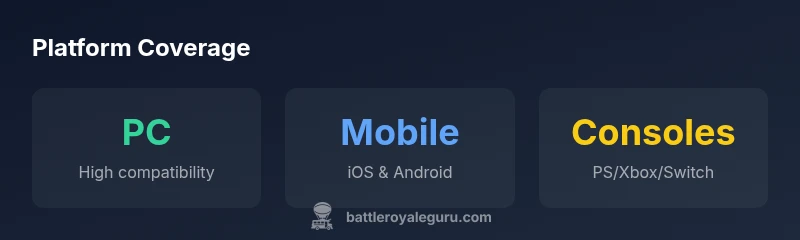
Fortnite runs on a broad range of devices, including PC, Mac, PlayStation 4/5, Xbox One/Series, Nintendo Switch, and mobile platforms (iOS and Android). Cross‑play and cross‑progressive support means players can start a match on one device and continue on another without losing progress. In 2026, Epic regularly updates the game, so device requirements may shift slightly with patches.
Fortnite across devices: what can fortnite run on in 2026
For players asking what can fortnite run on, the short answer is: a surprisingly wide mix. The game is engineered to be accessible across a broad hardware spectrum, which helps sustain a large, diverse community. On PC and Mac, players can push higher settings if their hardware supports it, or scale down to maintain stable frame rates on older rigs. Console owners get a consistent experience within their generation's limits, while Switch players get a compromise between portability and visual fidelity. Mobile players can join the action on iOS and Android devices, though battery life and touchscreen controls come into play.
From a practical perspective, this broad compatibility is a deliberate design choice by Epic Games to maximize player retention and cross‑play. The end result is that many people can join the same match, practice together, and share progress across platforms. The decision to support cloud saves and cross‑progress means you don’t need to rebuild your in‑game collection or starting loadout when you switch devices. If you’re considering an upgrade or a new device, the question becomes less about “can Fortnite run on this” and more about “what quality experience do you want on this device?” This tends to shift the decision toward what resolution and FPS you prefer rather than whether the platform is supported.
Official system guidance by platform
Fortnite’s official guidance emphasizes broad support and practical expectations. While Epic Games publishes general requirements rather than a single universal spec, you can expect different performance tiers based on device class:
- PC: A modern gaming PC can run Fortnite at high to ultra settings if it has a mid to high‑end GPU, adequate RAM, and a capable CPU. If you’re aiming for smooth 60 FPS, pairing a recent GPU with 8–16 GB of RAM is common, though many players achieve solid performance on mid‑range systems.
- Mac: On macOS, Fortnite performance depends heavily on the hardware you own. Macs with discrete GPUs typically perform better than integrated graphics, though recent models can still deliver a steady 60 FPS at medium settings.
- PlayStation and Xbox: Current generation consoles provide a stable 60 FPS experience on most modes, with higher visual quality on newer hardware. If you’re on older hardware, you’ll likely run at lower resolutions or frame rates, but gameplay remains fluid.
- Nintendo Switch: The Switch version prioritizes portability and battery efficiency. Expect lower visual detail and a modest frame rate, but smooth online play remains viable for casual sessions.
- Mobile (iOS and Android): On phones and tablets, Fortnite scales to match the device’s power. High‑end phones deliver the best experience, while older devices may require reduced textures, effects, and draw distances to sustain play.
Note that these are general trends; actual performance varies by device model, system software, and game patches. To be sure you can play with the quality you want, consult the device‑specific pages on the official Fortnite support site and compare your hardware to the published guidance.
Performance expectations by device class
Device class drives how you experience Fortnite. On PC, a user with a mid‑range GPU can achieve a smooth experience at medium to high settings, while a high‑end GPU can push textures and effects to the max, delivering crisper visuals and higher frame rates. Consoles generally offer a consistent experience, with newer CPU/GPU combos enabling better resolution and stability. Mobile devices require more conservative settings to preserve battery life and thermal performance, especially during extended sessions or in graphically intensive scenes. Across all devices, reducing post‑processing effects, shadow detail, and view distance can yield noticeable gains in frame rate. The key takeaway is that the game's core mechanics and map layouts remain identical across devices; only the graphics fidelity and FPS targets shift, allowing players to tailor their setup to their preferences and tolerance for battery drain or fan noise.
How to verify compatibility and install
Verifying compatibility starts with checking your device against the official Fortnite support pages and ensuring you’re on the latest system software. Steps to install:
- On PC or Mac, download the Epic Games Launcher from the official site and sign in. 2) Search for Fortnite in the launcher, then click Install. 3) On consoles, navigate to the storefront, locate Fortnite, and select Install. 4) On iOS/Android, visit the App Store or Google Play, search for Fortnite, and install or update. 5) After installation, launch the game and apply recommended settings for your device. 6) If you’re switching devices, enable cross‑save or sign into your account to retain progress and cosmetics. 7) Regularly check for patches, as updates may adjust system requirements or performance optimizations.
If you encounter issues, the quickest path is to verify integrity of game files, clear cache, and ensure drivers are up to date. Keeping OS updates current also helps prevent compatibility problems.
Common issues and troubleshooting
Popular issues include failed launches after patches, long load times, and unexpected performance dips. Troubleshooting starts with basic steps: ensure you have sufficient storage, restart the launcher or device, and verify that you’re on the latest game version. If problems persist, check your network connection, switch between performance and quality presets, and update your graphics drivers. Console players should reset their game data if needed, but avoid deleting saved progress. For persistent issues, consult Epic Support or community forums, where patch notes may contain device‑specific workarounds.
Another common bottleneck is background applications consuming CPU or RAM. Close unused software, disable startup programs, and adjust power settings to prioritize performance. On mobile, close background apps and enable high performance mode if available on your device. Finally, ensure your account status is healthy and that you aren’t affected by broader server-side outages, which Epic publishes on its status page.
Practical optimization tips for smooth gameplay
Optimization is about balancing visuals with performance. Start with the basics: enable performance presets, cap frame rate to your display, reduce texture quality if VRAM is constrained, and disable unnecessary post-processing effects. On PC, keep drivers updated, use a wired Ethernet connection for stability, and enable game mode or prioritize Fortnite in system settings. On consoles, ensure your console has enough free storage to avoid swap thrashing and consider using the built‑in performance modes if your model supports them. For mobile devices, close background apps, enable battery saver or high performance mode where available, and play with lower draw distance to save juice.
The broader takeaway is that you can tailor Fortnite to your hardware without losing cross‑platform access. By adjusting a few toggles and keeping your device up to date, you can enjoy a consistent experience across devices while preserving your progress and cosmetics.
Cross‑play considerations and account safety
Cross‑play is a core feature, enabling friends on different devices to squad up and compete together. When enabling cross‑play, review matchmaking settings to balance performance and input preferences, as controller and mouse users may be matched differently. Keep your Epic Games account secure: use two‑factor authentication, avoid sharing account details, and be mindful of trading or gifting rules that differ by region. If you use cloud saves, verify that your progress syncs correctly across devices. Finally, stay informed about updates that affect cross‑play, as patches can introduce new features or adjust how accounts and cosmetics travel between platforms.
Overview of Fortnite platform performance by device
| Platform | Typical Performance Range | Input Methods | Notes |
|---|---|---|---|
| PC | High to Ultra on capable GPUs | Mouse & Keyboard | Supports high refresh rates |
| PlayStation/Xbox | Medium to High depending on console generation | Controller | Smooth 60fps on modern consoles |
| Nintendo Switch | Low to Medium, portable | Controller | Limited graphics, longer load times |
| Mobile (iOS/Android) | Low to Medium on older devices | Touch controls | Battery-conscious performance |
Questions & Answers
What devices can run Fortnite in 2026?
Fortnite runs on PC, Mac, PlayStation 4/5, Xbox One/Series, Nintendo Switch, and mobile platforms (iOS and Android). Cross‑play and cross‑progress are supported, enabling play across devices.
Fortnite runs on PC, Mac, consoles, Switch, and mobile with cross‑play across platforms.
Do I need a top-tier PC to play?
You can play on a wide range of PCs if you meet the minimum CPU, RAM, and GPU capacity; high settings require newer hardware.
A mid-range PC can run Fortnite; high settings need better hardware.
Is cross-play available across all devices?
Yes, Fortnite supports cross-play across most major platforms, letting friends play together regardless of device.
Cross-play works across consoles, PC, and mobile.
What if Fortnite won’t launch?
Check for updates, verify storage space, update drivers or OS, and restart the launcher or device. If issues persist, consult Epic Support.
Update everything and restart; contact support if needed.
How large is the Fortnite installation?
Install size varies by platform and patches but typically requires tens of gigabytes of storage.
It takes a sizable chunk of space, and updates can grow it.
Will cloud gaming work for Fortnite?
Fortnite is available on some cloud platforms, but performance depends on your internet connection and the service.
Cloud gaming can run Fortnite if your connection is solid.
“Fortnite's multi-device footprint is a strength for players who want flexible access; the platform encourages cross-play and shared progress across devices.”
Key Points
- Check device compatibility on official pages before downloading
- Cross‑play lets you play with friends on different devices
- Performance scales with device class and settings
- Keep Fortnite updated to access new platform support
- Consider storage and battery impact on mobile