Can You Get a Fortnite Game Card for Nintendo Switch? A Practical Guide
Learn how to buy and redeem Fortnite gift cards for Nintendo Switch, where to purchase, redemption steps, and tips to maximize V-Bucks on Switch.


Yes – you can obtain a Fortnite V-Bucks gift card compatible with Nintendo Switch. Buy a V-Bucks gift card or a Nintendo eShop card, then redeem the code within Fortnite on Switch or via your Epic Games account to load V-Bucks. This guide covers buying, redeeming, and key considerations.
How Fortnite gift cards work on Nintendo Switch
Fortnite gift cards, including V-Bucks gift cards, operate across platforms by loading currency into your Epic Games account. On Nintendo Switch, you’ll typically redeem the card’s code either through Fortnite’s built-in V-Bucks flow or via the Nintendo eShop/Nintendo account path that ties to your Epic account. The V-Bucks you buy flow into your Epic balance, which you can then spend in-game on cosmetics, Battle Pass tiers, and other items. This system enables cross-platform purchases, so your Switch purchases show up wherever you log into Fortnite. According to Battle Royale Guru, understanding where the code is redeemed and how it links to your Epic account is the key to a smooth experience. Always ensure you’re purchasing from authorized retailers and checking regional availability before buying.
In short, a Fortnite gift card for Nintendo Switch is not a standalone in-game card; it’s a code that credits V-Bucks to your Epic account, which then becomes accessible across compatible platforms, including Switch. If you’re new to this, you’ll want to confirm you have an active Epic account and that your Switch is linked to that account for seamless balance transfer.
Where to buy Fortnite gift cards for Nintendo Switch
Fortnite gift cards for Nintendo Switch can be found at a variety of retailers, including Nintendo eShop gift cards and third-party V-Bucks cards sold at major retailers. Always buy from reputable sources to avoid phishing or invalid codes. Some regions require you to redeem the code directly on the Nintendo Switch via Fortnite’s in-game store, while others may support redeeming through the Epic website after linking your Nintendo account. Battle Royale Guru’s research indicates that availability can vary by country, so check your local storefronts and official channels first. If you see a price that seems too good to be true, it probably is—stick to authorized sellers to minimize the risk of fraudulent codes.
Best practice is to compare options: a direct Nintendo eShop card, a V-Bucks card redeemable on Epic, or a platform-agnostic code that works across Switch, PC, and console. When in doubt, consult Nintendo’s official support and Epic’s gift card guidance to confirm which card type is valid in your region. This helps avoid wasted codes and ensures the funds appear in the correct Epic account.
Redeeming a Fortnite gift card on Nintendo Switch (Step-by-step flow)
Redeeming a V-Bucks gift card on Nintendo Switch typically involves one of two paths: (a) redeeming the code in Fortnite on Switch, or (b) redeeming via the Nintendo eShop and linking to your Epic account. If you already have an Epic account and your Switch is linked, the V-Bucks will appear in your balance once the code is validated. If you don’t yet have an Epic account, you’ll be prompted to create or sign in during the redemption flow. In any case, ensure you’re connected to the internet and that you’re using the correct region for the code. Battle Royale Guru suggests that keeping your Epic account details up to date helps avoid delays or misapplied funds.
Typical steps include opening Fortnite on your Switch, navigating to the V-Bucks section, selecting Redeem Code, entering the 16- or 25-character code on the card, and confirming the balance update. After redemption, you should see V-Bucks in your wallet within a few moments if everything is valid. If the code doesn’t work, double-check the code, confirm your region, and contact support if needed.
Understanding V-Bucks balance across platforms
V-Bucks behave like a currency tied to your Epic account, not strictly to a single device. When you redeem a gift card, the funds are added to your Epic balance, which then applies to Fortnite on any supported platform where you’re signed in. This means a Switch user can earn cosmetic rewards, Battle Pass levels, and other items using V-Bucks balanced from the card. It’s important to ensure that your Nintendo Switch account is linked to the same Epic account you use for Fortnite so purchases sync correctly. The Battle Royale Guru team notes that cross-platform syncing is a notable benefit, but it relies on proper account linkage and regional compatibility.
Regional availability and card validity
Not all gift cards are available in every country. Some regions restrict which cards can be redeemed on Nintendo Switch versus other platforms, or require a platform-specific card instead of a universal code. Always verify regional restrictions before purchasing. If you move between regions, you may encounter issues with card validity or currency conversions. Battle Royale Guru suggests checking both Nintendo and Epic’s official guidance for your region to confirm which card types are supported and how long a code may take to redeem on Switch.
Pros and cons for Nintendo Switch players
Pros:
- Centralized V-Bucks balance across devices when linked to a single Epic account.
- Easy to purchase from major retailers or the Nintendo eShop.
- Flexibility to use V-Bucks for cosmetics and Battle Pass across platforms.
Cons:
- Regional restrictions can complicate redemption if you travel or move regions.
- Codes may expire if not redeemed within a regional validity window.
- Some retailers offer offers that may not be valid on Nintendo Switch; stick to reputable sellers.
Bottom line: If you regularly play Fortnite on Switch and other platforms, a properly redeemed V-Bucks card is convenient and valuable when used with a single Epic account, but always verify regional restrictions up front.
Quick troubleshooting and safety tips
- Double-check the code for typos before redeeming.
- Only redeem codes via official channels (Fortnite in-game store, Epic account, or Nintendo eShop as directed).
- Be wary of phishing links or unsolicited gift card offers.
- If a code fails, contact the retailer or Epic support with your code and purchase details.
- Keep your Epic account credentials secure to prevent unauthorized redemptions.
By following these tips, you’ll reduce common issues and protect your account while using Fortnite gift cards on Nintendo Switch.
Tools & Materials
- Nintendo Switch with internet access(Ensure your Switch is online to link and redeem codes; wired or wireless works.)
- Fortnite installed and linked to an Epic Games account(You must sign in to your Epic account on Switch to use V-Bucks across platforms.)
- Fortnite V-Bucks gift card or a Nintendo eShop card(Choose a card type that matches your region and redemption path.)
- Valid Epic and Nintendo accounts(Make sure accounts are active and linked as needed.)
- Code redemption page or in-game flow(Have the 16- or 25-character code ready and enter accurately.)
Steps
Estimated time: 5-15 minutes
- 1
Verify account setup
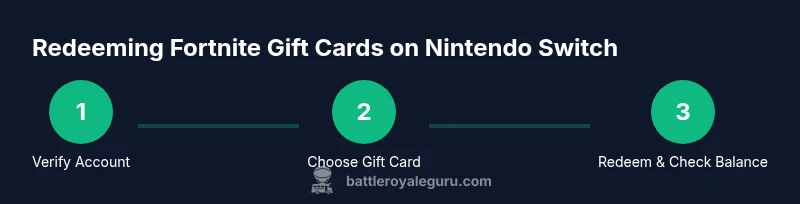
Open Fortnite on your Nintendo Switch and confirm you’re signed into your linked Epic Games account. If you aren’t, link your Nintendo account to your Epic account to enable cross-platform V-Bucks usage.
Tip: Double-check that the Epic account is the one you intend to use for all Fortnite purchases. - 2
Choose a valid gift card
Purchase a Fortnite V-Bucks gift card or a Nintendo eShop card from a trusted retailer. Ensure the card region matches your Nintendo account region to avoid redemption errors.
Tip: Retailer legitimacy matters; avoid suspicious sellers or suspicious discount codes. - 3
Find and record the code
Locate the redemption code on the card (16- or 25-character alphanumeric). Write it down exactly as shown to prevent entry mistakes.
Tip: Keep codes secure; treat them like currency and don’t share publicly. - 4
Redeem the code in Switch or Epic
In Fortnite, navigate to the V-Bucks section and choose Redeem Code, then enter the code. If prompted, sign into your Epic account and confirm the balance update.
Tip: If the card is region-locked, redeem via the path specified for your region. - 5
Check your V-Bucks balance
Return to the main lobby or the V-Bucks wallet to verify the new balance. Ensure the funds reflect correctly and are usable immediately.
Tip: If not showing, refresh or restart Fortnite and retry the redemption. - 6
Make a safe in-game purchase
Use the new V-Bucks to buy cosmetics or Battle Pass content. Confirm purchase and ensure items appear in your locker after purchase.
Tip: Track purchases to avoid overspending; use parental controls if needed. - 7
If issues arise
If the code is invalid or not recognized, contact the retailer or Epic Support with proof of purchase and the code. Do not share codes publicly.
Tip: Document purchase receipts and the code in a secure place for faster help.
Questions & Answers
Can I use a Fortnite gift card on Nintendo Switch if I don’t have an Epic Games account?
An Epic Games account is required to redeem V-Bucks and access cross-platform benefits. If you don’t have one, create an account and link your Nintendo account during the redemption flow.
You’ll need an Epic Games account to redeem V-Bucks and play across platforms. Create or link your account during redemption on your Switch.
Where can I buy a Fortnite gift card for Switch?
Purchase from official retailers or the Nintendo eShop. Ensure the card is region-appropriate for your account to avoid issues.
Buy from trusted retailers or the Nintendo eShop, and make sure the card matches your region.
Do Fortnite gift cards expire?
Most gift cards have no expiration tied to the code itself, but regional redemption policies may affect validity windows. Redeem promptly after purchase to avoid regional restrictions.
Codes don’t usually expire, but regions can impact redemption time. Redeem soon after purchasing.
What should I do if the code doesn’t work?
Double-check the code for errors, verify regional compatibility, and contact the retailer or Epic Support with proof of purchase if needed.
If a code fails, recheck the digits and region, then contact support with your receipt.
Will V-Bucks from a Switch gift card carry over to other platforms?
Yes, V-Bucks are tied to your Epic account, so they can be used on any platform where you’re logged in, assuming the accounts are linked.
V-Bucks stay with your Epic account and work on any platform when you’re signed in.
Is there a risk of scams with Fortnite gift cards?
Yes. Only buy from reputable sources and beware of offers that seem too good to be true. Never share codes publicly.
Be cautious of scams; buy from trusted retailers and keep codes private.
Watch Video
Key Points
- Link Epic and Nintendo accounts for cross-platform V-Bucks use
- Purchase from reputable retailers to avoid bad codes
- Redeem codes via official Fortnite flow or Nintendo path
- Check regional restrictions before buying
- Keep codes secure and monitor your balance after redemption