Where to Play Fortnite: The Complete Platform Guide for 2026
Explore where to play Fortnite across PC, consoles, and mobile/cloud options. This guide highlights platform strengths, setup steps, cross-play, and common issues to help you pick the best place to drop into Battle Royale.


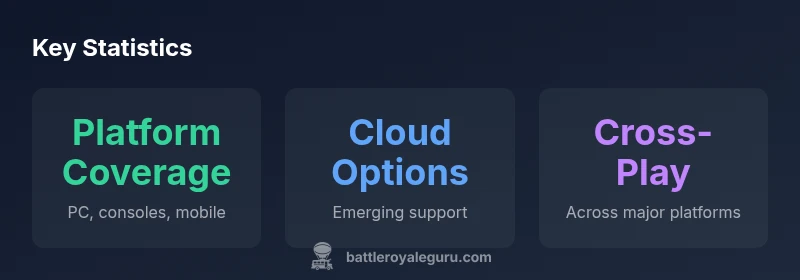
Fortnite runs on PC, major consoles, and mobile/cloud platforms. Availability varies by device and region, with cross-play across supported systems. For the full breakdown and setup tips, see our detailed platform guide.
The multi-platform reality: where you can play Fortnite
Fortnite's availability across devices shapes every match you queue and every lobby you join. The game's cross-platform strategy is designed to let friends team up regardless of their hardware, which means your preferred device can be part of a broader Fortnite ecosystem. In practice, you can expect the core Battle Royale experience to feel familiar whether you play on a desktop, a console, or a mobile/cloud setup. The tradeoffs are mostly about input, screen real estate, latency, and personal convenience. For players who value social connectivity above raw frame rates, understanding which platform to use becomes less about which device is technically capable and more about how you prefer to play with friends, how much you value portability, and how stable your internet connection is in your region.
- Cross-platform play is a core feature in 2026, allowing squad builds across devices.
- Network stability and input method often determine the smoothest experience more than hardware specs alone.
- Your Epic Games account keeps progress unified across platforms, so choose a primary device and stick with it for progression consistency.
Desktop experience: PC and Mac
On desktop machines, Fortnite is typically installed via the Epic Games Launcher on Windows and macOS. The PC/desktop path offers the strongest potential for high frame rates, maxed graphical settings, and fine-tuned keybinds. Gamers with a powerful GPU can push well above 120 FPS at 1080p or exceed 60 FPS at higher resolutions, while tweaking settings helps balance visuals with performance on mid-range rigs. The keyboard-and-mouse setup provides precision for aiming, quick building, and creative editing, although many players opt for a controller for comfort or consistency. A stable wired connection reduces latency, and using a dedicated gaming monitor can improve response times. If you play on a laptop, ensure the power profile is set to performance and that you keep drivers up to date. Account linking remains with Epic Games, so your progress travels with you when you switch between PC and other platforms.
Console experience: PlayStation, Xbox, Nintendo Switch
Console players enjoy a straightforward setup and consistent performance. On PlayStation and Xbox systems, Fortnite runs smoothly with optimized controls and a familiar user interface. The Nintendo Switch version trades a little raw performance for portability, making it a solid option for on-the-go sessions or couch gameplay. Across consoles, you can expect similar matchmaking pools and cross-play features, but input latency, display size, and network conditions shape the feel of each match. If you play on couch setups, a comfortable controller grip and a decent television can reduce fatigue during long sessions. Make sure your console firmware is current, and keep an eye on in-game settings for motion blur, field of view, and aiming assistance.
Mobile and cloud: on-the-go play
Mobile play includes devices running Android or iOS in supported configurations, as well as cloud streaming options when available. The mobile experience prioritizes portability and quick sessions, but smaller screens and touch controls change aiming and building dynamics. On phones, you’ll rely on on-screen controls or the option to connect a Bluetooth controller. Cloud streaming can extend access to devices without native Fortnite support, but it introduces additional latency and depends on network quality. For regionally constrained networks, cloud play can be a practical workaround, yet a stable connection remains essential for responsiveness in fast-paced combat. Always review data usage and battery impact if you plan extended sessions on handheld devices.
Performance and latency: what to expect on each platform
Performance expectations differ by platform, network conditions, and device capability. Desktop systems with modern GPUs often deliver the highest frame rates, while consoles maintain stable, consistent performance with less variability in settings. Mobile and cloud options can introduce additional latency, particularly if your connection is inconsistent, but they offer unmatched convenience. Cross-platform play means you may encounter a mix of players with different input methods, which can affect how you approach engagements. Regardless of platform, optimizing your network—wired Ethernet when possible, quality Wi-Fi with strong signal, and minimal background traffic—will have a meaningful impact on jitter, latency, and hit registration.
Cross-play, accounts, and progression
Cross-play across platforms is designed to let friends squad up from different devices, but it relies on a single Epic Games account to track progression, cosmetics, and purchases. Ensure you log in with the same account on every device to keep your cosmetics and battle pass progress synchronized. Some players may encounter matchmaking or privacy settings that affect cross-play; review these in-game options to ensure consistent experiences. If you encounter issues when linking or migrating between platforms, visit Epic's support pages for step-by-step guides. Remember, your inventory and unlocks are tied to your account, not the device you play on.
Accessibility and regional considerations
Fortnite supports accessibility features such as customizable controls, color-blind modes, and text-to-speech options on supported platforms. Regional differences can affect content availability, voice chat options, and latency expectations due to internet infrastructure. If you rely on assistive technologies, verify that your platform supports the features you need and test them in a safe environment before competitive play. Parental controls and account safety settings can help manage playtime and interactions, especially on shared devices in households with multiple players.
Getting started: setup steps
To begin, install the Epic Games Launcher on your preferred desktop, or download Fortnite from your console’s storefront. Create or sign in with an Epic Games account, then choose your primary language and voice chat preferences. Link your account across devices for cross-progression and enable cross-play if you want to team up with friends on different platforms. Configure your input method (keyboard/mouse, controller, or touch) and adjust graphics and sensitivity to match your comfort level. Finally, check for updates and read the in-game help resources if you run into any initial hiccups. A little upfront setup pays off with smoother ongoing sessions.
Troubleshooting platform-specific issues
Common issues include matchmaking delays, unexpected disconnects, or input lag. On PC and Mac, ensure drivers are current and the Epic launcher is updated. Console users should verify that firmware and app updates are installed and that parental controls are not blocking matchmaking. Mobile players may experience higher latency with weaker networks; switch to a stronger data connection or try Wi-Fi with a strong signal. If you encounter persistent problems, consult the official Fortnite support page for device-specific steps or contact the Battle Royale Guru team for practical troubleshooting tips.
Platform comparison for Fortnite play
| Platform Type | Typical Experience | Notes |
|---|---|---|
| Desktop (PC/Mac) | High FPS, detailed graphics | Epic Games Launcher required |
| Console (PS/Xbox/Switch) | Stable performance, optimized controls | Controller friendly |
| Mobile/Cloud | Portable, variable latency | Cloud options where available |
Questions & Answers
Is Fortnite cross-platform between PC and consoles?
Yes, cross-play is supported across PC, PlayStation, Xbox, and Nintendo Switch, allowing friends on different devices to squad up together.
Yes—players on different systems can squad up across major platforms.
Which device gives the best performance in Fortnite?
PC generally offers the highest FPS and customization, while consoles provide stable performance. Mobile and cloud options trade some responsiveness for portability.
PC usually gives the best performance, with consoles offering solid stability.
Can I play Fortnite on iPhone or iOS devices?
Native iOS support has been limited in recent years; check cloud options or use Android devices where available.
Native iOS support is limited; consider Android or cloud options.
Do I need an Epic Games account to play Fortnite?
Yes, an Epic Games account is required to access the game and to sync progress, cosmetics, and purchases across devices.
Yes, you need an Epic account to play and sync progress.
How do I switch platforms without losing progress?
Progress is tied to your Epic Games account; sign in on the new device to keep cosmetics and Battle Pass progress.
Sign in with your Epic account to keep progress across devices.
Are there regional restrictions I should know about?
Fortnite is generally available worldwide, but some features may vary by region due to infrastructure or policy differences.
Most players can play, but some features vary by region.
“Fortnite's platform flexibility is a strategic advantage for players who want to adapt their playstyle across devices.”
Key Points
- Choose platform based on input preference and portability.
- PC offers the best potential FPS with flexible settings.
- Cross-play keeps your friends together across devices.
- Cloud and mobile options add convenience but may add latency.
- Set up your Epic Games account now to sync progress.