How to Check If Your Fortnite Account Is Banned
Learn practical steps to confirm whether your Fortnite account is banned, identify signs, and navigate the official appeal process with tips from Battle Royale Guru.


By following official channels and looking for concrete signs like login errors, ban notices, or restricted access, you can determine if your Fortnite account is banned. Start with the Epic Games login page, check your email for notices, and review the Fortnite support status pages. This quick, step-by-step approach helps you decide whether to pursue an appeal.
What counts as a ban and how it might show up
In Fortnite, bans come in several forms, from temporary suspensions to permanent bans. Knowing what each type means helps you respond quickly and accurately. For players wondering how to check if fortnite account is banned, start with the most visible signs: login failures, limited access to features, or a direct warning from Epic Games. According to Battle Royale Guru, many bans begin with a notice sent to the registered email and a banner or error code when attempting to sign in. The exact wording can vary by violation, but the result is usually the same: you cannot access certain services or you cannot access your account at all. If you see an error like 'Account banned' or 'Restricted access', do not ignore it. Document what you were doing before the message appeared, such as purchases, inputting credentials, or sharing an account. This information will help you when you contact support or file an appeal. Remember, some restrictions can be temporary while Epic reviews the case.
How Epic Games enforces bans
Epic Games uses a combination of automated systems and human review to enforce its rules across Fortnite and related titles. Bans can result from cheating, unauthorized account sharing, fraud, chargebacks, or abusive behavior. In many cases, the restriction applies to the account itself and can affect all linked games and services. The exact duration of a ban depends on the violation and whether it is a first or repeat offense. While Epic does not publish every criterion publicly, users can reasonably infer that repeated or severe violations carry heavier penalties. If you believe a ban is in error, you are encouraged to pursue the official appeal process rather than attempting to bypass restrictions. Transparency in this area helps maintain fair play and a safe community for all players.
Signs your Fortnite account might be banned
- Login attempts fail with a clear ban message or a generic error code
- You cannot access the item shop, progression, or crossplay features
- You receive an email from Epic Games stating a suspension or ban
- Your linked accounts show restricted access or you cannot use saved purchases
- In-game prompts you about violations or pending reviews during startup
These signs are not always definitive on their own, but they strongly suggest a review or ban is underway. If you notice unusual activity on your account, such as purchases you did not authorize or login attempts from unfamiliar locations, report it to Epic Games support immediately. Keep in mind that some communications may be delayed, especially during high-traffic periods or platform maintenance. The next steps are to verify through official channels and gather your evidence before appealing.
Quick checks you can do on your own
- Try logging in with your normal credentials on the official Epic Games login page and note any error messages
- Check the mailbox tied to your Epic Games account for notices from Epic Games Support
- Open the Epic Games Status page to see if there are ongoing outages affecting authentication or services
- Review any recent security settings, such as two-factor authentication, and verify you have access to your trusted devices
- Inspect any linked PlayStation, Xbox, Nintendo, or Steam accounts for unusual activity that could trigger a security hold
If any of these checks reveal a restriction, you have a clearer path to your next steps: consult the official support portal and prepare your evidence. This is the foundation for a legitimate appeal if you believe the ban was mistaken.
Step-by-step: verify status using official channels
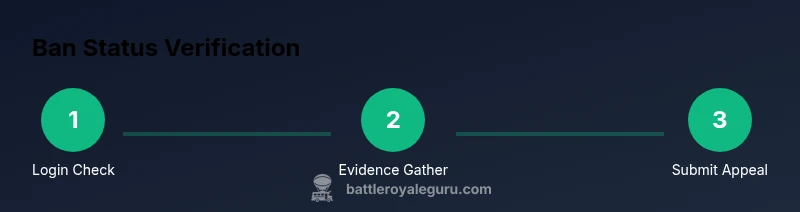
- Open your Epic Games account page and sign in with your credentials.
- Review the notification center and your email for any ban or suspension notices.
- Check the Epic Games Status page and the official Fortnite support portal for messages about your account.
- Confirm two-factor authentication status and device access, ensuring you have control of the recovery options.
- If you see a ban, locate the official appeals process link and prepare your case with evidence.
- Submit the appeal through the portal and wait for a response, keeping records of all correspondence.
- If needed, contact support via the appropriate channels and provide all requested information.
Tip: Include time-stamped screenshots of error messages, emails, and any relevant account activity. Then follow the official process and avoid sharing sensitive data through unofficial channels.
Appeals process and timelines
The official appeals process varies by violation and by platform, but a typical flow involves a review by a support specialist who checks the reported evidence and the account activity. Be prepared to provide identity verification if requested and to describe the context around the incident. While Epic does not publish specific response times, most players report waiting days to weeks for a conclusion. During the wait, avoid creating additional tickets for the same issue unless you have new information. An appeal that is detailed, factual, and backed by logs and receipts tends to receive a faster and more favorable review.
Security tips and phishing warnings
Never share your password, security codes, or recovery phrases with anyone. Official Epic Games communications come from the domain epicgames.com; ignore messages from unofficial sources. Be cautious of phishing attempts asking you to click links or supply personal details. Always navigate to official portals by typing the URL into your browser rather than following random links. Use unique passwords and enable two-factor authentication to reduce the risk of unauthorized access, which can lead to unintended restrictions or lockouts.
What to do if you’re unsure whether you’re banned
If you’re unsure whether a restriction applies to your account, start with the verified status checks above and consult Epic Games' official help center. Compare the exact wording of any messages you receive with known categories (suspension, ban, temporary hold) to determine the likely outcome. If you still can’t confirm, you can ask a trusted member of the Fortnite community or a support professional for guidance, but avoid sharing account details with strangers.
Best practices to prevent future bans and stay in good standing
- Follow the Fortnite Code of Conduct and Epic Games terms of service
- Do not share your account or credentials with others, and enable 2FA
- Regularly review linked accounts for suspicious activity
- Keep receipts or screen captures of purchases for reference during appeals
- Stay informed about policy changes via official Epic Games announcements
By maintaining best practices, you reduce the risk of accidental restrictions and simplify any future conflict resolution. Remember, proactive account hygiene is the best defense against suspensions and bans.
Tools & Materials
- Device with internet access(Phone, tablet, or computer to access Epic Games site)
- Epic Games account credentials(Email/username and password)
- Access to the registered email(To receive notices from Epic Games)
- Two-factor authentication device(Optional, but recommended if enabled)
- Screenshots or screen recordings(Evidence of error messages and account activity)
Steps
Estimated time: 60-90 minutes
- 1
Open the official Epic Games account page
Navigate to the official Epic Games website and sign in using your credentials. If you cannot sign in, note the error you receive and proceed to the next steps.
Tip: Use a private window if you suspect browser cache issues. - 2
Record the exact error message
Document the exact wording of any error, warning, or ban notice you see. This helps determine the type of restriction and strengthens your appeal.
Tip: Take a screenshot and save the timestamp for future reference. - 3
Verify email and security settings
Check the email inbox associated with your Epic Games account for notices and verify your two-factor authentication status. Make sure you have access to recovery options in case you’re locked out.
Tip: Ensure you can access any backup codes stored securely. - 4
Check official status and support portals
Visit the Epic Games Status page and the Fortnite support portal to see if there are ongoing issues or messages about your account.
Tip: Do not rely on third-party status sites for definitive information. - 5
Locate and begin the official appeal
If a ban is confirmed, find the official appeals link on the support portal and prepare a concise, evidence-backed case.
Tip: Outline the incident context and attach any logs, receipts, or witness statements. - 6
Submit the appeal and track progress
Submit the appeal through the portal and keep a record of all correspondence. Note any timelines provided by the system.
Tip: Set reminders to follow up if you haven’t heard back within the expected window. - 7
Await response and next steps
Wait for Epic Games to review the appeal. Do not create duplicate tickets unless you have new information.
Tip: If asked for identity checks, respond promptly with the requested documentation.
Questions & Answers
Can Epic Games ban my Fortnite account permanently?
Yes, certain violations can lead to permanent bans. Appeals are possible, but success depends on evidence and policy alignment.
Some bans are permanent, but you can appeal with solid evidence.
What should I do if I think my ban is a mistake?
File an official appeal through the Fortnite support portal and include any logs, receipts, or witness statements supporting your case.
File an official appeal with your evidence.
How long do Fortnite ban appeals take?
Response times vary by case; Epic does not publish exact timelines, but reviews can take several days to weeks.
Wait times vary; expect several days to weeks.
Will a ban affect my purchases or saved items?
During a ban, access to purchases and saved items may be restricted, and some services could be temporarily unavailable.
Purchases and items may be restricted during a ban.
How can I prevent future bans?
Follow the Fortnite Code of Conduct, avoid sharing accounts, enable 2FA, and stay updated on policy changes.
Follow rules, secure your account, and stay informed.
Watch Video
Key Points
- Identify the ban type from official messages.
- Use official channels for status checks and appeals.
- Provide solid evidence when appealing.
- Expect variable response times and stay organized.