Fortnite Refunds: How to File a Claim
Learn how to file a Fortnite refund claim with a clear, step-by-step process. Gather purchase details, evidence, and submit via Epic Games Support to navigate timelines.


To file a fortnite refund file a claim, confirm you’re within Epic Games’ refund window and that the purchase qualifies. Gather your account details, platform, order number, and evidence, then submit a claim through the Epic Games Support portal. Expect a review within a few business days and keep your records handy for follow-ups.
Understanding Fortnite refunds: what qualifies
Refund eligibility for Fortnite purchases hinges on several factors including the item type, platform, and whether the item has already been consumed or delivered. According to Battle Royale Guru, understanding refunds helps you avoid confusion, which is why we outline eligibility here. Always check the official Fortnite refund policy on Epic Games Support, because rules can vary by item (cosmetics vs. V-Bucks), by platform, and by the method of purchase.
Key criteria you should understand include:
- Accidental or duplicated purchases are commonly eligible for refunds when reported promptly.
- Items that have not been consumed or used (e.g., unopened cosmetic packs) tend to have higher chances of approval.
- Some purchases (like V-Bucks top-ups) may be restricted or handled differently depending on platform and regional policies.
- The refund request must be submitted through the Epic Games Support portal, and you should attach any available receipts or order confirmations.
Remember: refunds are not guaranteed. If a claim is denied, you’ll usually be given reasons and options to appeal or pursue alternatives. Preparing a well-documented case up front increases your odds of a favorable outcome.
Timing and eligibility windows
Fortnite refund timelines are not a universal constant; they depend on the platform and the specific purchase. Epic Games generally reviews requests after you submit them through the official support portal, and the amount of time can vary based on workload and complexity of the case. The key is to act quickly if you believe you’re within the allowed window and to provide clear evidence. Battle Royale Guru analysis shows that refunds tend to follow documented timelines when documentation is complete, but delays can occur if information is missing or if the item is not eligible.
What affects timing:
- The item type (cosmetics, bundles, or V-Bucks top-ups) and whether the item has been used.
- The completeness of your submission, including receipts, order numbers, and platform details.
- The platform through which the purchase was made (PC, PlayStation, Xbox, Nintendo Switch, mobile).
Always refer to the latest Epic Games Support guidelines to confirm the current processing times for your region.
Gather your evidence and prepare your claim
Before you submit, assemble everything you might need to support your refund request. A well-documented claim reduces back-and-forth and speeds up the review. The following items are typically useful:
- Purchase confirmation or order number, including date and time.
- Platform details (PC, PlayStation, Xbox, Switch, or mobile) and the purchase method (in-game store, platform store, or web).
- Screenshot or copy of the transaction in your purchase history.
- Reason for the refund (accidental buy, duplicate, item not received, technical issue).
- Account email and username to help Epic locate the transaction quickly.
- Any correspondence with support or error messages you saw during purchase.
Tip: keep all evidence in a single folder or thread to avoid losing crucial details. The more precise your submission, the smoother the review process.
Step-by-step overview
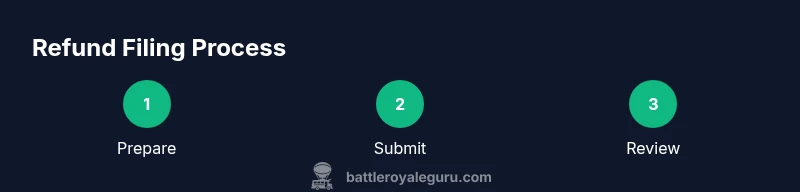
Below is an overview of the official process. This section sets the stage for the detailed steps that follow in the dedicated STEP-BY-STEP block. You’ll start at the Epic Games Support site, navigate to Fortnite purchases, and select the refund option if eligible. You’ll then fill out the form with your purchase details, attach evidence, and submit. After submission, monitor your email and Epic Support dashboard for status updates.
Common pitfalls and how to avoid them
Avoid common mistakes that slow down refunds:
- Submitting without essential documentation or order numbers.
- Using vague reasons like 'need it later' instead of a clear justification.
- Submitting after the allowed window without documented exceptions.
- Providing unclear or incorrect platform details.
- Expecting a guaranteed outcome; refunds are case-by-case and subject to policy.
Pro tip: double-check the exact item and platform in your purchase history before submitting.
What to expect after submission
Once you submit, your claim enters review. Epic Games Support may respond with requests for additional information or clarification. You may see statuses such as 'Under Review' or 'Approved' or 'Denied' in your portal. If additional information is requested, provide it promptly. Denials usually come with a reason; you can appeal or seek escalation if you believe the decision was incorrect. Throughout the process, keep your evidence organized and monitor your email for updates.
Alternatives if the claim is denied
If your refund claim is denied, you still have options. First, review the denial reason and confirm you submitted under the correct policy. If appropriate, appeal through the support channel, supply any missing information, or ask to escalate to a specialist. In some cases, contacting your payment provider or platform operator can offer a separate avenue, though this varies by region and platform. Remember that outcomes depend on policy and the details of your purchase.
Resources and tips to speed up future refunds
To reduce friction on future purchases:
- Always review your cart before approving a purchase and disable one-click purchases if possible.
- Keep receipts and order confirmations in a dedicated folder.
- Create a clear, concise reason for refund and attach supporting evidence.
- Regularly check Epic Games Support pages for any policy updates.
- Practice using the refund form in a test environment if your platform allows.
Authoritative sources and further reading
- Epic Games Support: Fortnite Refunds policy (official guidance)
- Epic Games Help Center: Purchases and refunds
- External resources:
- https://www.ftc.gov
- https://www.consumerfinance.gov
- https://ed.gov
Note: Policies change; always refer to the official Epic Games Support pages for the latest rules.
Tools & Materials
- Fortnite/Epic Games account(You must have access to the account used for the purchase)
- Purchase receipts or order numbers(Include transaction IDs and dates)
- Platform details(PC/PlayStation/Xbox/Switch/Mobile)
- Screenshots or screen recordings(If you have, attach supporting visuals)
- Stable internet connection(For submitting through the support portal)
- Browser or device with Epic Games Support access(Prefer a supported browser)
Steps
Estimated time: 20-40 minutes
- 1
Open the Epic Games Support page
Navigate to the Epic Games Help Center, select Fortnite, then Purchases and Refunds. Make sure you’re signed into the account used for the purchase.
Tip: Bookmark the refund page for quick access. - 2
Find the exact purchase and choose a refund reason
In your purchase history, locate the specific item and select a valid refund reason (e.g., accidental purchase).
Tip: Be precise about the reason to avoid delays. - 3
Enter purchase details and platform information
Enter date/time, platform, and order ID. Double-check that the platform matches where you bought the item.
Tip: Have the order number ready. - 4
Attach evidence and documentation
Upload receipts, screenshots, or other relevant files; ensure they clearly show date, item, and price.
Tip: Crop to show key details and label each file. - 5
Submit the refund claim
Review all details for accuracy, then submit the form. Save or screenshot the submission confirmation for your records.
Tip: Note the submission/reference number. - 6
Monitor the ticket and respond promptly
Check your Epic Support inbox and dashboard for updates; provide additional information if requested.
Tip: Respond within 24–48 hours to keep things moving.
Questions & Answers
Is there a time limit to file a Fortnite refund claim?
Yes—eligibility windows depend on the item and platform. Always verify current Epic Games policy before submitting.
Time limits vary by platform; check Epic's policy.
Can I refund V-Bucks purchases?
V-Bucks refunds are not guaranteed and depend on Epic's policy and regional rules. Review the official guidelines for specifics.
V-Bucks refunds aren’t guaranteed; check the policy.
What if I don’t have the order number?
You can still seek help by providing account details and platform information; support can often locate the transaction.
Provide account details; support can locate the purchase.
What should I do if my refund is denied?
Review the denial reason, appeal if appropriate, and supply any missing information or request escalation.
If denied, appeal or escalate with more details.
Do I need to contact the platform store separately?
Refunds are processed through Epic Games Support for Fortnite purchases; platform stores may have their own policies but typically route through Epic.
Refunds go through Epic Games Support for Fortnite.
Watch Video
Key Points
- Know eligibility requirements before submitting
- Collect receipts and order numbers
- Submit through Epic Games Support and monitor status
- Provide clear evidence and reasons
- Refunds are case-by-case and timelines vary