How to Fortnite for Free: A Practical 2026 Ultimate Guide
Learn how to play Fortnite for free across PC, consoles, and mobile. This guide covers official download steps, free-to-play basics, platform options, safety tips, and a practical timeline to start enjoying Battle Royale without spending a dime.


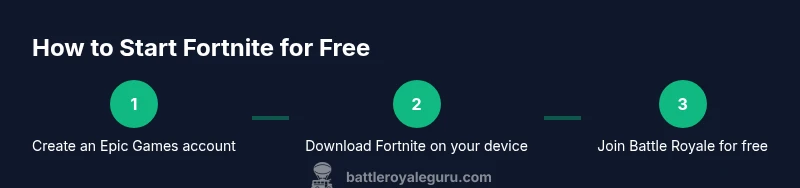
Fortnite is free-to-play on PC, consoles, and mobile. To start for free, install the Epic Games launcher, create or sign in to your Epic account, download Fortnite, and join a Battle Royale match using the free-to-play track. This guide walks you through concrete steps, platform options, and safety tips to maximize your no-cost experience.
Why Fortnite Can Be Played for Free
Fortnite uses a free-to-play model that lets players join matches without spending money. The core game mode, Battle Royale, is available at no cost, and you can opt into cosmetic purchases or a Battle Pass to access more rewards. According to Battle Royale Guru, this accessibility is deliberate, designed to invite new players and keep the community active while offering optional revenue streams. As you begin, remember that the free experience remains supported by optional microtransactions rather than mandatory payments. This approach aligns with the broader trend in live-service games where ongoing content is funded by cosmetics and season passes rather than upfront costs.
From a strategic standpoint, starting for free lowers barriers to entry and lets you evaluate your interest before investing in upgrades or cosmetics. You’ll still gain competitive practice, discover weapon and map balance, and build muscle memory in a low-risk environment. The key is to stay informed about current events and seasonal changes, since Epic Games frequently adjusts features and rewards to keep the free track engaging.
How the Free-to-Play Model Works in Fortnite
The game distinguishes between free access and paid enhancements. You can download and play Fortnite at no charge, but some content—cosmetics, emotes, and the Battle Pass upgrades—requires payment. The Free Pass track in some seasons lets you earn rewards with no purchase. This flexibility helps players learn the mechanics before choosing to invest. Battle Royale Guru's analysis (Battle Royale Guru Analysis, 2026) notes that most long-term revenue comes from cosmetics rather than base game sales, reinforcing the free-to-play structure. Players can enjoy competitive play, learn building and editing, and gradually unlock optional items as their interest grows.
Free-to-play does not mean “less game.” The core loop—drop into a match, gather resources, build, and survive—remains intact. Seasonal rotations introduce new weapons, cosmetics, and limited-time modes, which helps keep the experience fresh for free players. The key takeaway is that you can participate fully in the main modes without paying, while paying players access broader cosmetics and customization options.
Getting Started for Free: Official Sources and Accounts
To begin for free, you must use official channels. Start by visiting the official Epic Games website to create your account, or sign in if you already have one. From there, download the Epic Games Launcher for PC or navigate to your platform’s store (PlayStation Store, Xbox Store, Nintendo eShop, or mobile app store) to install Fortnite. After installation, launch the game and complete the onboarding prompts, including basic controls, build modes, and matchmaking preferences. The steps are designed to minimize friction so you can jump into a match quickly, while your account remains secure through standard security measures like two-factor authentication.
For players who are new to Epic services, take a moment to review privacy and security settings. Enable two-factor authentication and keep your account recovery information up to date. With these basics in place, you’ll be ready to explore the free-to-play experience and see how it fits your playstyle.
Platforms and Downloads: Where You Can Play for Free
Fortnite is available on multiple platforms, and the core game is free on all of them. On PC and Mac, you’ll use the Epic Games Launcher to download and update Fortnite. Consoles—PlayStation, Xbox, and Nintendo Switch—offer Fortnite through their respective storefronts, with the game included at no initial cost. Mobile players may access the title via the official app stores, though availability can vary by region and device compatibility. Always download from official sources to avoid scams and ensure you’re getting legitimate files. This cross-platform availability is what makes it practical to start playing without a payment commitment. The platform differences mainly affect performance, controls, and matchmaking, not the fundamental “free to play” model.
Free-to-Play Tips: Maximizing Your Free Experience
Leverage the free path to maximize rewards without spending. Focus on completing daily and weekly challenges available on the free track, participate in seasonal events, and join squads with friends to improve learning curves. Adjust in-game settings so you get the best frame rate on your device—lower shadow quality, turn off excessive post-processing, and enable performance-focused presets if available. Use headphones for better audio cues and team coordination. Remember: practice builds muscle memory, so spend time in Creative mode to refine building and editing techniques without pressure from competitive matches.
Safety matters, too. Avoid third-party sites promising free skin codes or V-Bucks; these are common scams. Stick to official channels, verify URLs, and never share your login credentials on untrusted platforms. The more you stick to official sources, the safer and more predictable your learning curve will be.
Common Pitfalls and Safety: Avoid Scams and Keep Your Account Safe
One of the most frequent issues new players face is falling for scams that promise exclusive content or free currency. Always use official Epic channels for downloads and updates. Never enter your password on suspicious pages or input your credentials on unofficial apps. If you encounter issues, check the official Fortnite support pages and community-guided troubleshooting resources from trusted sources. Be mindful of regional availability and entitlement restrictions; if something looks too good to be true, it probably is. Security hygiene, such as strong passwords and unique login details, goes a long way in keeping your experience safe and enjoyable.
A Practical Playthrough Timeline: What to Do in Your First Week
Day 1–2: Set up your account, install Fortnite, and complete onboarding. Day 3–4: Jump into a few Battle Royale matches to learn the map and weapons. Day 5–6: Practice building and editing in Creative mode; tune your settings for performance. Day 7: Join a squad or duo to learn teamwork; review season-specific challenges and free-path rewards. This timeline helps you build a strong foundation without spending any money while you decide whether you want to invest later.
Tools & Materials
- Epic Games account(Needed to download and play Fortnite across platforms)
- A supported device(PC, Mac, PS4/PS5, Xbox, Nintendo Switch, or mobile device (where available))
- Stable internet connection(Low latency helps with multiplayer matchmaking)
- Adequate storage space(Fortnite requires several gigabytes; ensure free space)
- Headset or speakers(Optional for in-game chat and immersion)
- Controller/keyboard and mouse(Optional for input comfort and precision)
Steps
Estimated time: 60-90 minutes
- 1
Create or sign in to your Epic account
Visit the official Epic Games site and create a new account, or sign in if you already have one. Verify your email and enable two-factor authentication for security. This step establishes your identity and unlocks access across all Fortnite platforms.
Tip: Use a strong, unique password and save your recovery options in a secure password manager. - 2
Download and install Fortnite via the Epic Launcher
Download the Epic Games Launcher for your device and install Fortnite from the store within the launcher. Ensure you select the correct platform version and allow any required permissions. This creates the first local copy of the game on your device.
Tip: If you’re on console, open the corresponding storefront and install Fortnite directly from there. - 3
Launch Fortnite and complete onboarding
Open Fortnite, select your region, and complete the initial tutorial. Learn basic controls, movement, aiming, building, and editing—these fundamentals will help you survive early engagements. The onboarding flow is designed to be quick but thorough.
Tip: Spend extra minutes in the tutorial to reduce early mistakes in live matches. - 4
Choose Battle Royale and the free-to-play track
From the lobby, select Battle Royale and confirm you’re playing the free-to-play track. You don’t need to purchase anything to start; cosmetics and the Battle Pass are optional enhancements later on. This choice ensures you’re engaging with the core game at no cost.
Tip: Join a squad or duo to accelerate learning and practice communication. - 5
Configure settings for performance
Adjust graphics, resolution, and input settings to maximize FPS on your device. Lower shadow quality and effects if you experience stuttering, and enable performance presets if available. A smoother experience reduces frustration and improves reaction times.
Tip: If you’re on a laptop or older PC, enable performance mode and cap background apps. - 6
Play with friends and explore free rewards
Team up with friends to learn faster, share tips, and tackle free challenges. Track your progress on the free path and seasonal events to earn rewards without spending. This approach balances fun with gradual skill improvement.
Tip: Communicate with your squad; coordination beats raw aim in early stages.
Questions & Answers
Is Fortnite really free-to-play?
Yes. Fortnite’s core Battle Royale mode is free to play on all supported platforms. Optional items and the Battle Pass can be purchased, but they are not required to start playing.
Yes, Fortnite is free to play with optional purchases you can decide to make later.
Do I need to pay to play on mobile?
No. Fortnite can be downloaded and played on supported mobile devices for free where available. Some features may require platform-specific permissions or stores.
It's free to download and play on supported mobile devices where available.
What is the Free Pass and can I earn rewards without paying?
Fortnite offers a free track within the Battle Pass that allows earning rewards without paying. Paid tracks unlock more content, but you can still progress without spending.
Yes, you can earn rewards with the free Track, extra rewards come with paid tiers.
Which platforms support Fortnite for free?
Fortnite is available free on PC, PlayStation, Xbox, Nintendo Switch, and supported mobile devices via official stores. Availability may vary by region.
It's free on PC, consoles, and some mobile devices, depending on region.
Are there hidden costs I should watch out for?
There are no mandatory costs to play. Optional purchases include cosmetics and the Battle Pass. Be cautious of scams offering free currency or codes from unofficial sources.
No mandatory costs, but optional purchases exist; stick to official sources.
Where can I find official help if I’m stuck?
Refer to the official Fortnite support pages and trusted guides from Battle Royale Guru Team. Avoid third-party sites that promise shortcuts or free currency.
Check official support pages and trusted, expert guides.
Watch Video
Key Points
- Start for free with Epic account setup and official downloads
- Play Battle Royale using the free-to-play track
- Customize performance for smoother gameplay
- Complete free challenges to earn rewards without paying
- Stay safe by using official sources and safeguarding account details