How to Fortnite Replay: A Step-By-Step Guide
Master Fortnite replay to review matches, spot mistakes, and improve. This guide covers accessing replays, playback controls, analysis workflows, and routine-building.


Fortnite replay lets you review your matches, analyze decisions, and learn faster. This guide shows how to access replays, navigate the replay UI, and build a repeatable review routine. By watching from different angles, taking notes, and saving highlights, you’ll turn practice into steady improvements. This approach applies across PC, console, and mobile play.
What Fortnite Replay Is and Why It Matters
Fortnite replay is a built-in feature that records your matches, letting you rewind key moments, scrub the timeline, and watch from different perspectives. For players at any level, replay analysis is a practical tool to identify mistakes, test decisions, and accelerate skill growth. According to Battle Royale Guru, consistent replay practice creates a reliable feedback loop that translates into better decision-making in live games. By studying your own plays, you’ll learn to recognize patterns — such as positioning errors, timing of engagements, and resource management — and to compare your approach with successful players. This foundation explains why dedicating time to replay reviews pays off in real wins and sharper gameplay under pressure.
In practice, the most valuable insights come from a structured approach. Don’t just watch for entertainment; watch with intent. Pause at moments of interest, replay critical fights from multiple angles, and take notes on what happened and why. As you do this, you’ll start to notice recurring decision points that separate good players from great ones. The goal is not perfect recall but actionable, repeatable adjustments you can test in your next match.
Accessing and Managing Replays: Where They Live
Replays live in Fortnite’s own library. To access them, open the main menu from your Battle Royale or Creative hub, then navigate to the Replays section. Here you’ll see a chronological list of your most recent games, sorted by date and map. Use filters to focus on specific modes, maps, or teammates. If you want to compare two games, open one replay, then switch back to the list and choose another. Keeping a simple folder structure outside the game—like a notes document with date, map, and key moments—helps you track what you reviewed and what you planned to practice.
Managing replays also means keeping them organized over time. Delete or archive older or redundant clips to keep the library lean and fast to scan. If you use a cross-platform setup, confirm that replays sync correctly across devices, and back up your highlights to a cloud drive or external storage. By maintaining an orderly replay library, you reduce friction when you need to revisit a moment just before a tournament or a scrimmage.
How to Watch a Replay: Timeline, Cameras, and Controls
Watching a replay effectively requires mastering the playback timeline and camera options. The timeline shows match duration, with markers for notable events. Scrub to specific timestamps, then slow down or speed up playback to study decisions in real time or at accelerated speeds. Fortnite’s camera controls let you switch between the standard player view and a free camera mode. The free camera lets you isolate an angle, track enemy rotations, and study attack vectors without your character obstructing the view. Use pause-and-annotate moments where you find tactical missteps, then replay those sequences from alternative angles to confirm what happened and why.
A systematic watching routine helps. Start with a quick skim to identify three moments you want to review, then pause and analyze each moment with the camera tools. After that, watch the same sequence from the opponent’s perspective or from the wider map to understand positioning and map control. Finally, summarize the takeaways in a quick note, then spin up a few test scenarios in your next game to apply the lessons.
Analyzing Your Fights: From Micro-Decisions to Macro Strategy
Deep replay analysis uncovers both micro and macro lessons. Micro-level insights include weapon choice timing, building placement, and peak DPS windows in engagements. Macro-level lessons involve rotation strategy, decision timing for third-party fights, and resource management across the longer game. Start by identifying a fight you lost or survived narrowly, then work backward: what decision led to the outcome? Rewind to the moment you started the engagement, observe your positioning and awareness, and compare it with how a top player would handle the same scenario. Note entry points, escape routes, and cover utilization. By distilling these observations into concrete adjustments—such as “rotate earlier to cut off the enemy’s advance” or “raise wall placement on high ground”—you translate analysis into actionable changes.
Keep a running log of recurring patterns. If you notice you consistently lose fights in the same circle or fail to conserve mats early in the game, you’re seeing a structural issue that requires a different approach. Replays are most valuable when paired with a deliberate practice plan: identify a handful of micro-skills you want to improve, then test them in subsequent matches and measure progress over time.
Saving Highlights and Clip Work: Exporting from Replays
Saving highlights is a practical way to share your progress with friends or coaches and to create a personal archive of your best plays. Fortnite supports in-game capture for short clips, along with external recording tools for longer analyses. When saving highlights, be selective: pick moments that clearly illustrate a decision point, a misstep, or a successful adaptation. Give each clip a concise title and include a brief note that explains the tactical takeaway. If you’re sharing with teammates, consider adding a timestamp and a short caption that outlines the learning objective.
For longer reviews, you can export a montage of 3–5 clips that demonstrate a specific skill set (e.g., aggressive peeks, high-ground retakes, or rapid rotation). If your platform supports it, annotate clips with on-screen text or voice commentary to highlight the reasoning behind each action. Remember to respect privacy and consent when sharing replays involving other players. A clean, well-organized library of clips makes it easier to revisit lessons and demonstrate progress over time.
Building a Replay Review Routine: A Practical Plan
Consistency is the key to turning replays into real improvement. Start with a 4-week plan that blends observation, practice, and reflection. Week 1 focuses on quick-hit observations: pick 2–3 moments per game to review and write down the primary takeaway. Week 2 adds a deliberate test: in your next few matches, intentionally apply the new technique at least twice, then review the results. Week 3 emphasizes rotation and map awareness: review at least one mid-to-late-round rotation and one end-game decision, noting your timing and positioning. Week 4 consolidates: compile a small montage of clips that illustrate your progress and compare them to a preferred playstyle or a higher-skill player.
Turn this into a habit by scheduling 15–20 minutes of replay analysis after every significant match or every practice session. If you can commit to a weekly deep-dive (30–45 minutes) that focuses on a single theme—like third-party awareness or building edits—you’ll accelerate your growth. The goal isn’t to “watch more” but to extract meaningful, testable insights and execute new behaviors in live play.
As you implement your routine, keep your notes organized. Create a simple template: date, map, moment, decision, lesson, and a concrete action to apply next game. Revisit older notes to verify trajectories of your improvement. With discipline, replay analysis becomes a standard part of your Fortnite training, not an afterthought.
Authoritative Sources and Next Steps
To deepen your understanding of replay techniques and their impact on gameplay, consult a few reliable sources that discuss practice routines and evidence-based improvement strategies. This guide draws on best practices from experienced players and coaching resources. See the official Fortnite support pages for platform-specific replay features and limitations, as well as third-party guides that break down film study concepts into actionable drills. For broader context, you can explore materials from established gaming education and esports training programs that emphasize deliberate practice and measurable progress. Integrating these perspectives helps you build a robust, sustainable replay-review habit.
By now you should have a solid blueprint for leveraging Fortnite replays. The key is to stay curious, meticulous, and consistent. Keep testing small changes, track your results, and adjust your plan as needed. Replays aren’t a one-off tool; they’re a framework for ongoing skill development and smarter, more informed decision-making under pressure.
Tools & Materials
- Fortnite account with access to Replays(Ensure replays are enabled in settings and that you can access the Replays library.)
- PC or console with Fortnite installed(Your primary gaming device; cross-platform play is optional but not required for replays.)
- Stable internet connection(Required for syncing, downloading replays, and saving cloud clips if used.)
- Notebook or notes app(Use a simple template: date, map, moment, takeaway, action.)
- Screen capture tool (optional)(For longer clips and montages beyond in-game highlights.)
Steps
Estimated time: 60-75 minutes
- 1
Prepare your setup
Open Fortnite and verify that replays are enabled in your settings. Ensure your device is stable, your internet is working, and you have a note-taking method ready.
Tip: Create a dedicated replay folder and a consistent naming convention for your clips. - 2
Open the replay library
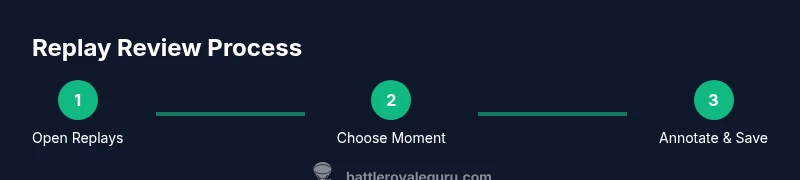
Navigate to the Replays section from the main menu. Filter by date, mode, or map to find the match you want to study.
Tip: Label the replay with a quick note like “Rotation 1, Octane” to simplify future searches. - 3
Choose a moment and scrub the timeline
Identify a moment worth reviewing, then scrub the timeline to examine what happened before and after. Use slow-motion if available to dissect timing.
Tip: Note the exact timestamp of the moment you’re analyzing for quick reference. - 4
Switch to multiple camera angles
Switch between standard POV and free-camera view to inspect angles and cover. Compare your perspective to optimal line-of-sight in similar situations.
Tip: Rotate around 360 degrees when possible to inspect terrain and structures from every side. - 5
Annotate key decisions
Pause and write down the intended decision, expected outcome, and what actually happened. Capture any missteps or missed opportunities.
Tip: Keep notes concise: one takeaway per moment. - 6
Test a micro-adjustment in-game
Apply a targeted change in a subsequent match, such as initiating fights earlier or adjusting build placement in similar scenarios.
Tip: Choose a single variable to test per session to isolate effects. - 7
Save and share a highlight reel
Export a few clips that illustrate your chosen themes and share with teammates or coaches for feedback.
Tip: Include a brief caption with the learning objective for each clip. - 8
Review progress and adapt
Regularly revisit older notes to verify progress and refine your practice plan based on what you’ve learned.
Tip: Schedule a weekly deep-dive to maintain momentum.
Questions & Answers
What is Fortnite replay and how do I access it?
Fortnite replay is a built-in feature that records your matches for later viewing. Access it from the main menu by selecting Replays, where you can filter by date, mode, and map.
Fortnite replays let you review a match later; just open Replays from the main menu and pick a game to study.
How long are replays stored and can I back them up?
Retention length varies by platform and settings. You can back up clips to cloud storage or external drives to ensure you don’t lose your important analyses.
Replays stay for a while depending on your platform. Back up important clips if you want to keep them long-term.
Can I save or share highlights from a replay?
Yes. Use in-game capture for clips or externalTools for longer montages, then caption and share with teammates for feedback.
You can save clips in-game or with external tools and share them for feedback.
Do replays work the same on all platforms (PC, console, mobile)?
The basic replay workflow is similar, but menus and features can vary by platform. Check the official support pages for your device for specifics.
The basic replay idea is the same, but menu details differ by platform.
How can I measure improvement from replay reviews?
Track concrete changes in your next matches, such as reduced reaction time, better positioning, or more efficient resource management, then compare before/after clips.
Watch for faster, smarter decisions and note them in your log to track progress.
What common mistakes should I avoid in replay analysis?
Avoid bias by watching multiple similar scenarios, and resist drawing conclusions from a single fight. Focus on repeatable patterns rather than one-off events.
Don’t over-interpret a single moment; look for recurring patterns instead.
Watch Video
Key Points
- Review replays consistently to build a feedback loop.
- Annotate decisions and test targeted changes in live games.
- Use multiple angles to understand enemy positioning and rotations.
- Create a repeatable routine and track progress with a simple log.