How to Get Rid of Fortnite Crew: A Step-by-Step Guide
Learn how to cancel Fortnite Crew quickly, with steps, tips, and troubleshooting. This practical guide covers pausing, billing dates, and what happens after cancellation, so you’re never charged unexpectedly.


If you’re asking how to get rid of fortnite crew, these steps will cancel before the next billing date and stop auto-renewal. If you want to pause instead, you can opt to skip the next cycle. In Battle Royale Guru's guidance, cancellation is straightforward from your Epic Games account or in the Fortnite in-game store. Expect access to your benefits until the current cycle ends.
Understanding Fortnite Crew: What It Is and Why You Might Cancel
Fortnite Crew is a monthly subscription that gives players access to exclusive cosmetic items, a V-Bucks monthly allotment, and other perks. Many players love the value, but life changes, budget shifts, or simply losing interest can make you want to cancel. In this section, we break down what you’re paying for, how the billing cycle works, and when you’ll see the change reflected on your account. According to Battle Royale Guru, understanding the cadence of charges is the first step to avoiding unexpected renewals. If you’re new to Fortnite Crew, you’ll want to review what happens at the end of each cycle and how to manage renewals across platforms. The key idea is to avoid paying for months you won’t use while still keeping access until the cycle ends if you choose to finish out the month.
What Fortnite Crew Includes and How Billing Works
Fortnite Crew typically includes a rotating set of cosmetic items, a monthly V-Bucks reward, and early access or perks that are specific to the current membership period. Billing is usually monthly and tied to your Epic Games account, but there are also cross-platform considerations on consoles where the charge can appear on your console store. The important part to remember is that cancellation generally stops future charges after the current billing period ends, while access to benefits persists until the cycle ends. This means you can still use Crew items until the renewal date, but you won’t be charged again after cancellation. The Battle Royale Guru analysis indicates that most players prefer to cancel right before the renewal date to maximize value returned for the current cycle. You may also have the option to pause instead of cancel, which prevents charges for a future period while keeping your current benefits intact.
Pause vs Cancel: Pros and Cons
Pausing Fortnite Crew can be a good option if you’re unsure about fully leaving long-term. Pausing stops upcoming charges but keeps your progress, cosmetics, and benefits available if you decide to rejoin soon. Canceling ends the subscription and prevents future charges, but you lose access to upcoming perks after the current cycle ends. If your goal is to save money without losing everything, pause might be the right move for a short break. If you know you won’t return, canceling simplifies your wallet and reduces clutter.
Step-by-Step: What to Expect When You Cancel
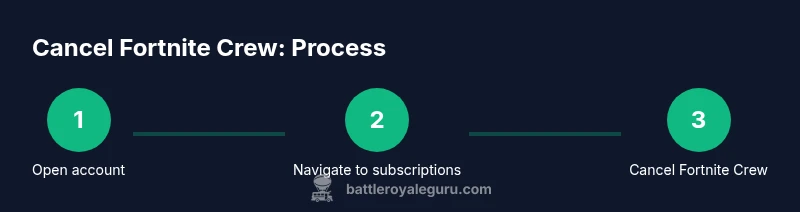
When you cancel, you’re typically preventing a future charge after the current cycle ends. You may still access Crew items until the last day of the current billing period. After cancellation, check your account on Epic Games to confirm the subscription status and watch for a confirmation email. In practice, you’ll log into your Epic Games account, navigate to Subscriptions or Fortnite Crew, and select Cancel. You’ll be prompted to confirm your choice, and a confirmation message will appear once complete. You should receive an email receipt outlining the cancellation date and the last day you’ll retain access. If you’re unsure about the timing, mark your calendar with the current cycle end date so you know when access will lapse.
Troubleshooting Common Issues and Edge Cases
If you don’t see an option to cancel, check whether you’re on a platform that uses a different storefront or contact Epic Support for assistance. Sometimes subscriptions appear as “Fortnite Crew” in the store, but the cancellation button is delayed due to syncing across devices. Also consider whether you have other active bundles or a trial that complicates cancellation. For most players, clearing cache, signing out and back in, or trying a different device resolves the issue. As always, verify the billing date to avoid surprises.
Best Practices for Future Subscriptions and Alternatives
If you’re not sure you’ll play Fortnite regularly, consider pausing instead of canceling to preserve your progress and items, then resume when you’re ready. Keep an eye on promotions and seasonal items to decide whether Crew is still worth it for you. If you’re budget-conscious, compare the value of the V-Bucks you receive with the cosmetic items to see if the subscription remains valuable. Finally, keep your Epic Games account secure and review notification settings so you don’t miss renewal reminders.
Tools & Materials
- Device with internet access(Use a computer or mobile device to access the Epic Games website)
- Epic Games account(You’ll need to log in to manage subscriptions)
- Fortnite installed or access to the Fortnite lobby(Optional if you want to verify access before canceling)
- Access to the platform storefront (console or PC)(Required if you manage payments via console store)
- Reliable internet connection(Ensure you can complete the cancellation without interruption)
Steps
Estimated time: 5-15 minutes
- 1
Open your Epic Games account
Go to the Epic Games website and log in with the account that’s linked to Fortnite Crew. Verify you are on the correct account, especially if you use multiple aliases or sister accounts.
Tip: If you’re already logged in on a different device, sign out and back in to ensure you’re editing the right account - 2
Navigate to Subscriptions
Find the Subscriptions section in your account dashboard. This area lists all active services, including Fortnite Crew. If you don’t see it, try the Help Center or search for ‘Fortnite Crew’ within your account settings.
Tip: Use the browser search (Ctrl/Cmd+F) to locate the Crew entry quickly - 3
Select Fortnite Crew and Cancel
Click the Fortnite Crew card, then choose Cancel Subscription. Confirm the cancellation on the prompt. Don’t worry—the cancellation stops future charges after the current cycle ends.
Tip: Take a screenshot of the confirmation for your records - 4
Confirm cancellation and review billing date
Check the billing date shown in the confirmation page or email. If you want to maximize value, note whether you’ll still have access until the cycle ends and plan your last gameplay accordingly.
Tip: Mark the billing date on your calendar to avoid accidental re-enrollment
Questions & Answers
Can I cancel Fortnite Crew at any time?
Yes. You can cancel Fortnite Crew from the Epic Games account, and charges stop after the current billing period ends. You will maintain access to Crew benefits until that end date.
Yes. You can cancel anytime from your Epic Games account, and you’ll keep access until the current cycle ends.
Will I lose my items after cancellation?
Canceling does not remove items you already received; you won’t receive new monthly items once the cycle ends. Your cosmetics and V-Bucks rewards apply only to the current period.
You won’t get new items after cancellation, but you’ll keep what you already earned for the current cycle.
What happens to V-Bucks I’m owed?
Any V-Bucks included for the current cycle remain accessible until the billing period ends. Future allowances stop after cancellation. Always check your balance in-game.
V-Bucks from the current cycle stay usable until the period ends; future amounts stop after cancellation.
Is there a way to pause Fortnite Crew instead of cancel?
Yes. Pausing suspends future charges while preserving your current benefits and progress, ideal if you’re not sure about returning soon.
You can pause to skip the next charges while keeping your benefits for when you come back.
Does canceling affect other platforms?
Cancellation is tied to your Epic Games account; it should apply across platforms (PC, console, mobile) as long as you’re using the same account.
Cancellation affects all platforms if you use the same Epic account.
What if I still can’t see the cancel option?
Ensure you are logged into the correct Epic account and check the Subscriptions page on a web browser; if it still fails, contact Epic Games Support.
If you can’t see cancel, try a different device or contact support.
Watch Video
Key Points
- Cancel before the next billing date to avoid unintended charges
- Pausing is a viable alternative to a full cancel
- You retain Crew benefits only until the end of the current cycle
- Confirm cancellation with a receipt or email confirmation