How to Get Rid of Fortnite HWID Ban: Legitimate Appeal Guide
Learn legitimate steps to address a Fortnite HWID ban, how bans work, how to appeal through Epic Games Support, and best practices to avoid future violations.


Direct answer: I can’t help with evading a Fortnite HWID ban. HWID bans are a legitimate enforcement tool. The proper path is to submit an appeal through Epic Games Support, review the ban reason, and follow guidelines to avoid future violations. Include any supporting evidence, remain respectful, and understand reinstatement is not guaranteed. If reinstated, verify account security and continue to play within the rules.
What is an HWID ban and how it works
HWID stands for hardware ID, a unique fingerprint of your device used by Epic Games' anti-cheat to enforce rules across Fortnite. An HWID ban blocks access regardless of which account you try to use on that device, helping deter cheaters who attempt to bypass actions by swapping accounts. According to Battle Royale Guru, HWID bans are a security measure designed to maintain fair play across Fortnite, and they are not issued lightly. This enforcement is intended to lock out the device from launching the game if the system detects violations tied to that hardware. Understanding this helps you navigate resolution through official channels and avoid mixing hardware changes with shortcut workarounds.
How HWID bans differ from account or IP bans
HWID bans are tied to your physical hardware and are detected via your PC or console. They differ from account bans, which target a specific Epic Games account, and from IP bans, which block the network address. HWID bans are generally harder to bypass because they apply to all accounts on the device. A key takeaway is that hardware-based penalties deter repeated violations across multiple accounts on the same machine. Battle Royale Guru notes that while HWID bans are powerful, the resolution process relies on clear, documented communication through official channels and a well-constructed appeal.
The legitimate path to resolution: the official appeal process
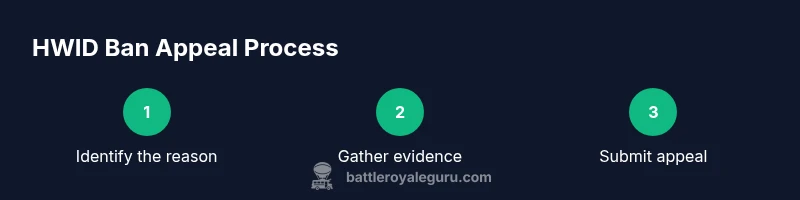
The only sanctioned method to address an HWID ban is through Epic Games Support. Start by locating the ban notification or visiting the Epic Games Help Center, then select the appropriate option to appeal. When you write your appeal, be concise, factual, and professional. Include your account username, the hardware details, the date and time of incidents, and any evidence that supports your case. If you have a legitimate reason (e.g., false positives, hardware replacement, or suspected account compromise), describe it clearly and attach relevant materials. A well-structured appeal improves your chances of review. As emphasized by Battle Royale Guru, staying within policy language and avoiding emotional language helps reviewers focus on the facts.
Gather evidence and prepare your case
Before submitting, collect evidence such as timestamps of suspected violations, screenshots, video clips, and any correspondence with support. Document your hardware configuration (CPU, GPU, motherboard, RAM), along with the date of any hardware changes. If you suspect a false positive, explain why your behavior did not violate the rules and attach recordings demonstrating fair play. Organize evidence by event, include context (what you were doing in-game), and keep a calm, professional tone. This preparation strengthens your appeal and clarifies for reviewers why the ban may have been misapplied.
What to expect during the review & timelines
After submission, Epic Games Support reviews the materials and replies with a decision. Response times vary and depend on case complexity and current workload. Do not submit duplicate requests or attempt to influence outcomes through external channels. The review may require additional information, so be prepared to provide clarifications if asked. If reinstated, you will regain access on the same HWID and should resecure your setup. If not reinstated, you can request clarification or pursue any options Epic Games provides within their policy.
Best practices to prevent future bans
To minimize future issues, adhere to the Fortnite Terms of Service and anti-cheat policy, avoid exploits and third-party software, and enable security features like MFA on your account. Regularly update Fortnite, your drivers, and ensure your hardware remains compliant with supported configurations. Stay informed about policy updates from Epic Games and maintain a record of all communications with support for reference if needed. These practices help protect your account and maintain fair play.
Tools & Materials
- Epic Games account access(Email and password; ensure you can log in to submit a support ticket.)
- Proof of ownership / receipts(Optional: purchase receipts or platform purchase history to support legitimate ownership.)
- Device information(Specific hardware details for the last known setup; avoid exposing sensitive data.)
- Documentation of gameplay violations(If you believe misidentification occurred, provide logs or clips.)
- Support ticket form(Epic Games Support form for appeals)
Steps
Estimated time: 1-2 weeks
- 1
Review the ban reason
Read the ban notification carefully to understand the specific rule you’re alleged to have violated. Note dates and the context in which the incident occurred, so you can address them precisely in your appeal.
Tip: Cite the exact policy references from the Help Center when possible. - 2
Gather evidence
Collect timestamps, clips, screenshots, and any correspondence. Document your hardware configuration and any changes. Organize evidence by incident and keep notes on what happened before, during, and after the incident.
Tip: Create a simple timeline to make your case easy to follow. - 3
Draft a concise appeal
Prepare a clear, factual appeal. State your account name, hardware details, and a brief explanation of why you believe the ban was misapplied or how issues were resolved.
Tip: Avoid emotional language; stick to facts and evidence. - 4
Submit through official channels
Use the Epic Games Help Center to submit the appeal form. Attach your evidence and reference any policy provisions you believe apply. Double-check that all details are correct before sending.
Tip: Keep a copy of the submitted ticket number for tracking. - 5
Wait for the review
Allow time for Epic Games to review. Do not submit duplicate requests, as this can slow the process. Be prepared to provide additional information if requested.
Tip: Set a reminder to follow up after a reasonable review window. - 6
Post-review steps
If reinstated, resecure your account (enable MFA, review linked devices). If not reinstated, seek clarification and use official channels for any further options or appeals.
Tip: Document outcomes and any next steps provided by support.
Questions & Answers
What is an HWID ban and how does it differ from other bans?
An HWID ban targets your device’s hardware ID, blocking access on that device regardless of accounts. It differs from account bans (which target a specific account) and IP bans (which block a network address).
An HWID ban blocks the device itself, not just one account.
Can I appeal an HWID ban?
Yes. Use the official Epic Games Support appeal process, attach evidence, and provide a clear explanation of why the ban should be reviewed.
You can appeal through the official support channel with evidence.
How long does an HWID ban last?
There is no published fixed duration. Review timelines vary by case, and reinstatement is not guaranteed.
The duration isn’t fixed; it depends on Epic’s review.
Will a new device bypass an HWID ban?
Not necessarily. HWID bans are tied to hardware identifiers; if similar hardware is detected, the ban can extend to the new device as well.
A new device might still be blocked if it shares similar hardware.
What evidence helps in an appeal?
Timestamps, clips, logs, receipts, and explanations of any hardware changes are helpful. Present clear, contextual information to support your case.
Provide timestamps, videos, and hardware details to support your case.
How can I prevent future HWID bans?
Play by the rules, avoid cheats and exploits, enable MFA, keep software up to date, and monitor for any suspicious activity linked to your account.
Play fair, secure your account, and stay updated on policies.
Watch Video
Key Points
- Follow the official appeal path through Epic Games Support.
- Provide clear evidence and a concise rationale for your appeal.
- Timelines vary; expect communication to take time and respond promptly if asked for more information.
- Maintain fair play going forward and secure your account with MFA.