How to Make a Fortnite Map: Step-by-Step Guide
Learn how to create a custom Fortnite map in Creative mode—from concept and planning to building, testing, and sharing. Practical tips, balance principles, and actionable steps for players of all levels.


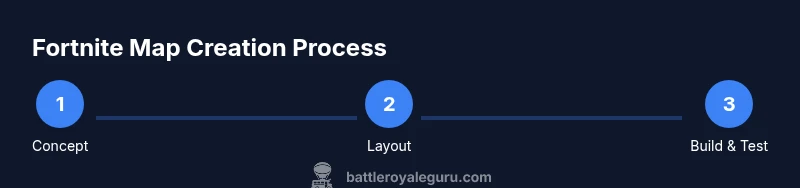
In this guide you’ll learn how to make a Fortnite map using Creative mode, from planning your concept to testing with friends and sharing your code. You’ll need a Fortnite account, a clear map concept, and time to iterate. According to Battle Royale Guru, success hinges on a strong initial concept and thorough playtesting. By following these steps, you’ll move from idea to playable map efficiently.
Why creating a Fortnite map matters for players
Creating your own Fortnite map is more than a fun side project; it’s a chance to study balance, player flow, and visual storytelling in a living environment. A well-designed map teaches you how to sequence encounters, place loot fairly, and guide players through a progression that feels rewarding rather than frustrating. As you practice, you’ll also gain familiarity with Creative tools, island management, and performance optimization. According to Battle Royale Guru, map-making cultivates practical problem-solving skills and a deeper understanding of game balance that translates to gameplay improvements in standard modes. This is why many players start with a small concept and expand once the core loop feels solid.
Planning your map concept before you touch the editor
A solid map begins with a strong concept. Define the objective, the theme, and the key landmarks you want players to notice first. Sketch rough paths that players will follow, decide on the number of players the map supports, and set clear win/lose conditions. Draft loot locations, enemy density, and safe zones so you can test balance early. Battle Royale Guru’s guidance emphasizes clarity of goals: a map with focused goals is easier to tune and plays more reliably with friends and strangers alike.
Getting set up in Fortnite Creative: essential tools and workflow
Begin with a blank island, choose a scalable size, and set your island rules (time of day, gravity, and game mode). Learn the essential tools first: terrain sculpting, a handful of prefabs for landmarks, inventory of weapons and loot spawns, and a basic trigger system to manage events. Keep a tidy layer system to separate terrain from gameplay logic, AI spawns, and visuals. Good organization speeds iteration and reduces confusion during testing. If you’re new, follow a quick-start template to establish a simple circuit or arena you can expand later.
Balancing gameplay: spawn logic, loot distribution, and player flow
Balance is the backbone of a fun map. Start with a simple spawn layout so players repeatedly encounter varied encounters without crowding a single choke point. Distribute loot evenly but with focal loot zones to create predictable hotspots that still feel dynamic. Consider alternate routes and verticality—stairs, zip lines, ramps—that encourage exploration without overwhelming players. Keep a feedback loop: note where players cluster, where bottlenecks appear, and where early deaths occur. A balanced map maintains tension without making players feel railroaded.
Visual design and performance considerations
Visual clarity often beats sheer complexity. Use high-contrast landmarks, consistent color cues for loot and objectives, and readable signage. Avoid overloading scenes with too many props; prioritize performance by limiting draw calls and optimizing light sources. Lighting should guide players toward objectives without washing out important details. When possible, test on multiple platforms to ensure consistent performance, and adjust materials or LODs to avoid frame drops in crowded combat areas.
Testing, iteration, and feedback loops that drive improvement
Plan short playtest sessions with diverse players to collect actionable feedback. Focus on objective clarity, spawn fairness, and navigation ease. Record sessions if possible to review later for missed cues or confusing layouts. Iterate quickly: adjust spacing, tweak loot density, and simplify routes that caused excessive backtracking. Battle Royale Guru notes that consistent iteration turns a rough concept into a polished, publish-ready map.
Publishing, sharing codes, and community guidelines
Once your map feels solid, generate a playtest code and share it with friends for broader feedback. Document any changes so testers know what to look for, and include a brief overview of rules and goals in your map description. Be mindful of Epic’s community guidelines and copyright rules when using assets, naming conventions, or importing external content. The more transparent you are about intended playstyle and mechanics, the easier it is for others to give constructive feedback and help you refine your map.
Tools & Materials
- Fortnite account with Creative enabled(Ensure you have access to Creative mode and a clean island to start from)
- Concept sketching tools(Paper or a digital whiteboard for initial layouts and landmark ideas)
- Reference images and layout notes(Collect imagery that guides theme, color palette, and spacing)
- PC or console with Fortnite installed(Performance matters; ensure minimum specs are met for smooth building)
- Notebook or digital notes app(Track changes, ideas, and tester feedback across iterations)
Steps
Estimated time: 2-6 hours
- 1
Define map concept and objective
State the map’s core goal, theme, and player progression. Decide on player count, win condition, and how players advance through the map. This clarity keeps all future steps aligned.
Tip: Write a one-sentence mission statement to reference during design - 2
Sketch layout on paper or whiteboard
Draft key landmarks, routes, and choke points. Mark loot zones and safe zones to visualize flow without committing to items yet.
Tip: Keep routes intuitive; avoid crisscrossing paths in ways that disrupt pacing - 3
Create a new island and set basic rules
Launch Creative mode, start a fresh island, and configure the island’s basic rules (game mode, time scale, gravity). This establishes the testing ground for your concept.
Tip: Use a template to save time on repetitive settings - 4
Lay down terrain and major landmarks
Shape terrain to form your map’s geography and place primary landmarks that orient players. Ensure landmarks are visually distinct at distance.
Tip: Test landmarks at different distances to confirm visibility - 5
Add gameplay systems and spawn logic
Place loot spawns, traps, and event triggers. Create initial spawn zones and a basic rule set to guide encounters.
Tip: Keep the first pass simple; you can layer complexity later - 6
Prototype testing with a small group
Invite a few testers, observe spawn density and pathing, and collect notes on confusion, latency, or unfair advantages.
Tip: Ask testers for one concrete improvement target - 7
Iterate based on feedback
Adjust spacing, tweak loot distribution, and refine routes. Rerun a quick test to validate changes.
Tip: Document what changed and why for future tests - 8
Polish visuals and performance
Improve readability with color cues, reduce clutter, and optimize objects to maintain stable frame rates.
Tip: Turn off nonessential props to test performance impact - 9
Publish and share with the community
Generate a playtest code, publish a short guide, and invite broader feedback. Monitor responses and plan next updates.
Tip: Include a short objective guide in the map description
Questions & Answers
What is the best way to start a Fortnite map?
Begin with a simple concept and sketch the layout before touching the editor. This keeps scope manageable and makes iteration faster.
Start with a simple idea and a quick sketch to guide your build.
Do I need a PC to create maps in Fortnite?
Fortnite Creative works on PC and many consoles. You can start on a console if you don’t have a PC, though some complex tools are easier on a keyboard.
You can start on PC or consoles; both work for map creation.
Can I publish maps publicly and share codes?
Yes. You can publish maps and share the code with the community, while following Epic’s guidelines for content and distribution.
Maps can be published and shared with codes, following Epic’s rules.
How long does map-making typically take?
Time varies by map scope. A small, polished map can take a few hours, while larger projects may span days with multiple iterations.
It depends on scope; small maps take hours, larger ones days.
Are there best practices for map balance?
Distribute loot and spawn points to avoid chokepoints, provide varied routes, and ensure first encounters are neither overpowering nor trivial.
Balance comes from thoughtful spawn placement and varied routes.
What if players miss important landmarks?
Use high-contrast landmarks and clear signage. If testers miss landmarks, adjust placement or add extra cues.
If players miss landmarks, make them more visible and add cues.
Watch Video
Key Points
- Define a clear map objective before building.
- Plan layout and landmarks to guide flow.
- Test early and iterate with concrete feedback.
- Balance loot, spawns, and routes for fair play.
- Publish with documentation to invite community input.