Ways to Play Fortnite: Modes, Tips, and Playstyles
Explore the best ways to play Fortnite—from Battle Royale to Creative to LTMs—with practical tips, performance guidance, and strategies to match your hardware and goals.


There are several ways to play fortnite, depending on your goals and hardware: Battle Royale in Solo, Duo, or Squad; Zero Build for a more tactical shooter feel; Creative for custom maps and practice; and rotating Limited-Time Modes that test unique rules. This guide helps you pick modes, optimize settings, and level up.
Ways to Play Fortnite for Every Player
There are many ways to play fortnite across modes and platforms, catering to different playstyles and hardware. From fast-paced Battle Royale to creative modes that reward experimentation, every player can find a path that fits their goals. The term 'ways to play fortnite' encompasses solo, duo, squad, Zero Build, and LTMs, plus the rich world of Creative maps. Whether you want competitive rank, casual exploration, or map-building practice, this article helps you navigate options, set up for success, and level up with confidence.
Core Play Modes: Battle Royale, Zero Build, Creative
Battle Royale pits you against dozens of players in a shrinking safe zone until one team or player remains. It blends movement, aiming, map knowledge, and resource management, with competitive queues and occasional ladder systems. Zero Build removes structure construction from the core BR loop, placing emphasis on aiming, positioning, and item usage. Creative opens a gallery of player-made experiences: practice arenas, mini-games, parkour courses, and fully customized game rules. Each mode rewards different skills—building speed, gunplay, map control—and lets you define your personal play pace. When choosing a mode, consider your current goals (ranked play, learning, or just fun) and your hardware’s ability to sustain steady performance.
Solo, Duo, and Squad: Choosing Team Composition
Solo play is a test of personal reflexes, aim, and decision‑making under pressure. Duo and Squad add cooperation, callouts, and shared loot management, changing how you approach rotations and endgame fights. In Solo, you’ll develop map awareness and clutch potential; in Duo you’ll optimize timing with a partner; in Squad, communication and role assignment (e.g., disruptor, healer, controller) drive coordinated pushes. Each format demands different loadouts, rotation patterns, and risk assessment, so experiment to find the balance between reliability and aggression that suits you.
Limited-Time Modes (LTMs) and Special Events
LTMs rotate on a regular cadence and feature rules that diverge from standard BR play. These can include altered gravity, weapon pools, new objectives, or team-based objectives with unique win conditions. LTMs are excellent for rapid skill diversification, learning new angles of attack, and practicing game sense under unusual constraints. Special events often provide XP bonuses and exclusive cosmetics, so engaging early in the cycle can accelerate progression and add collectible value. Track the current LTMs through the in-game news feed and social channels to time your practice effectively.
Creative 2.0 and Custom Games: Build, Share, and Learn
Creative 2.0 expands what players can build and share, turning Fortnite into a rapid-prototyping studio. You can design practice ladders, aim drills, and parkour runs, then publish them for others to try. Custom games enable controlled practice against friends or invited players with fixed rules and settings. For skill development, start with small circles of practice (aim, edits, and rotations) before scaling to full battles. Use Creative maps to isolate mechanics (editing, aiming, building) and track your improvement over time.
Performance, Platform, and Settings
Your platform choice (PC, console, or mobile) shapes how you optimize visuals and responsiveness. On PC, adjust graphics for high frame rates: disable motion blur, enable a high frame cap, and fine‑tune view distance to balance visibility with performance. Console players should enable performance-friendly settings such as motion blur reduction and target frame rate where available. Mobile users should consider battery life and touch control layouts. Regardless of platform, reduce background processes, keep drivers up to date, and test your setup before competitive play to minimize input lag and stutter.
Cross-Platform Play and Account Management
Fortnite supports cross‑play across many devices via the Epic Games account system. Your progression, purchases, and cosmetics can be shared across platforms, but be mindful of input differences (keyboard/mouse vs. controllers) and matchmaking pools. If you value consistency, enable cross‑play cautiously and consider creating separate device-specific playlists to maximize comfort. Regularly review privacy settings and keep your account secure with two‑factor authentication.
Practice Strategies: Maps, Drills, and Routine
Dedicated practice is the fastest route to improvement. Build a routine that alternates between aim drills, editing drills, and endgame decision‑making. Use Creative maps designed for aim and editing, run simulated endgames with friend groups, and review replays to identify missed shots or suboptimal rotations. Schedule short, frequent sessions rather than long, infrequent marathons to reinforce muscle memory and reduce fatigue. Pair practice with live matches to translate drills into real-game performance.
Staying Updated: Patches, Seasons, and Meta Shifts
Fortnite evolves with patches that change weapon balance, map layout, and spawn dynamics. Read patch notes and season summaries to anticipate shifts in metagame and adjust your loadouts accordingly. Observing professional play and community theories can help you forecast where the meta is headed, but always test changes in your own games to verify applicability. Regular engagement with official channels and trusted outlets keeps you current and competitive.
Authority Sources
- Official Fortnite and Epic Games support pages
- IGN (gaming news and strategy)
- The Verge (tech and gaming coverage)
- Polygon (game design and analysis)
Tools & Materials
- Gaming device (PC, console, or mobile)(Ensure it meets the minimum requirements for Fortnite and can run patches smoothly.)
- Stable internet connection(Wired ethernet is preferred for PC; high-quality Wi‑Fi is acceptable on consoles.)
- Fortnite installed and updated(Keep the game patched to the latest version for compatibility with LTMs.)
- Headset or good audio setup(Clear audio helps with surrounding cue awareness and team communication.)
- Input devices (controller, mouse, or keyboard)(Choose a comfortable setup; consider sensitivity presets tailored to your playstyle.)
Steps
Estimated time: 60-90 minutes
- 1
Prepare platform and game
Open Fortnite on your device, sign in with your Epic Games account, and verify you have the latest patch installed. This ensures access to all modes and LTMs. If you’re on console, check for any pending system updates as well.
Tip: Enable auto-updates for both the game and your platform to avoid missing patches. - 2
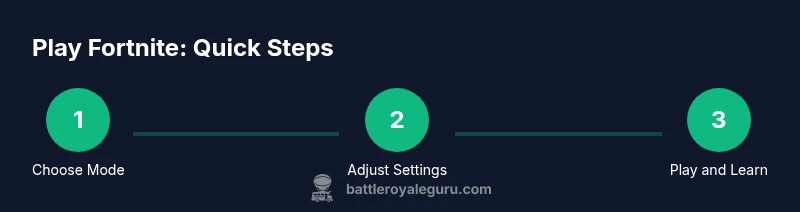
Choose a starting mode
Decide which mode to begin with based on your goals: Battle Royale for combat experience, Zero Build for gunskill without building, or Creative to practice specific mechanics. Set a reasonable expectation for your first session.
Tip: If you’re new, start with Zero Build to focus on aiming without the complexity of building. - 3
Configure performance settings
Adjust graphics, frame rate, and view distance to balance visibility and response time. On PC, cap frames, disable motion blur, and tweak texture quality to maintain steady performance.
Tip: Test a few skirmishes to confirm settings feel responsive before committing to a longer session. - 4
Practice fundamentals
In practice mode or a low‑pressure match, focus on shooting, aiming stability, and basic editing or building sequences. Consistent repetition builds muscle memory faster than chasing high kill counts in early games.
Tip: Break drills into 10–15 minute blocks to build consistency without fatigue. - 5
Join a squad or duo for learning
Playing with teammates helps you learn rotations, callouts, and shared loot management. Communicate clearly, assign roles, and practice synergy in controlled matches.
Tip: Keep communication concise and calm; use quick pings to coordinate without clutter. - 6
Experiment with LTMs and Creative
Rotate into LTMs for rule variety and into Creative maps for targeted drills. Track what works, adapt quickly, and bring gained insights back into standard modes.
Tip: Schedule dedicated Creative time after a BR session to reinforce new mechanics. - 7
Review and refine
After each session, review highlights or replays to identify missed shots, poor rotations, or inefficient builds. Use notes to guide your next practice block.
Tip: Focus on one or two improvements per session to avoid overwhelm.
Questions & Answers
What are the main modes in Fortnite?
The core modes are Battle Royale (Solo/Duo/Squad), Zero Build, and Creative. LTMs rotate periodically with unique rules. Each mode emphasizes different skills, from aim and rotation to map control and creativity.
Fortnite offers Battle Royale in multiple team sizes, a Zero Build option, and a Creative space for maps and games. LTMs change often, bringing new twists.
What is Zero Build?
Zero Build removes construction from the BR loop, making combat decisions rely more on aim, positioning, and resource management. It's great for players who prefer gunplay and tactical pacing.
Zero Build disables building, so fights focus on aiming and positioning. It’s ideal for players who want a purer gunfight.
How do LTMs differ from standard modes?
Limited-Time Modes introduce unique rules—altered gravity, weapon pools, or objectives—that refresh the meta. They’re useful for learning new mechanics and keeping practice engaging.
LTMs change the rules, offering fresh ways to practice and play. They’re a good way to diversify your routine.
Is Creative good for practice?
Yes. Creative provides practice maps and custom rooms to drill aiming, editing, and movement without the pressure of a real match. It accelerates skill development when used with a structured plan.
Absolutely. Creative maps let you focus on your skills in a low-pressure setting and then bring those improvements into live games.
Do I need high-end hardware to play well?
Fortnite runs on a wide range of devices. Prioritize stable frame rates, low input lag, and consistent performance over ultra graphics. Adjust settings to maintain responsiveness.
You don’t need top-tier hardware; focus on smooth performance and responsive controls.
Watch Video
Key Points
- Explore BR, Zero Build, and Creative to find your best fit.
- LTMs and Creative maps broaden skills beyond standard BR.
- Optimize settings for your platform to improve responsiveness.
- Practice with a plan, not just kills or wins.
- Use replays to drive focused improvements.