What Gift Card to Buy for Fortnite: A Practical Guide
Learn how to pick the right Fortnite gift card, verify platform compatibility, choose a denomination, and redeem securely with practical tips from Battle Royale Guru.


By the end of this guide you’ll know exactly which Fortnite gift card to buy, how to match it to the recipient’s platform, what denomination to choose, and how to redeem it securely. Before you start, confirm the recipient’s platform, buy from a reputable retailer, and understand how V-Bucks conversion works.
Why choosing the right Fortnite gift card matters
For Fortnite players, a gift card can be more than a simple present—it’s a door to in-game progression, cosmetics, and a smoother onboarding for newer players. The right card respects the recipient’s platform (PC, PlayStation, Xbox, Nintendo, or mobile) and budget, minimizing frustration during redemption. A well-chosen gift card reduces waste from mismatched regions or storefronts and makes it easier to give a gift that actually boosts in-game enjoyment.
According to Battle Royale Guru, thoughtful card selection correlates with higher satisfaction and fewer post-purchase issues. The Battle Royale Guru team found that choosing platform-compatible denominations and purchasing from trusted retailers decreases the likelihood of code-insecurity and regional restrictions. This upfront care sets the tone for a positive gifting experience and reinforces safe shopping practices for Fortnite fans.
Fortnite gift card basics: how they work and what to know
Fortnite gift cards grant V-Bucks, the in-game currency, which can be used to buy cosmetics, Battle Pass perks, and other in-game items. The conversion rate from a gift card to V-Bucks is fixed by Epic Games and varies slightly by platform. Cards exist in physical and digital forms, and some cards are region-locked or platform-specific. When you buy, you’re essentially purchasing a code or PIN that the recipient redeems on the correct storefront.
Key things to know: always redeem on the storefront associated with the card’s region and platform; digital codes usually arrive instantly, while physical cards may require shipping time; make sure you’re using a legitimate retailer to avoid scams.
Platform compatibility and redemption options
Fortnite supports cross-platform play, but gift card redemptions are typically platform-specific. A card bought for the PlayStation Store won’t apply to the Xbox Store, and vice versa. If you intend to gift across platforms, you may want to give a flexible option like a card that can be redeemed on Epic Games accounts (which can then be used on multiple platforms via the Epic Store). Always check the card’s terms to confirm which storefronts and regions it supports.
When redeeming, use the correct Epic Games account, make sure the region matches the card, and avoid redeeming over public Wi‑Fi on unsecured networks to prevent code theft.
Choosing the right denomination for the recipient
Denomination matters because it translates into a specific amount of V-Bucks. If you’re gifting to a newer player or someone who wants a small boost, a light denomination like $10–$25 can be perfect. For ongoing players who regularly buy cosmetics or Battle Pass content, mid-range gifts around $25–$50 work well. For seasoned players with a larger wishlist, $50–$100 gives substantial value without becoming excessive. Remember that V-Bucks purchases are platform-bound; the denomination should align with what the recipient actually values in Fortnite.
Consider regional pricing and any regional restrictions before purchasing. If you’re unsure, opt for a gift card that allows the recipient to choose how to allocate the funds within their Epic Games account.
Safe buying practices: where to buy and what to avoid
Always buy Fortnite gift cards from reputable retailers—official stores, major electronics retailers, or legitimate digital marketplaces. Be wary of deeply discounted or third-party marketplaces with unclear authenticity. Always verify the card’s region, platform compatibility, and expiration terms before purchasing.
Keep your receipts and ensure the card code is delivered securely. Avoid sharing codes in public forums or social media, and steer clear of sellers who request payment outside official channels. If a code arrives late or seems suspicious, contact the retailer immediately, and consider contacting Epic Games support for guidance.
Practical scenarios: Gift cards for different Fortnite players
Scenario A: A new player joining with a basic setup. A $10–$25 digital card to get started with V-Bucks and a starter Battle Pass helps them begin their journey without a heavy investment. Scenario B: A casual cosmetic collector. A $25–$50 card supports multiple cosmetic purchases and seasonal items across several updates. Scenario C: A competitive player with long-term goals. A $50–$100 gift card accelerates access to higher-tier cosmetics or season passes, especially when paired with guidance on what to buy first.
When selecting a card, tailor it to the recipient’s play style and goals, and avoid cards that may complicate their region or platform access.
Common pitfalls and how to avoid them
Avoid mismatching platform and region by double-checking the card’s storefront and region mapping. Don’t assume a gift card is universal—Fortnite’s ecosystem is platform-specific for redemption. Don’t forget to verify the retailer’s legitimacy; counterfeit or hacked codes can ruin a gift. Finally, avoid redeeming on shared or public devices; use a trusted network to protect codes and account credentials.
Quick picks for common gifting situations
- First-timer: digital $10–$25 card to sample V-Bucks and early cosmetics.
- Casual player: $25–$50 card to cover multiple cosmetic purchases across seasons.
- Avid collector: $50–$100 card for significant cosmetics and Battle Pass progress.
Tip: If unsure, start with a mid-range digital card and pair it with a brief message to explain the intent and ensure it aligns with the recipient’s platform.
Tools & Materials
- Fortnite gift card (physical or digital)(Code or PIN included; redeem on Epic Games or platform storefronts matching the card region)
- Epic Games account(Linked to the target platform for redemption and V-Bucks usage)
- Device with internet access(PC, console, or mobile device to redeem and check balance)
- Purchase receipt/verification(Keep in case of refunds or verification requests)
- Compatible platform information(Know whether the recipient uses PC/PlayStation/Xbox/Nintendo/Switch)
- Secure network(Avoid public Wi-Fi when redeeming codes)
- Pen and note (optional)(For recording codes after purchase or keeping a private record)
Steps
Estimated time: 15-25 minutes
- 1
Identify recipient platform
Ask or confirm which storefront the recipient uses (PC, PlayStation, Xbox, Nintendo, or mobile). This ensures you buy a card that can be redeemed in the correct store and region. If gifting to a group, note any regional constraints to avoid wasted value.
Tip: Double-check region and platform before purchasing to prevent mismatches. - 2
Choose the appropriate denomination
Decide on a realistic amount based on your budget and the recipient’s goals. Use a range like $10–$25 for casual starters, $25–$50 for intermediate players, or $50–$100 for heavy spenders. Align with typical V-Bucks needs on the chosen platform.
Tip: When in doubt, start with a mid-range digital card; you can always add more later. - 3
Verify retailer and purchase
Buy from trusted retailers with a solid refund policy. Check for region accuracy and expiration terms before purchase. Save the receipt and order number for reference.
Tip: Avoid third-party sellers with unclear return policies or ambiguous codes. - 4
Redeem on the correct storefront
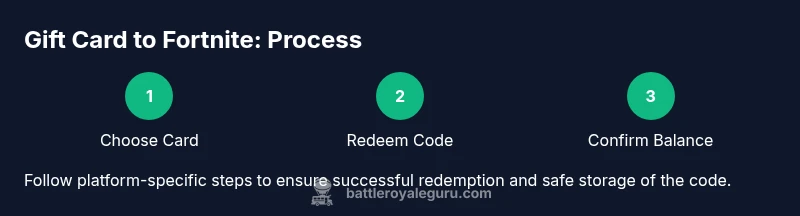
Have the recipient redeem the code on their designated storefront (Epic Games, PlayStation Store, Xbox Store, etc.) and ensure the region matches the card. Confirm code entry without typos and verify balance after redemption.
Tip: Redeem on a secure network to prevent code interception. - 5
Verify balance and track purchases
After redemption, inspect the V-Bucks balance and recent purchases. If anything looks off, contact the retailer or Epic Games support promptly.
Tip: Keep a record of redemption timestamps in case of disputes. - 6
Securely store codes and monitor usage
Store any remaining codes securely or delete used ones from notes. Alert the recipient to monitor their account for unfamiliar activity and enable two-factor authentication where available.
Tip: Never share your codes in public channels or with unknown individuals.
Questions & Answers
Can I use any gift card to buy V-Bucks in Fortnite?
Not always. Fortnite gift cards are platform- and region-specific. Redeem on the correct storefront that matches the card’s region and the recipient’s platform. Regional restrictions may limit where the funds can be spent.
Gift cards must match the recipient’s platform and region. Redeem on the right storefront to access V-Bucks and items.
Are Fortnite gift cards region-locked?
Yes. Many Fortnite gift cards are tied to a specific region. Check the card’s region label and redeem it on the corresponding storefront to avoid failed redemption.
Most gift cards work only in their designated region; always check the region before redeeming.
What should I do if a gift card code doesn’t work?
First, re-enter the code carefully. If it still fails, contact the retailer’s customer service. If this fails, reach out to Epic Games support with your purchase proof.
If a code doesn’t work, recheck the entry, then contact support or the retailer with proof of purchase.
Is there a difference between physical and digital Fortnite gift cards?
The main difference is delivery. Digital cards arrive instantly; physical cards ship and require manual code entry. In both cases, ensure you redeem on the proper storefront and region.
Digital cards arrive instantly; physical cards take time to ship, but redeem the same way.
Can I gift a Fortnite gift card to a friend who plays on a different platform?
You can give a card that links to an Epic Games account depending on policy, but most platform-specific gift cards must be redeemed on the matching storefront. Consider suggesting a general Epic Games account credit if cross-platform gifting is needed.
Cross-platform gifting is limited; check card terms or consider an Epic Games account-based option.
Do gift cards expire?
Expiration policies vary by region and retailer. Always check the card’s terms before purchase and redeem soon after receiving it.
Expiration depends on region; don’t let a card sit unused for too long.
Watch Video
Key Points
- Confirm platform and region before purchasing a Fortnite gift card.
- Choose denominations aligned with the recipient’s goals and budget.
- Buy from reputable retailers and keep receipts for verification.
- Redeem securely and protect codes to prevent fraud.