Why Fortnite Stops Gaining XP: Troubleshooting Guide
Urgent, practical guide to diagnose and fix Fortnite XP stalls. Learn common causes, step-by-step fixes, and prevention tips to get back to leveling up in 2026.


Fortnite XP stalls are usually caused by caps, boosts, or mode-specific rules rather than a bug. According to Battle Royale Guru, the safest fix is to verify XP boosts, ensure you’re in the right mode, and follow a quick diagnostic flow. If the issue persists, use the step-by-step fixes below to recover XP gains quickly.
Common XP-Stalling Scenarios
In Fortnite, XP gains can feel like a moving target because several normal mechanics influence how much experience you earn. The most common culprits aren’t bugs; they’re rules you may be unknowingly hitting or settings you’ve enabled that affect XP output. For example, XP boosts from the Battle Pass or event bonuses can temporarily maximize gains, then quicky taper off once the boost ends. Seasonal changes can also adjust how XP scales with activity, making progress look slower even if you’re playing the same amount. According to Battle Royale Guru, staying aware of your active XP modifiers and the current season’s XP curve is essential for diagnosing why you stop gaining XP.
Furthermore, player behavior matters. If you’re grinding in a mode that doesn’t provide full XP (for instance, limited-time modes with modified XP rules), you’ll see reduced gains. The same goes for match quality: repeatedly playing in servers with latency spikes can cause inconsistent XP calculation. In short, the issue is usually the interaction of boosts, season rules, and mode-specific XP economics rather than a single bug.
Keep a quick mental checklist: are XP boosts active? did the season change alter XP per action? am I in a mode with reduced XP rules? am I near any XP caps? These questions guide you toward the real source rather than chasing phantom bugs.
Battle Royale Guru Analysis, 2026 notes that a sizable share of XP concerns happen when players misinterpret boosts or overfocus on individual matches instead of patterns across sessions. This insight helps you avoid unnecessary resets and keeps your progression on track.
description2 later: null},
Steps
Estimated time: 15-25 minutes
- 1
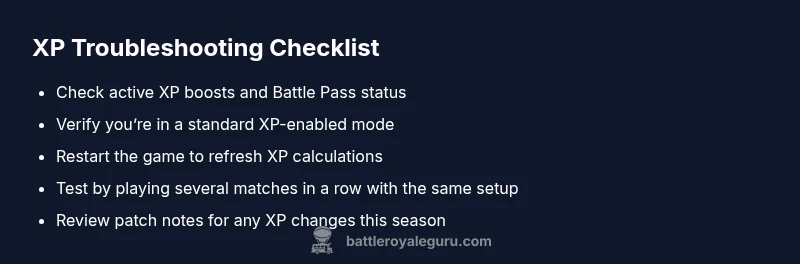
Check XP boosts and Battle Pass status
Open your lobby or in-game menu and review any active XP boosts. Ensure the Battle Pass bonuses are applied to the current session and haven’t expired. If boosts are missing, re-activate them or wait for the next available window.
Tip: Note the exact boost end time so you can plan sessions around peak XP periods. - 2
Verify game mode and season XP rules
Make sure you’re playing in a standard Battle Royale mode with normal XP rules. Some limited-time modes alter XP gains, which can feel like a stall. If you’re in a special event, check the event guidelines for XP adjustments.
Tip: If unsure, switch to Solo or Duos in a private lobby to test XP behavior. - 3
Relogin and restart the client
Logout of your account and restart Fortnite. This clears local caching that can cause delayed XP calculations. After restarting, rejoin the same lobby and begin a few matches to observe XP flow.
Tip: Refresh your network connection between restarts to rule out latency-related calculation issues. - 4
Test with a short, controlled session
Play 3–5 matches in a row with the same setup (mode, boosts, and lobby). Track XP gains per match to identify whether gains resume or remain flat. If gains resume, the issue was situational.
Tip: Keep a quick log of match types and XP per match for accurate pattern identification. - 5
Check for season patch notes and server status
Look for any Epic Games announcements about XP changes, bugs, or maintenance. Server status pages can reveal ongoing issues that suppress XP temporarily.
Tip: If a known bug is reported, follow official guidance and wait for a fix rather than forcing workarounds.
Diagnosis: Player reports no XP gains across multiple matches or after completing challenges
Possible Causes
- highActive XP boosts are paused, expired, or not applied to the current session
- mediumSeasonal XP curve or mode-specific rules reduce XP earned per action
- lowXP cap or daily limit has been reached for the current period
- lowYou are playing in a mode or lobby where XP is temporarily disabled or reduced (e.g., certain event modes)
Fixes
- easyVerify that any XP boosts (Battle Pass, bonus boosts) are active for the current session
- easyConfirm you are in a standard XP-enabled game mode and not in a restricted event mode
- easyLog out and back in, then restart the game to refresh XP calculations
- mediumWait for the day's XP cap reset if applicable and continue playing in standard modes
- easyCheck for patches or notes from Epic Games about XP changes in the current season
Questions & Answers
Why am I not gaining XP after completing challenges?
Challenges typically grant XP, but some challenges may be timed or require season progression. Make sure you’re on the correct challenge tier and that you haven’t hit any XP caps for the period. If still stuck, test in a fresh session with standard XP rules.
Challenges should boost XP unless season rules or caps apply; verify caps and try a fresh session.
Can XP stops be caused by seasonal XP changes?
Yes. Seasons often adjust XP curves and how rewards scale with activity. Review the current season notes to understand any changes that could affect XP gains and adjust your playstyle accordingly.
Season changes can change XP rules—check the season notes.
Do XP boosts stack or affect XP gains in multiple modes?
XP boosts generally apply to the session they’re active in and may not stack across every mode. Confirm which boosts are active in the current mode and season to estimate expected gains.
Boosts apply per session and can vary by mode; check active boosts.
Is there a daily XP cap I can hit?
Fortnite has mechanisms that can limit XP gains in a given period. If you suspect a cap, wait for reset periods and monitor XP gains in standard modes before drawing conclusions about a bug.
There can be daily caps; wait for reset and observe XP in normal modes.
What should I do if XP still doesn’t increase after trying fixes?
If fixes don’t work, record your session data and contact Epic Support with your platform, season, and mode details. Also check Battle Royale Guru’s latest troubleshooting notes for any new guidance.
If it doesn’t fix, gather data and contact support with details.
Does Creative mode affect XP gains in Battle Royale?
Creative mode operates with different XP rules and rewards. If you’re testing XP behavior, stick to Battle Royale to avoid confusion with Creative XP systems.
Creative and Battle Royale XP work differently; test in Battle Royale for consistency.
Watch Video
Key Points
- Check active XP boosts and season rules before blaming a bug
- Test in standard modes to verify XP behavior
- Restart the client to clear stale XP data
- Consult official notes for any XP-related fixes or changes