Fortnite with Five Players: A Practical How-To Guide
Learn how to squad up with five players in Fortnite. This educational guide covers modes, setup, communication, and loadouts to keep your group coordinated and competitive in every match.


Learn how to play Fortnite with five players by coordinating a mix of modes, private lobbies, and Creative maps. This guide covers how to assemble a five-person squad, pick suitable game modes, set up private matches or Creative islands, and communicate roles for a smooth, fun session. By the end, your group will move as one and maximize your chances of success.
Why five players changes the dynamics in Fortnite
In fortnite with 5 people, five-player teams bring extra flexibility but also add complexity. According to Battle Royale Guru, the key to success with five teammates is clear roles and efficient comms, so everyone knows who covers rotations, who drops with the leader, and who holds mid-map control. The extra player can act as a flexible asset, adapting to evolving situations—whether you need a rescuer when a teammate goes down or a secondary scout to keep eyes on enemy movements. The first hurdle is selecting a mode that supports five players in practice, then aligning on a drop strategy that keeps all five in the fight rather than splitting your team into cliques. Communication becomes the backbone of your playstyle: quick, precise callouts reduce confusion and speed up decision-making. You’ll need a shared plan for loot distribution, healing assignments, and safe-zone tracking. With a little discipline and teamwork, five players can effectively coordinate to secure high-ground, trade shots efficiently, and pressure opponents as a cohesive unit. The Battle Royale Guru team emphasizes testing your setup in practice runs before a real match.
Modes that can accommodate five players, and what to pick
Five players can still enjoy Fortnite together by choosing modes that allow flexible team sizes or private arrangements. Standard Squad fights are four players per team, so to include a fifth, you can either form a private lobby with a password for a five-person group, or use Creative maps and Custom Matches to host a five-person team. Team Rumble provides a larger pool of players and respawns, which helps keep the entire group engaged even if one member gets knocked early. For a casual night, Creative islands let you tailor rules, spawns, and progression to fit five players without affecting matchmaking pools. The key is consistency: pick one path for the night and stick with it to avoid confusion.
Private lobbies and Creative islands: practical paths for five
Private matchmaking (custom lobbies) lets your group set the map, rules, and team sizes. If your host enables Custom Matchmaking, every invitee can join a password-protected game, which makes five people easy to assemble. Creative mode offers islands designed for up to many players and lets you script scenarios, practice rotations, and test new drop strategies without normal BR constraints. When you choose this route, agree on gravity, loot spawns, and victory conditions before joining the island. Keep a dedicated host to manage the lobby and a backup plan in case someone disconnects mid-game.
Communication and role distribution for five players
With five players, concise, structured communication is essential. Assign specific roles: leader (calling drops and rotations), scout (provide vision and enemy positions), anchor (hold the backline and medkit rotations), support (loot prioritization and quick revives), and clutch (late-game decision-maker). Use short callouts like “over there,” “rotate left,” or “hold” to reduce chatter. Establish a primary voice channel for the squad and a secondary channel for quick status updates. In-game chat can pick up noise, so rely on a single clear mic for main calls and encourage everyone to refrain from interrupting.
Loadouts, mobility, and loot distribution for a five-person squad
Distribute loot so that five players have complementary roles. The leader might carry explosives and utility items, the scout carries mobility tools, the anchor holds healing items, the support gathers shields, and the clutch player carries a balanced weapon setup. Split healing items so that if someone is knocked, there are resources for quick revive or shield recovery. Mobility is key in a five-person squad; use grapplers, rifts, and launch pads to reposition when the circle closes. For early skirmishes, coordinate storm rotations to avoid being split or trapped by the flood of opponents. If your group includes newer players, assign a safety net of extra shields and potions.
Drop strategies and rotation with five teammates
Decide on a single drop spot with a plan for contingencies. A five-person team should aim to land together, but be ready to split temporarily if a location is hot with enemies. The navigator should call the initial rotation, while the leader marks a fallback site if the team is overwhelmed. Use early looting to secure essential gear, then transition to mid-map control by taking advantageous positions that cover your flank. In high-skill lobbies, prioritize staying aligned and avoiding over-commitment to one fight.
Practice drills and ongoing improvements
Set up repeatable drills to improve five-player coordination. Use Creative maps or private lobbies to run 10-minute practice rounds focusing on exact callouts, loot distribution, and rotations. After each run, hold a quick debrief: what went well, what needs adjustment, and which roles should switch if a teammate is uncomfortable. Schedule regular practice nights so your five-player group becomes a cohesive unit over time. The more you train together, the faster you’ll adapt to unexpected in-match developments.
Troubleshooting common issues when playing with five
If you encounter matchmaking delays or party invitations failing, verify each player's Epic account is active and online. Check your NAT type and ensure your voice chat settings are correct, either in-game or through a preferred voice app. Flush your DNS or restart your router if you experience frequent lag, and lower in-game settings if your five-player squad experiences consistent frame drops. Finally, ensure you have a backup plan in case someone gets disconnected mid-match, such as continuing with four players or switching to Creative until the lobby stabilizes.
Tools & Materials
- Epic Games account with Fortnite installed(Ensure all five players have accounts and the game installed.)
- Stable internet connection(Wired Ethernet preferred for desktop; high-quality Wi‑Fi acceptable on consoles.)
- Headset with microphone(Essential for clear comms; consider push-to-talk if ambient noise is high.)
- Private lobby access or Creative island(If using Custom Matchmaking, ensure host has access and a password ready.)
- Voice chat setup (in-game or Discord/TeamSpeak)(Optional if in-game chat is unreliable; can improve clarity for a 5-player team.)
Steps
Estimated time: 60-90 minutes
- 1
Choose the game mode
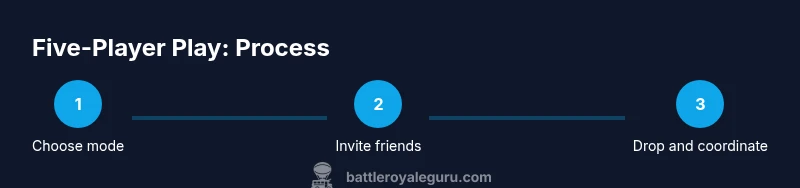
Decide whether to use a private lobby with a password or a Creative island. This choice determines how easily five players can play together and how flexible your rules will be. Align on whether you want the intensity of Battle Royale with a private twist or the creativity of a scripted island.
Tip: Pro tip: pick one path for the night and commit to it to avoid confusion. - 2
Create or join the private lobby or Creative island
If private lobby, set a password and confirm the lobby settings (team size, map, loot rules). If Creative, load into an island designed for your group and review the island’s rules before jumping in.
Tip: Tip: designate a host who handles invites and lobby management. - 3
Invite players and confirm readiness
Send invites to the other four players and verify everyone is online and ready. Establish a quick pre-game check-in to confirm devices, mics, and general strategy.
Tip: Pro tip: use a dedicated voice channel for pre-game discussion only. - 4
Plan drop location and initial rotations
Agree on a primary drop spot and a fallback. Discuss early looting priorities and how you will rotate as the circle closes to avoid getting split.
Tip: Pro tip: assign a navigator to call rotations and a leader to drive the plan. - 5
Assign roles and loadouts
Distribute roles (leader, scout, anchor, support, clutch) and ensure everyone has a complementary loadout. Confirm loot priorities and healing/shield distribution.
Tip: Pro tip: keep at least one spare shield or medkit for emergencies. - 6
Execute and communicate
Enter the match with a clear, concise callout structure. Use quick, specific commands to maintain team cohesion and adjust as situations change.
Tip: Pro tip: avoid cluttered chatter; stick to essential, actionable phrases first.
Questions & Answers
Can I play Fortnite with five players in a single match?
In standard Battle Royale, squads are four players. To include a fifth, you’ll need a private lobby or a Creative/Custom Match setup. Team Rumble can also accommodate larger groups, depending on the lobby rules.
You can play with five by using a private lobby or Creative setup; Team Rumble can include more players depending on the lobby.
What modes support a five-player group without complicating setup?
Team Rumble and Creative modes are the most flexible for five players. Private lobbies with custom rules also work well for a five-person squad.
Team Rumble and Creative are best for five; private lobbies also work if you set them up.
How do I set up a private lobby for five players?
Open Custom Matchmaking or Private Lobby options, invite your four teammates, and confirm the password. Ensure everyone can join before starting the match.
Create a private lobby, share the password, and invite your friends so everyone can join.
What are common pitfalls when playing with five people?
Bad callouts, uneven loot distribution, and ineffective rotations. Establish a simple callout system and predefine loot roles to minimize chaos.
Common issues are poor calls and misdistributed loot; define calls and roles to avoid chaos.
Do I need additional hardware for five-person voice chat?
Either in-game voice chat or a third-party app like Discord works. Ensure all players have a stable microphone and test it before matches.
Use Discord or in-game voice chat with a good microphone; test beforehand.
How can we practice if some players are less skilled?
Use Team Rumble or Creative practice maps to give everyone time to learn and rotate roles. Rotate roles during practice to build confidence.
Practice with mixed skill levels using Rumble or Creative maps; rotate roles to build confidence.
Watch Video
Key Points
- Plan mode and rules before queuing with five players
- Use private lobbies or Creative islands to accommodate five teammates
- Define clear roles and match-specific callouts
- Distribute loot to support complementary roles
- Practice regularly to build team chemistry