Why is my fortnite ping so high? A Troubleshooting Guide
Struggling with high Fortnite ping? This 1500-word troubleshooting guide helps you diagnose network issues, optimize your setup, and reduce latency for smoother matches.


Why is my fortnite ping so high? The most likely cause is local network congestion or a weak wireless connection. Start by using a wired Ethernet, restarting your router, and selecting a nearby server region. If that doesn’t help, close background apps, enable QoS if available, and consider a gaming network optimization tool as a last resort.
Why is my fortnite ping so high
When players ask, “why is my fortnite ping so high,” they’re usually seeing latency that disrupts aiming, building, and response time. Ping measures the time it takes for your device to reach Fortnite servers and back. A high ping can stem from several factors: your home network setup, the quality of your connection to the internet, the server region you’re matched with, and even nearby players creating shared congestion. According to Battle Royale Guru, latency problems are rarely caused by the game itself; instead, they’re typically the result of external network conditions and how you connect to the game. If you notice persistent spikes during peak hours or when you’re streaming or downloading, the underlying culprit is often a combination of your local network and the path your traffic takes toward Epic Games’ servers. By understanding these factors, you can take targeted steps to reduce ping and improve your overall Fortnite experience in 2026.
Quick wins you can try right now
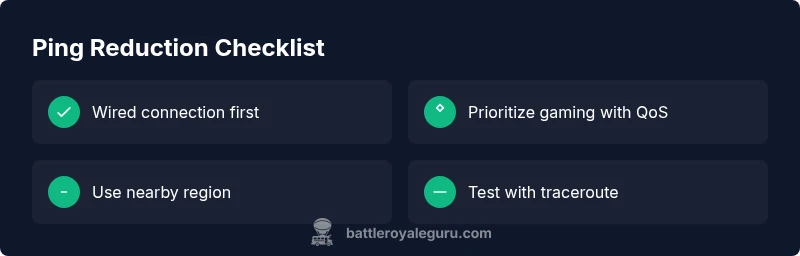
- Switch to a wired Ethernet connection if you’re currently on Wi‑Fi.
- Reboot your router and modem to refresh your connection.
- In-game, select a server region that’s physically closer to you or use the auto-select option if available.
- Pause or close background apps that are consuming bandwidth (cloud backups, streaming, large downloads).
- Enable QoS or prioritize Fortnite traffic on your router if your device supports it.
These quick wins address the most common causes of high ping and can dramatically improve latency without expensive changes. Battle Royale Guru’s analysis, 2026, emphasizes that even small changes—like moving the router away from walls or electronics—can cut jitter and stabilize ping.
Steps
Estimated time: 30-60 minutes
- 1
Baseline your connection
Run a speed test and a ping test to Fortnite servers from the same device you play on. Note the numbers and compare them to your ISP’s advertised speeds. If your results are far from promised, the issue may be with your home network rather than the game itself.
Tip: Use a wired test if possible; wireless results can be misleading. - 2
Eliminate local bottlenecks
Power cycle your modem and router. Disconnect other devices that could be streaming or downloading in the background. After reboot, recheck your ping to Fortnite to see if there’s an improvement.
Tip: Wait a full minute after reboot to let all network processes stabilize. - 3
Optimize your routing
In Fortnite, select the server region closest to you, or enable auto region if available. If you’re still seeing high ping, run a traceroute to Fortnite servers to identify where latency spikes occur.
Tip: If traceroute shows a hop you control is the bottleneck, consider discussing with your ISP. - 4
Improve device readiness
On PC, update network drivers and enable game mode. On consoles, ensure firmware is current and that the console isn’t multitasking heavily in the background.
Tip: Disconnected USB devices and extra peripherals can sometimes introduce latency; try minimal setups for testing. - 5
Apply targeted fixes
Enable QoS on your router to prioritize gaming traffic or switch to a gaming-focused DNS if you suspect DNS-related delays. Disable VPNs and proxies during gaming sessions.
Tip: Document changes and test ping after each adjustment to isolate effective tweaks. - 6
If all else fails
Contact your ISP to rule out outages, congested routes, or throttling. Consider temporarily upgrading your plan or testing a mobile hotspot as a last resort to isolate the issue.
Tip: Keep a log of tests and outcomes to share with support if needed.
Diagnosis: Fortnite players report consistently high ping during matches or while loading into battles.
Possible Causes
- highLocal network congestion on the home network or ISP peak hours
- highWeak or intermittent Wi‑Fi signal / wireless interference
- mediumRouting to Fortnite servers or regional server issues
- lowBackground apps consuming bandwidth
Fixes
- easyTest with a wired Ethernet connection and reduce other devices using bandwidth
- easyRestart modem/router and ensure firmware is up to date
- easySwitch to a nearby region or enable automatic region selection in-game
- easyClose background applications, pause large downloads, and disable VPNs if used
- mediumEnable Quality of Service (QoS) on the router to prioritize gaming traffic
- mediumUpdate network adapters/drivers and check for driver conflicts on PC
- easyIf problems persist, contact ISP to verify packages, routing, or potential throttling
Questions & Answers
What causes high ping in Fortnite?
High ping is usually caused by local network congestion, weak Wi‑Fi, or routing issues to Fortnite servers. Server-side problems can also play a role during peak times. Start with a wired connection and local optimizations before contacting your ISP.
High ping typically comes from your network or routing – try a wired connection and nearby server region before asking your ISP for help.
Can changing server regions reduce ping?
Yes. Selecting a region physically closer to you reduces hop count and latency. If you’re in a mixed region setup, auto region selection can help, but manually choosing a nearby region often yields the best stability.
Choosing a nearby region can significantly lower ping and stabilize your connection.
Is using a VPN a good idea for ping?
VPNs can both help and hurt latency depending on the route. In most cases, gaming VPNs add extra hops and increase ping, so use them only for testing and revert if ping worsens.
A VPN usually increases ping for Fortnite; only use it to test routing and then disable for normal play.
What tests should I run to diagnose ping?
Run speed tests, perform a traceroute to Fortnite servers, and ping tests from your gaming device. Compare results before and after changes to measure impact.
Do speed tests and traceroutes to Fortnite servers to spot where latency spikes.
When should I call my ISP?
If you consistently see degraded speeds or routing issues after trying fixes, contact your ISP to check for outages, throttling, or problematic routes.
Call your ISP if issues persist after trying the fixes.
Is ping the same as latency?
Ping is a measure of round-trip time to the server, while latency encompasses overall delay in the network. Fortnite latency is influenced by both ping and any device processing delays.
Ping is the round‑trip time, latency includes processing delays too.
Watch Video
Key Points
- Switch to wired where possible.
- Choose a nearby server region and optimize QoS.
- Close background apps and limit downloads during gaming.
- Document results and adjust step by step.