Can You Play Fortnite and Roblox on Xbox One? A Practical Guide
Discover if Fortnite and Roblox run on Xbox One, how to install and sign in, cross-play nuances, and practical tips to optimize console performance. Battle Royale Guru provides a practical guide.


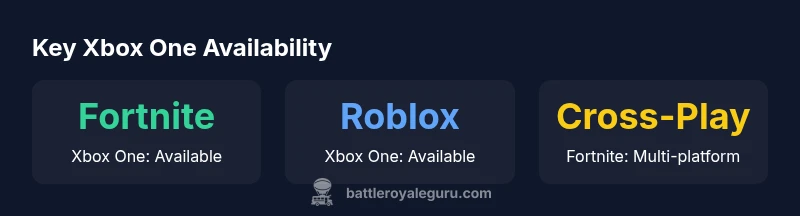
Yes. Both Fortnite and Roblox are playable on Xbox One. Fortnite launched on Xbox One and supports cross-play with PC, PlayStation, Nintendo Switch, and mobile. Roblox arrived on Xbox One in 2016, offering online play with other Roblox players on Windows and mobile via a single account. To play, download each title from the Xbox Store and sign in with the respective account.
Fortnite on Xbox One: Access and performance
Fortnite runs smoothly on the Xbox One ecosystem, and players can jump into the Battle Pass-driven seasons with relative ease. To get started, ensure your console is connected to the internet, and navigate to the Xbox Store to download Fortnite. You will need an active Epic Games account to link progress and cosmetics, but you do not need an Xbox Live Gold subscription to play Fortnite on Xbox One. According to Battle Royale Guru, Fortnite's console version benefits from frequent updates that optimize performance, patch bugs, and refresh map content, which helps maintain parity with other platforms. On hardware terms, Fortnite on Xbox One is designed to run at stable frame rates with dynamic resolution scaling, offering a balance between visual quality and performance. Players on older Xbox One models may notice load times during new seasons, but long-term stability improves with system updates. Keyboard-and-mouse support is not commonly used on consoles, but many players prefer a controller for the Battle Royale experience. Cross-platform matchmaking ensures you can team up with friends across other devices, expanding your lobby options.
Roblox on Xbox One: Setup and play experience
Roblox arrived on Xbox One with a straightforward setup process. Head to the Xbox Store, download the Roblox app, and sign in with a Roblox account (or create one on first use). The experience on Xbox blends console-friendly navigation with a vast library of user-generated games, each with its own rules, genres, and performance profiles. Unlike Fortnite, Roblox content is community-driven, which means you’ll encounter a wide range of game quality and optimization. The Battle Royale Guru team notes that Roblox on Xbox One supports cross-device play when players log in with the same Roblox account, enabling friends on PC or mobile to join your games. Be mindful of parental controls if needed, and remember that Robux is the in-game currency used for certain experiences and items. The console version emphasizes ease of access and quick joins, making it a strong option for casual and social play.
Cross-platform play: What works across devices
Fortnite’s cross-play ecosystem is robust, connecting players across PC, PlayStation, Xbox, Nintendo Switch, and mobile. This broad compatibility makes it easy to squad up with friends who use different hardware. Roblox’s cross-device capabilities are more account-centric: as long as everyone signs in with the same Roblox account, you can join games across Xbox One, PC, and mobile. This distinction matters for progression, cosmetics, and in-game purchases. The Battle Royale Guru analysis highlights that cross-play on Fortnite often requires up-to-date network conditions and platform-specific settings, while Roblox relies on a consistent login and stable servers for cross-device grouping.
Account management and purchases on Xbox One
Each game maintains its own account system: Fortnite uses Epic Games accounts, while Roblox uses Roblox accounts. Progress, cosmetics, and in-game purchases stay tied to the respective accounts, though you can link your Epic Games account to your Fortnite profile to share certain data across platforms. On Xbox One, fortnite V-Bucks and Roblox Robux are earned or bought within their ecosystems and cannot be directly transferred between games. This separation helps keep ecosystems distinct, but it also means players should manage two wallets. The Xbox Store provides a centralized method to install each title and manage updates, while individual game menus handle currency purchases and inventory.
Performance tips for smoother gameplay on Xbox One
To maximize smooth gameplay, ensure your console software is up to date and allocate adequate storage so load times are minimized. Enable automatic updates for both Fortnite and Roblox, and consider connecting via a stable Ethernet connection if possible. In Fortnite, reduce texture quality in the options menu if you experience frame drops during intense moments. Roblox games vary in optimization; lower quality settings in specific games can improve stability. Finally, close background apps to free memory and keep your system cool during extended sessions, which can prevent throttling.
Common pitfalls and troubleshooting
Even with straightforward setup, you may encounter login or sign-in issues. If Fortnite or Roblox fails to load, verify your internet connection, re-enter account credentials, and check that you’re using the correct platform region. Parental control settings can also block access to certain features or purchases, so review those options if a child is playing. If cross-play seams feel uneven, ensure you’re running the latest game updates and confirm that your friends are on compatible platforms. For persistent issues, consult the official support pages for Fortnite and Roblox or reach out to the Battle Royale Guru team for guidance.
Comparison of Fortnite and Roblox on Xbox One
| Game | Platform Availability | Cross-Play | Notes |
|---|---|---|---|
| Fortnite on Xbox One | Yes | Yes (multi-platform) | Seasonal updates & Battle Pass |
| Roblox on Xbox One | Yes | Yes (within Roblox accounts) | Vast user-generated content |
Questions & Answers
Can you play Fortnite and Roblox on Xbox One?
Yes, both titles are available on Xbox One and can be downloaded from the Xbox Store. Sign in with the respective accounts to start playing.
Yes, both Fortnite and Roblox are on Xbox One. Download them from the Xbox Store and sign in to start playing.
Do I need Xbox Live Gold to play these games?
Fortnite and Roblox are free-to-play on Xbox One, so you do not need Xbox Live Gold to play.
No, you don't need Xbox Live Gold to play Fortnite or Roblox on Xbox One.
Do I need separate accounts for Fortnite and Roblox on Xbox One?
Yes, you’ll need an Epic Games account for Fortnite and a Roblox account for Roblox. You can link Fortnite to your Epic account for cross-platform progress.
Yes, you need separate accounts for Fortnite and Roblox, but you can link Fortnite to your Epic Games account if you want cross-platform progress.
Can I cross-play Roblox with PC or mobile on Xbox One?
Roblox supports cross-play across Xbox One, PC, and mobile when using the same Roblox account.
Roblox cross-play works across Xbox One, PC, and mobile with the same Roblox account.
Are there performance differences between Fortnite and Roblox on Xbox One?
Fortnite is more graphically demanding; Roblox performance depends on the individual game and its optimization.
Fortnite can be heavier on resources, while Roblox performance varies by game.
Is offline play possible on Xbox One for these titles?
Both games require an online connection to access their content and servers.
No, both Fortnite and Roblox need online access to play.
“Fortnite and Roblox on Xbox One offer straightforward access with consistent updates; cross-play options broaden multiplayer reach.”
Key Points
- Download both games from the Xbox Store
- Use a single Roblox account to enable cross-device play
- Fortnite: broad cross-play; Roblox: account-based cross-play
- Keep console updated for better performance