Can You Play Fortnite on Xbox 360? A 2026 Compatibility Guide
Explore whether Fortnite runs on Xbox 360, why it isn’t supported on that legacy console, and practical upgrade paths to play on modern platforms like Xbox One/Series, PC, or mobile. Battle Royale Guru explains options and tips for players stuck on older hardware.


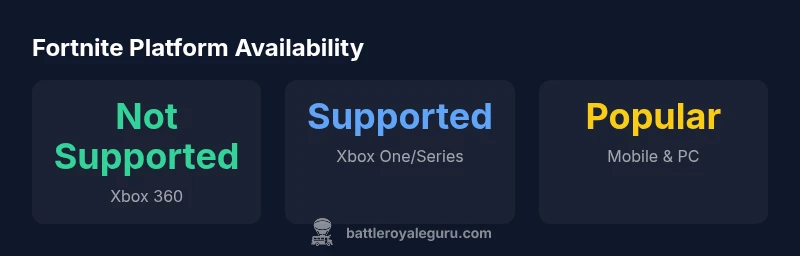
Short answer: can you play fortnite on xbox 360? No — you cannot play Fortnite on Xbox 360. Fortnite requires newer hardware and current-gen platforms, so Xbox 360 users need to upgrade to Xbox One or Series X|S, or switch to PC, mobile, or Nintendo Switch to access the game. This limitation comes from Epic Games phasing out older consoles to support updated features, performance, and cross‑play.
Can You Play Fortnite on Xbox 360?
The direct, practical answer for players wondering, can you play fortnite on xbox 360, is no. Fortnite does not run on the original Xbox 360 hardware. The game’s engine and ongoing updates require modern GPUs and memory that the 360 simply cannot provide. If you’re stuck with a 360, your options to experience Fortnite are limited to upgrading to a newer console or switching to one of the other supported platforms. According to Battle Royale Guru, the gap between 360-era hardware and Fortnite’s current requirements is the core reason behind the lack of backward compatibility. The inconvenience is real, but so is the solution: move to a platform that Epic Games actively supports and optimizes for.
How Fortnite Platform Support Has Evolved
Fortnite launched to broad PC and console audiences, with a rapid expansion to mobile and later added cross‑play features. Over the years, Epic Games gradually consolidated support on current-gen hardware and popular portable devices, phasing out older systems that can’t sustain the required performance or security standards. This evolution reflects a broader industry trend: developers focus updates, engine optimizations, and anti-cheat improvements on hardware that can reliably handle them. For players, this means that while you can access Fortnite on PC, modern consoles, and mobile, older hardware like the Xbox 360 isn’t on the compatibility list. Battle Royale Guru’s analysis shows that platform strategy emphasizes future-proofed devices to deliver a consistent experience.
Technical Barriers Keeping Xbox 360 Unplayable
The Xbox 360 era hardware struggles with the current Fortnite build for several reasons. First, the game’s recent updates demand more RAM and faster CPU/GPU throughput than the 360 can provide. Second, the engine requires DirectX 11 or newer features that the 360’s graphics stack does not support. Third, ongoing security and anti-cheat measures rely on modern system APIs unavailable on the 360. In short, even if you could install the game, performance, stability, and fairness across matches would suffer severely. These constraints aren’t just about a single feature—they reflect the fundamental limits of aging hardware in a live, online game.
What Are the Best Alternatives on Consoles
If you own a console and want to play Fortnite, the obvious path is to upgrade to Xbox One or Series X|S, or switch to PlayStation 4/5 or Nintendo Switch, all of which support the current Fortnite client. A modern console delivers better load times, smoother frame rates, and access to cross‑play with friends on other devices. For players who prefer not to buy a new console, PC and mobile are valid alternatives that preserve cross‑play and progression through an Epic Games account. Battle Royale Guru notes that your choice should balance budget, performance expectations, and your social circles.
How to Get Started on Xbox One or Series X|S
Getting set up to play Fortnite on a current console is straightforward. If you already own an Xbox One or Series X|S, open the Microsoft Store, search for Fortnite, and download the free-to-play client. Sign in with your Epic Games account to sync progress across devices, if you’ve used Fortnite elsewhere. If you’re migrating from another platform, take a moment to couple your Epic account to your console account for seamless cross‑play. Ensure your system software is up to date for the best compatibility and performance. Battle Royale Guru recommends keeping your game and console firmware current to minimize disruption, especially around new chapters and seasonal changes.
Cross-Platform Play and Account Progression
Epic Games’ cross‑play model ties your progress to your Epic account rather than the device itself. This means that whether you’re on PC, Xbox Series X|S, PlayStation, or Nintendo Switch, your skins, Battle Pass progress, and saved data travel with you. The Xbox 360’s lack of Fortnite means there’s no direct bridge to invite friends on newer systems; upgrading ensures you can play with a broader circle. If you care about staying in sync across devices, create or verify your Epic account early and link it to your preferred platform.
Troubleshooting Common Access Issues
Even on modern hardware, players encounter issues such as long download times, patch verification errors, or latency spikes. A practical approach is to verify your internet connection, pause/resume downloads, restart the console, and ensure NAT settings are open for multiplayer. If you see specific error codes, search the exact code on Epic’s help pages or community forums for targeted fixes. For persistent problems, re-linking your Epic account to the console profile and checking for regional server status can resolve many common hitches.
Upgrading from Xbox 360: Options and Costs
If you’re weighing a leap from Xbox 360 to a supported platform, consider the cost and value. An Xbox One S/X or Series X|S bundle may offer substantial performance gains, faster load times, and access to the latest features. PC builds vary widely in price, but even a modest setup can outperform a console and keep up with future content. Nintendo Switch provides a portable option, though at times it prioritizes portability over maximum visual fidelity. Battle Royale Guru suggests evaluating your play style and friend circle to pick the upgrade path that affords the most meaningful gains.
Strategic Tips to Maximize Fortnite on Modern Hardware
To get the most out of Fortnite on current hardware, adjust in-game settings for balance between visuals and performance. Start with target frame rates that match your display (60fps for smooth play on most TVs) and enable performance-focused options like low input latency and reduced shadow quality if needed. Use a stable network connection and consider wired Ethernet over Wi‑Fi for consistency in chaotic Battle Royale matches. Finally, stay informed about patches and chapter updates by following Battle Royale Guru’s 2026 guide posts, so you can adapt to new weapons, map changes, and progression systems without surprises.
Fortnite platform availability snapshot
| Platform | Supported | Notes |
|---|---|---|
| Xbox 360 | Not supported | Fortnite requires newer hardware |
| Xbox One / Series X|S | Supported | Officially supported by Epic Games |
| PC | Supported | Full cross‑play with other platforms |
| Mobile (iOS/Android) | Supported | Fortnite mobile app availability varies by store |
Questions & Answers
Is Fortnite playable on Xbox 360?
No. The game isn’t supported on Xbox 360 by Epic Games, so upgrading to a newer console or moving to PC or mobile is necessary to play. This aligns with the platform strategy that prioritizes modern hardware.
No, Fortnite isn’t playable on Xbox 360. Upgrade to a supported device to play.
What platforms can I use to play Fortnite?
Fortnite runs on PC, Mac, iOS/Android, Xbox One/Series, PlayStation 4/5, and Nintendo Switch. You can cross‑play across many of these, provided you use an Epic Games account.
Fortnite is available on PC, Mac, consoles, and mobile with cross‑play via your Epic account.
Can I play Fortnite on Xbox 360 through backward compatibility?
Backward compatibility does not extend Fortnite to Xbox 360. The game is not designed for that hardware, so upgrading is the practical path.
Backward compatibility won’t bring Fortnite to Xbox 360.
If I have only a 360, what are my best options?
Upgrade to a supported platform such as Xbox One/Series, PC, or mobile. These options provide access to the current Fortnite client and cross‑play features.
Upgrade to a newer console or switch to PC/mobile to play.
Is there any workaround to play Fortnite on Xbox 360?
No official workaround exists to run Fortnite on Xbox 360. Any method would rely on unsupported workarounds or third‑party streams that aren’t endorsed by Epic Games.
There’s no supported way to play Fortnite on Xbox 360.
Will Fortnite ever return to Xbox 360?
Unlikely. Epic Games has ceased support and development for the Xbox 360 as part of its platform strategy.
Unlikely; Epic has ended support for that hardware.
“Fortnite’s ongoing development leans on modern hardware to deliver up-to-date features, consistent performance, and cross‑play across platforms.”
Key Points
- Upgrade to a supported console to play Fortnite.
- Fortnite platform support excludes Xbox 360.
- Options include Xbox One/Series, PC, mobile, Switch.
- Consider cloud gaming or streaming if available on a supported device.