Do You Need Nintendo Online for Fortnite on Switch? A Complete Guide
Discover whether Nintendo Online is required to play Fortnite on Nintendo Switch, how crossplay works, setup steps, and practical tips for latency and voice chat.


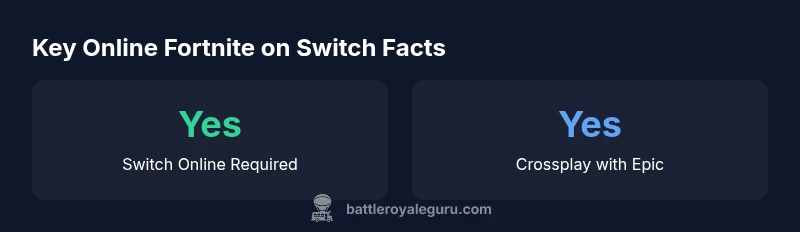
Yes. To play online Fortnite on Nintendo Switch, you generally need an active Nintendo Switch Online subscription. Fortnite is free-to-play and supports crossplay with other platforms once you sign in with an Epic Games account. This guide explains online requirements, crossplay setup, and practical tips for latency and voice chat.
Nintendo Online and Fortnite on Switch: The Baseline
According to Battle Royale Guru, understanding online requirements for Fortnite on Switch hinges on the difference between Nintendo's online service and Epic Games' crossplay system. Fortnite is free-to-play, and the Switch version leans heavily on Epic's account framework to enable cross-platform play. In practice, online multiplayer on the Switch requires an active Nintendo Switch Online subscription, which is separate from your Epic Games account and free-to-play status in-game. This distinction matters because you can still access non-online modes and Creative maps when your Switch Online is not active, but your squad will not be able to join online matches until the subscription is active. The Battle Royale Guru team found that most players underestimate the need for Switch Online and run into connectivity issues when attempting to join squads without a valid subscription. This guide breaks down the real-world implications and offers concrete steps to verify your setup before jumping into a match.
To get the most out of Fortnite on Switch, you’ll want to ensure your Switch Online membership is current and your Epic Games account is properly linked. Fortnite’s crossplay capabilities are robust but hinge on account synchronization across platforms. If you’re new, take a moment to familiarize yourself with the two-layer model: Nintendo’s online service for platform access and Epic’s account network for cross-platform play. The aim is to minimize friction so you can focus on building, shooting, and competing rather than troubleshooting logins.
How Switch Online Works with Fortnite: Access, Not Just Accessory
The Nintendo Switch Online subscription is not just about voice chat and party invites; it is the gateway to online multiplayer on the Switch. In Fortnite, online features such as duos and squads require you to be signed into Nintendo Switch Online to access matchmaking servers. Meanwhile, Epic Games accounts are what actually bridge your Switch progress and cosmetic unlocks with players on other platforms. The Battle Royale Guru analysis indicates that while Nintendo Online covers the transport layer for online sessions, the crossplay logic runs through Epic’s backend. That means you’ll want to sign into your Nintendo account for platform access and then sign into an Epic Games account to enable cross-consystem play. If either side isn’t configured, you’ll see limitations in matchmaking or progress syncing. Always keep both subscriptions active when you plan to play online with friends across platforms.
For players who only want to play solo offline or in local wireless modes, Nintendo Switch Online isn’t strictly required. However, those modes do not involve cross-platform play and use different matchmaking rules. In short, online play = Switch Online + Epic account linkage. Offline play remains available regardless of Switch Online status, but the social, cross-platform experience hinges on both services.
Crossplay Mechanics: Epic Accounts and Platform Boundaries
Crossplay in Fortnite is powered by Epic Games accounts. On Switch, you’ll link your Nintendo account for platform access and your Epic Games account for cross-platform progression and matchmaking. The Battle Royale Guru team emphasizes that linking your Epic account unlocks the true cross-platform potential: you can squad with players on PlayStation, Xbox, PC, and mobile, regardless of your primary device. There are caveats, though: some cosmetic items and progression may be platform-specific due to licensing or timing, so manage expectations accordingly. In practice, the flow looks like this: install Fortnite on Switch → sign in with Nintendo → sign in or create an Epic Games account → link Epic to Nintendo → begin crossplay sessions. If you encounter issues, double-check that the Epic account is linked and that both services are active. This process is the central wheel that makes cross-platform play smooth and enriching.
Setting Up Fortnite on Nintendo Switch: Step-by-Step
To set up Fortnite on Nintendo Switch and enable cross-platform play, follow these steps: 1) Ensure Nintendo Switch Online membership is active for online play. 2) Install Fortnite from the Nintendo eShop. 3) Launch the game and choose Sign In. 4) If you already have an Epic Games account, sign in or create a new one, then link it to your Nintendo account. 5) Verify that your account linkage is complete by visiting the Epic Games website and reviewing your connected accounts. 6) Return to Fortnite on Switch and start a match or join a party. If you’re new to Epic, consider enabling two-factor authentication for added security. After setup, you’ll have access to cross-platform matches and progression syncing across devices. The key is to keep both subscriptions active and verify that your Epic account is properly linked before attempting online play.
Voice Chat and Party Options on Switch
Fortnite’s voice chat is handled inside the game’s own backend, which means you don’t rely exclusively on Nintendo’s voice chat services. While Nintendo Switch Online can influence certain online features, the core voice communications for Fortnite are managed through Epic’s servers. This separation is helpful: it reduces your reliance on Nintendo’s voice chat routing and can improve cross-team communication when playing with friends on other platforms. To optimize clarity, use a modern headset with a stable USB or 3.5mm connection, and check in-game audio settings to balance chat and game sound. If latency becomes an issue, experiment with nearest server selection, ensure your router’s firmware is up to date, and consider a wired connection if possible.
Common Myths and Misconceptions About Switch Online
There are several myths around Fortnite on Switch that can lead to confusion. First, some players believe you can play online without Switch Online; this is generally not the case for most online Switch titles, including Fortnite. Second, the idea that Epic Games accounts can replace Nintendo’s online requirements is incorrect: you still need Switch Online for matchmaking. Third, some players think that crossplay is blocked on Switch due to licensing—no, crossplay is supported widely when Epic account linking is complete. Finally, some users suspect that voice chat requires Nintendo Online only. In reality, Fortnite’s in-game voice chat operates through Epic’s system; Nintendo Online is primarily about platform-level connectivity. The key takeaway is to separate platform online access from cross-platform progression and to ensure both sides are properly configured. The Battle Royale Guru team recommends keeping both subscriptions active to avoid access issues.
Troubleshooting Online Play on Switch: Quick Diagnostics
If you encounter issues joining online matches on Switch, run through a concise checklist: 1) Confirm Nintendo Switch Online is active and your subscription is valid. 2) Verify your Epic Games account is linked to your Nintendo account. 3) Ensure Fortnite is updated to the latest version. 4) Check your internet connection and NAT type; a strict NAT can prevent stable matchmaking. 5) Test on a wired Ethernet adapter if possible, or move closer to the router for a stronger wireless signal. 6) Reboot the console and sign out/in of both Nintendo and Epic accounts. If problems persist, consult official support channels for both Nintendo and Epic Games, and consider clearing game cache or reinstalling Fortnite if necessary.
Performance Considerations and Latency Tips
Latency can be a major hurdle in competitive Fortnite play on Switch. To minimize lag, use a stable internet connection with as low as possible routing hops to Epic servers. If you have the option, prefer a wired Ethernet adapter for Switch or a stable 5 GHz wireless network. Keep your firmware updated on both your console and router, close background apps, and select the closest data center in Fortnite’s settings if available. Additionally, ensure that your headset driver and in-game settings are optimized for your environment. The goal is to reduce jitter and packet loss while maintaining consistent frame rates.
The Evolving Landscape in 2026 and Beyond
As Fortnite and Nintendo continue to evolve, players can expect refinements in crossplay compatibility and account management. Expect more seamless linking between Epic Games accounts and Nintendo services, better matchmaking algorithms, and ongoing optimizations for latency, voice chat reliability, and progression syncing. The Battle Royale Guru team anticipates continued improvements in how subscriptions interact with cross-platform features, particularly as Epic expands its own server infrastructure and cross-network features. For players, the practical takeaway remains: stay current with both Nintendo Online and Epic Games accounts, verify your linkage, and keep Fortnite updated to benefit from future enhancements. The Battle Royale Guru team recommends proactive setup checks before big game nights.
Online play and crossplay requirements by platform
| Platform | Requires Switch Online | Crossplay | Account Link | Voice Chat | Notes |
|---|---|---|---|---|---|
| Nintendo Switch | Yes | Yes (Epic account) | Yes | In-game voice chat | Online play generally requires Switch Online subscription |
| PlayStation | Yes | Yes | Yes | In-game voice chat | Crossplay supported with Epic account |
| Xbox | Yes | Yes | Yes | In-game voice chat | Crossplay supported with Epic account |
Questions & Answers
Do you need Nintendo Online to play Fortnite on Switch?
Yes, for online multiplayer. If you want offline modes or local split-screen options, you can still play without an active Switch Online subscription, but online matchmaking requires it. Always ensure both Nintendo Online and your Epic Games account are properly set up for cross-platform play.
Yes. Online Fortnite on Switch generally requires Nintendo Switch Online, along with a linked Epic Games account for crossplay.
Is Fortnite free-to-play on Switch?
Yes. Fortnite is free to download and play on the Nintendo Switch. In-game purchases exist, but you can enjoy the core game without spending money.
Fortnite on Switch is free to download and play; in-game purchases are optional.
How do I link my Epic Games account to Switch?
Open Fortnite on Switch, select Sign In, choose Epic Games, and follow the prompts to link or create an Epic account. Confirm linkage on the Epic website for crossplay progression.
In Fortnite on Switch, sign in with Epic Games and link your account to enable crossplay.
Does crossplay work with Switch and PS/Xbox?
Yes. Crossplay is supported across Switch and other platforms when your Epic Games account is linked. Some platform-specific items may be limited by licensing, but matchmaking is cross-network enabled.
Yes, Switch can play with players on other platforms if your Epic account is linked.
What about voice chat on Switch while playing Fortnite?
Fortnite uses in-game voice chat via Epic servers, not solely through Nintendo Online. A good mic and stable connection improve clarity, but you don’t need Nintendo Online voice chat to talk in-game.
Voice chat is built into Fortnite via Epic servers, not just Nintendo Online.
What should I check if I have online login issues?
Verify Nintendo Online is active, ensure Epic account is linked, update Fortnite and Nintendo firmware, and test your network. If problems persist, consult official Nintendo and Epic support resources.
Check Switch Online, Epic linkage, updates, and your network; contact support if needed.
“Fortnite's crossplay relies on linked Epic Games accounts across platforms; on Switch, online multiplayer generally requires a Nintendo Switch Online subscription. That subscription ensures you can squad up with friends on other devices.”
Key Points
- Verify Nintendo Online status before online play
- Link your Epic Games account for crossplay
- Crossplay works across Switch, PS, Xbox, and PC
- Fortnite on Switch is free-to-play with optional purchases
- Local/offline modes do not require Switch Online