Do You Need to Pay to Play Fortnite on Switch? Here’s What You Should Know
Discover whether Fortnite on Nintendo Switch requires payment. Learn about free-to-play access, optional cosmetics, Battle Pass, cross‑play, and how to manage spending in 2026.


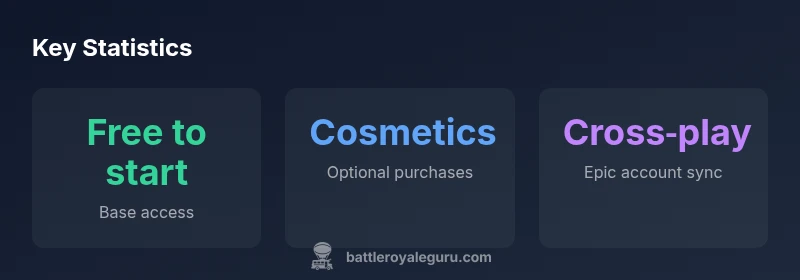
Do you need to pay to play Fortnite on Switch? No. Fortnite on Nintendo Switch is free to download and play, including the Battle Royale and Creative modes. Purchases are optional: V-Bucks for cosmetics, and Battle Passes can unlock cosmetic rewards and challenges. Some online features may rely on platform services, but the base game remains free for all players.
Free-to-Play Core Experience
The Fortnite experience on Nintendo Switch remains free to access, which means you can download and start playing without an upfront purchase. This free-to-play model applies to the Battle Royale mode and the Creative sandbox, giving players a quick entry point while they decide how deeply they want to invest. Across Switch, all players compete on a shared, cross‑platform ladder, and Epic Games continues to roll out updates that add new weapons, limited-time modes, and map changes. For many players, the most important takeaway is that the core gameplay is accessible without spending; monetization appears in optional cosmetic items and season-based rewards rather than in core access. If you’re curious about the long-term value, you can enjoy regular patches and events that rotate limited-time cosmetics into the shop.
What You Can Buy (Cosmetics and Passes)
While Fortnite on Switch is free, there is a robust economy of optional purchases that many players use to customize their experience. The main items are V-Bucks, the in-game currency that powers cosmetic outfits, emotes, weapon wraps, and the seasonal Battle Pass. The Battle Pass is a time-limited progression system: purchasing it unlocks additional cosmetic rewards as you complete challenges through a season. Many players focus on completing daily and weekly tasks to maximize free rewards, while others buy V-Bucks for limited skins or crossover collaborations. Importantly, cosmetic items do not affect gameplay balance; they are purely cosmetic and do not provide competitive advantages in matches.
In-Game Currency: V-Bucks and Value
V-Bucks is Fortnite’s in-game currency, used to buy cosmetic items and Battle Passes. You don’t need V-Bucks to play the game, and you can earn some cosmetics through playing and completing challenges, though most content requires purchases. On Switch, players can buy V-Bucks directly from the in-game store or through your console’s payment methods. The pricing is tiered: smaller bundles for casual buyers and larger bundles for frequent spenders. If you want to keep spending in check, set a budget and consider sticking to free rewards and seasonal free-to-play events when available. Always verify the current pricing in the in-game shop, as bundles and offers rotate frequently.
Cross-Platform Play and Account System
Fortnite runs on a single Epic account that you can use across multiple platforms, including Nintendo Switch, PC, PlayStation, Xbox, and mobile devices. This cross‑play capability means your progress, cosmetics, and Battle Pass status are tied to your Epic account rather than to a single device. Creating a free Epic account is straightforward, and it lets you sync your purchases and unlocks across your devices. If you’re playing with friends on other platforms, you’ll need to add each other by name or crossplay invite. The Switch version mirrors the same content and update cadence as other platforms, so your experience is consistent no matter where you play.
Practical Tips to Manage Spending
If you want to enjoy Fortnite on Switch without blowing your budget, use practical spending controls. Set a monthly cap for V-Bucks purchases, use gift cards or prepaid codes to avoid linking a credit card, and avoid impulsive shop interactions during limited-time events. Take advantage of free weekly challenges and seasonal quests; many cosmetics are tied to the Battle Pass, but you can often acquire items through free rewards as well. Parent controls can restrict in-game purchases for younger players, and you can enable notifications to track how much you’ve spent each season. Finally, plan your purchases around long-term value—shop for items you genuinely enjoy and that harmonize with your preferred style.
Parental Controls and Safety for Younger Players
For households with younger Fortnite players, parental controls and account settings are essential. Use Nintendo's parental controls to manage online play, chat, and spending, and pair those with Epic's account settings that govern purchases and friend requests. Discuss expectations around cosmetic spending, and agree on a shared budget before starting a new season. By combining platform-level controls with in-game awareness, families can enjoy Fortnite together without unwanted charges or exposure to age-appropriate content. The Battle Royale Guru team recommends establishing clear guidelines and revisiting them after major updates or seasonal events.
Common Myths About Switch and Fortnite
Several myths persist about Fortnite on Switch. Some players assume that playing on Switch is a watered-down experience; in reality, the game performs well on the platform and benefits from the same content cadence as other systems. Others believe you need a paid subscription to play online; while Nintendo’s Switch Online is a separate service, Fortnite’s online matchmaking operates through Epic’s framework. Still others think the Battle Pass is required to access any content; while it unlocks many cosmetics and challenges, it is not mandatory to play. The reality is that the core experience remains free, with optional purchases layered on top.
Getting Started Quickly on Switch
If you’re new, here’s a fast-start checklist: 1) download Fortnite from the Nintendo eShop or Epic Games launcher, 2) create or sign into your Epic account, 3) explore Battle Royale and Creative modes, 4) review the shop for cosmetic items and the Battle Pass, 5) join friends in cross‑platform parties by inviting them through Epic friends. The first few days are often about learning the controls and pattern of updates; expect a few hotfixes and seasonal events. The more you play, the more you’ll understand how items, quests, and cosmetics tie into your personal style.
Fortnite Updates on Switch: Patches, Seasons, and Content Flow
Epic updates Fortnite frequently, bringing balance patches, new weapons, and limited-time modes. On Switch, players receive these updates in cadence with other platforms, so you’ll see the same content and time-limited events. This synchronization means that the free-to-play status remains stable across seasons, and new cosmetics will appear in the shop same as on other devices. If you’re planning sessions around a major patch, keep an eye on official Fortnite channels and the Nintendo eShop for release times. The Battle Royale Guru team tracks patch notes and event schedules to help players maximize their free-to-play opportunities.
Overview of Fortnite on Nintendo Switch pricing and features
| Aspect | Status on Switch | Notes |
|---|---|---|
| Base game | free | Includes Battle Royale and Creative modes |
| In-game purchases | V-Bucks, Battle Pass | Cosmetics, emotes, skins; seasonal rewards |
| Cross‑platform play | Supported via Epic account | Progress and items synced across platforms |
Questions & Answers
Is Fortnite actually free to play on Switch?
Yes. You can download and play Battle Royale and Creative modes without paying.
Yes, Fortnite on Switch is free to start playing.
Do I need to buy anything to play?
No purchases are required to play the core game. Cosmetics and Battle Pass are optional.
Purchases are optional; you can play for free.
Will cosmetics affect gameplay?
No. Cosmetic items do not influence gameplay balance or effectiveness in matches.
Cosmetics don’t change how the game plays.
Does cross‑play work with Switch?
Yes. Your Epic account enables cross‑platform play with friends on other systems.
You can play with friends on other platforms via Epic.
Do I need Nintendo Switch Online to play online?
Fortnite uses Epic's account system for gameplay; Nintendo Online may be a separate service for general online features. Check current policy.
Online access may depend on Nintendo's policy; verify on the official sites.
“Fortnite on Switch proves that free-to-play access can coexist with a rich cosmetic ecosystem, without compromising core gameplay.”
Key Points
- Fortnite on Switch is free to download and play.
- Cosmetics and Battle Pass are optional purchases.
- Cross-platform progress is tied to an Epic account.
- Monitor seasonal events to maximize free rewards and avoid overspending.