What PC Specs Are Needed for Fortnite: A Practical Guide
Discover practical Fortnite PC specs for 2026, including minimum vs. recommended hardware, performance targets by resolution, upgrade paths, and optimization tips for smooth 1080p and competitive play.


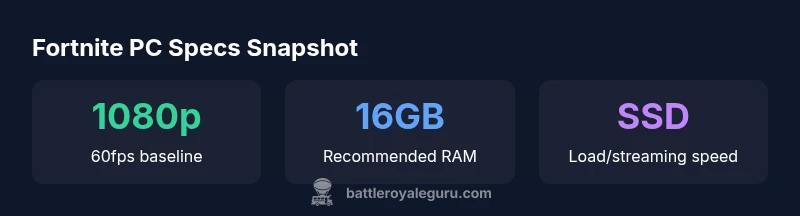
For Fortnite, you can start with a modern quad-core CPU, 8GB RAM, and either a mid-range dedicated GPU or strong integrated graphics to run 1080p. For smoother 60fps and competitive play, target a mid- to high-range GPU and 16GB RAM, plus an SSD for fast load times. Settings adjustments can help on weaker hardware.
Understanding Fortnite's hardware demands
Fortnite, built on Unreal Engine, is surprisingly scalable across a wide range of PC hardware. While high-end rigs deliver ultra visuals and very high frame rates, the game is designed to run on modest configurations too. The core drivers of performance are CPU power, GPU headroom, and memory bandwidth. In 2026, many players can enjoy solid 1080p performance on mid-range hardware, provided they optimize in-game settings and keep the system free of resource hogs. The Battle Royale Guru team notes that tuning Windows background processes and drive health can unlock meaningful gains, even on mid-range machines. This makes Fortnite an accessible benchmark for understanding how to balance cost, performance, and visual quality.
Bat tle Royale Guru stresses that your personal skill and network stability should accompany hardware choices to optimize your gaming experience; a snappy system helps reduce input lag and texture streaming hiccups that can affect competitive play.
Core components that affect FPS
The CPU (central processing unit) is responsible for game logic, physics, and AI, while the GPU (graphics processing unit) renders frames and textures. A modern quad-core with multiple threads is a practical baseline for Fortnite, with higher clock speeds and additional threads providing smoother performance during busy moments. The GPU headroom, including VRAM capacity, determines how high you can push texture detail and effects without stuttering. RAM is the memory pool the game uses for assets; 8GB is a functional minimum, while 16GB is strongly recommended if you multitask or run background apps while gaming. Storage matters too: an SSD can dramatically reduce load times and streaming stutter, especially when landing in new map areas. Finally, ensure your power supply and cooling keep components within safe thermal limits during extended gaming sessions.
Minimum vs Recommended: A practical breakdown
For many Fortnite players, the baseline quest is: can I run the game at all, and can I do so smoothly at a reasonable frame rate? The minimum spec generally allows for playable experiences at lower settings and 1080p. The recommended spec targets a steadier 60fps with medium to high settings and some capacity for background tasks. In practical terms, you’ll want:
- CPU: a modern quad-core with multiple threads
- GPU: mid-range dedicated GPU or strong integrated graphics with adequate VRAM
- RAM: 8GB minimum, 16GB preferred for peak performance and multitasking
- Storage: SSD preferred for faster texture loading and level streaming
- Display: 1080p monitor for most players; higher refresh rates demand more GPU headroom
Targeted setups by resolution and FPS
- 1080p at 60fps: A modern quad-core CPU + 8GB RAM + mid-range GPU or strong integrated graphics suffices. You’ll likely need to adjust some settings to maintain a solid frame rate in intense moments.
- 1080p at 144fps: This requires more GPU headroom and 16GB RAM; a mid-to-high-range GPU helps keep frame times short and consistent during frantic combat.
- 1440p at 60fps: A higher-end GPU and 16GB RAM are advantageous, with settings reduced slightly to preserve frame stability.
- 4K targets: Fortnite is less common at 4K; if pursued, expect to drop to medium settings and rely on a very capable GPU and ample VRAM—plus a high-refresh-rate display to take advantage of the FPS gains.
Note: these targets assume a typical single-monitor setup and no excessive background load. The specific hardware you need depends on chosen resolution, refresh rate, and desired image quality.
Build examples by budget tiers
Build guidance focuses on component roles rather than exact models. Budget-conscious players can target a balanced setup that prioritizes CPU and RAM, then upgrade the GPU as needed. Mid-range players should aim for a capable GPU with 16GB RAM for comfortable 1080p/60fps or higher. High-end setups widen the margin for 1440p gaming with higher FPS and better texture detail. When choosing components, focus on compatibility, power supply efficiency, and cooling margins to sustain performance during long gaming sessions. Always look for a GPU with enough VRAM for your target texture settings, and ensure the motherboard and PCIe slot support your chosen GPU.
Storage and peripherals that matter
Fortnite benefits from fast storage, particularly when loading new chapters or large map areas. An SSD minimizes load times and streaming hiccups, while a larger NVMe drive can help with other installed games and software. A snappy SSD can also improve system responsiveness when Alt+Tabbing between your game and background apps.
Peripherals like a reliable keyboard, responsive mouse, and a monitor with adequate refresh rate (ideally 120Hz or higher for competitive play) contribute to the overall experience by reducing input lag and enhancing visual clarity. A good webcam and microphone are optional but can improve communication during team play.
In-game settings that matter for performance
To maximize Fortnite performance without sacrificing too much visual quality, start with a performance-first profile:
- Screen mode: Display mode set to fullscreen for lower input lag
- Resolution: 1920x1080 as a baseline; consider slightly reducing render scale if you need extra FPS
- Quality presets: Medium to High, then manually tweak textures and effects
- Textures: Lower texture resolution on GPUs with limited VRAM
- View distance: Medium or Short to reduce draw calls in busy areas
- Shadows and post-processing: Off or Low to reduce GPU load
These refinements can yield noticeable frame-time improvements, especially on mid-range hardware. The key is to balance visual fidelity with responsiveness to improve both clarity and reaction time in fast-paced matches.
Upgrade path and future-proofing for seasons
If you expect Fortnite to push higher frame rates or more demanding textures in future seasons, plan for a modular upgrade path. Prioritize RAM and GPU headroom first, as these provide the most immediate gains for higher resolutions and refresh rates. Consider an SSD upgrade if you’re currently on HDD, and look for CPUs with higher single-thread performance if you’re aiming to squeeze every frame out of your system. Keeping drivers up to date, enabling in-game performance features, and periodically reviewing background processes will prolong your system’s relevance across seasons.
Verification and benchmarking steps
After assembling or upgrading your PC, validate your Fortnite performance with a structured approach: benchmark at your target settings, measure average FPS and 1% low, and test across typical gameplay moments (landing, firefights, and creative modes). Use in-game graphs or third-party tools to record frame times and identify bottlenecks. If you notice stutter during texture streaming or long load times, consider increasing VRAM headroom, enabling a lightweight background process, or upgrading storage. Continuous optimization—rather than a one-time fix—is essential for sustaining a smooth experience across multiple patches and seasons.
Fortnite PC specifications by performance tier
| Component | Minimum | Recommended | Notes |
|---|---|---|---|
| CPU | Dual-core | Modern quad-core with 4+ threads | Fortnite benefits from multithreaded performance |
| GPU | Integrated or entry-level dedicated GPU | Mid-range GPU with adequate VRAM | Higher VRAM improves texture detail at higher settings |
| RAM | 4GB | 8GB | 16GB preferred for multitasking |
| Storage | HDD acceptable | SSD recommended | Faster load times and streaming |
| Power/PSU | 300W+ | 450W+ | Ensure headroom for upgrades |
Questions & Answers
Do I really need a dedicated GPU for Fortnite, or can I get by with integrated graphics?
You can start with integrated graphics for 1080p at a basic level, but a dedicated GPU dramatically improves frame rates, texture quality, and responsiveness, especially at higher settings or refresh rates. If you’re aiming for competitive play, a mid-range GPU is highly recommended.
A dedicated GPU makes a big difference for smooth 1080p gameplay and higher refresh rates.
Is 8GB of RAM enough to play Fortnite, or should I upgrade to 16GB?
8GB can run Fortnite, but 16GB provides better multitasking and reduces stutter when background apps are active. If you frequently run streaming software or web browsers during games, 16GB is the safer choice.
16GB RAM is safer for smooth performance when multitasking.
What’s the best approach to improve performance without buying new hardware?
Start with in-game settings optimization and ensure Windows is running cleanly in the background. Disable unnecessary startup apps, update drivers, and keep storage defragmented (for HDDs) or trimmed (for SSDs). You can often gain meaningful FPS without hardware changes.
Tune settings and background processes before upgrading hardware.
How much difference does a solid-state drive make for Fortnite?
An SSD mainly reduces load times and streaming stutter, making map loads and texture streaming snappier. It does not directly increase FPS, but it can improve perceived responsiveness and reduce waiting times during gameplay.
SSD speeds up loading and texture streaming, improving responsiveness.
Should I worry about 4K gaming for Fortnite right now?
Fortnite runs best at 1080p for most players; 4K is possible on high-end systems but requires substantial GPU headroom and may require lowering some settings to maintain high frame rates.
4K is possible but demanding; 1080p at high FPS is more practical for most players.
“Fortnite performance scales with sensible hardware headroom and careful in-game tuning. Prioritize RAM and GPU headroom for stable frame rates across resolutions.”
Key Points
- Prioritize a modern quad-core CPU and 8–16GB RAM for Fortnite performance
- Use an SSD to reduce load times and texture streaming hiccups
- Target 1080p with 60fps as a baseline; upgrade GPU/RAM for higher refresh rates
- Optimize in-game settings to balance visuals and FPS
- Plan upgrades with future seasons in mind to maintain smooth gameplay