How to Use Codes in Fortnite: A Practical Guide
Learn how to use codes in Fortnite to redeem V-Bucks, access island codes, and support creators. This step-by-step guide covers PC and console redemption, island codes for Creative maps, Creator Codes, safety tips, and troubleshooting to avoid scams.


By the end of this guide, you’ll know how to use codes in Fortnite to redeem V-Bucks or cosmetics, load island codes for Creative maps, and enter Creator Codes in the Item Shop. The steps cover PC and console, explain code formats, highlight safety practices, and troubleshoot common errors. This quick answer also points to official sources and safety tips to avoid scams.
What counts as a code in Fortnite and where to find legitimate codes
Codes in Fortnite come in several forms: V-Bucks gift card codes, island (Creative) codes, and Creator (Support-A-Creator) codes. Each type unlocks something different and has its own redemption path. To stay safe, always obtain codes from official Epic promotions, authorized retailers, or creators you trust. Using counterfeit or leaked codes can lead to account penalties or scams, so verify sources before redeeming. According to Battle Royale Guru analysis, understanding these sources helps players maximize legitimate rewards and avoid pitfalls. In this section, you’ll learn what counts as a code, how they’re issued, and where to find them.
Redeeming codes on PC, console, and general platforms
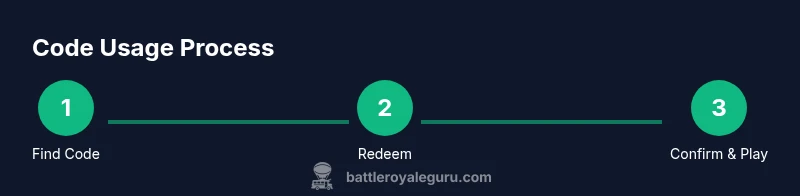
Redeeming codes in Fortnite is straightforward on any platform using the official Epic redemption flow. Start by locating your code and visiting the legitimate redemption page: fortnite.com/redeem or epicgames.com/redeem. Sign in with the Epic account you’ll use in-game. Enter the code exactly as shown and confirm. If successful, the item or V-Bucks will appear in your account. The island codes for Creative maps work differently: you don’t redeem the code on the site; you load the map via Creative mode by entering the code in the Island Code input. This dual-path approach ensures you can access both official rewards and community-made experiences. Remember, codes are tied to your Epic account and are case-insensitive but must be entered precisely.
Island codes and Creative mode: loading community maps
Island codes are 12-digit codes that unlock user-created maps in Creative. To use one, switch to Creative mode from the Fortnite lobby, then navigate to the Island Code input field. Enter the code exactly as published (digits, hyphens rarely included) and confirm. The map will load if it’s online and published by the creator. Island codes are a great way to practice parkour, explore new weapons, or test map-specific rules. Always check the map’s rating and creator credibility before loading.
Creator Codes and the Support-A-Creator program in the Item Shop
Creator codes allow you to support your favorite creators. After opting in, you can enter the code in the Item Shop via the Support-A-Creator section. A valid code, typically 3-15 characters long, credits purchases toward the creator you chose. You don’t need to buy anything to support; simply entering the code updates the creator’s earnings based on your eligible purchases. Creator codes are separate from island codes and V-Bucks redemptions, and their effect is ongoing across purchases until you remove or change the code.
Safety, validation, and avoiding scams
Always verify codes through official channels. Be wary of social media posts or random messages offering codes; they may be scams or attempts to harvest your account credentials. Never paste codes in public chats or share them with strangers. Use the official epicgames.com or fortnite.com pages to redeem codes; never trust clipboard copies from untrusted apps. If a code seems suspicious, do not redeem it and report it. Battle Royale Guru emphasizes caution, as many codes circulate when events are live. Work with trusted sources and double-check expiration dates and region restrictions.
Troubleshooting common errors and how to fix them
If a code is invalid, check for typos, spaces, or truncated characters. Some codes are region- or platform-specific; ensure you are signed into the correct Epic account and that the code hasn’t expired. If the redemption shows “already redeemed,” you may have used it before; contact official support if you’re certain you’re the rightful owner. For island codes, ensure you are online and in Creative mode; if a map fails to load, verify the code is published and still available. If you run into persistent issues, try a fresh browser session or clear cache, then retry the redemption flow.
Best practices and quick action checklist
Keep a running list of codes you’ve redeemed and their sources. Only redeem on official Epic domains, and treat codes like sensitive information; do not share them publicly. Regularly check for updates on Epic’s official channels about changes to redemption processes. Use creator codes from verified creators and read their terms to understand earnings sharing. Finally, practice safe online behavior and report scams promptly to protect your account and the Fortnite community.
Tools & Materials
- Stable internet connection(Needed to access Epic Games and Fortnite servers during redemption.)
- Active Epic Games account(Sign in on the platform you’ll play.)
- Code to redeem(Copy exactly as provided; beware of extra spaces.)
- Web browser or Fortnite app(Use a device you will play on to avoid syncing issues.)
- Screenshot or code record(Helpful for troubleshooting if something goes wrong.)
Steps
Estimated time: 20-40 minutes
- 1
Locate and copy your code
Find the legitimate code from a trusted source (official promotions, retailer card, or creator you trust). Copy it exactly as shown, including any hyphens if published. Do not modify the code. Keeping a clear record helps prevent typos during entry.
Tip: Double-check the code length and formatting before moving to redemption. - 2
Redeem a standard code on the official site
Open fortnite.com/redeem or epicgames.com/redeem and sign in to your Epic account. Paste or type the code precisely, then click Redeem. You should see a confirmation and the item or V-Bucks will be added to your account.
Tip: Prefer using a browser on a device you’ll play on to avoid cross-device sync issues. - 3
Load an island code in Creative mode
Launch Fortnite, switch to Creative mode, and go to the Island Code input. Enter the 12-digit code exactly as published and confirm. If valid, the island loads and you can start playing immediately.
Tip: Make sure the island is published and online; some codes require the creator’s latest update. - 4
Enter a Creator Code in the Item Shop
Navigate to the Item Shop and locate the Support-A-Creator entry or code field. Type the creator’s code and confirm. You’ll see the creator’s name credited for eligible purchases.
Tip: Only use codes from verified creators you support; changes take effect for future purchases. - 5
Verify redemption and troubleshoot
Check your inventory or the island in Creative mode to confirm the redemption. If you encounter issues, re-check the code, try again, or contact official support if you’re sure you’re the rightful owner.
Tip: If a code seems suspicious or appears expired, do not redeem and report it.
Questions & Answers
What types of codes can I redeem in Fortnite?
Fortnite supports three main code types: V-Bucks gift card codes, island (Creative) codes, and creator codes through the Support-A-Creator program. Each type has a specific redemption path and impact on your account.
There are three main kinds: V-Bucks gift cards, island codes for Creative maps, and creator codes you enter in the item shop.
Where can I redeem codes safely?
Use official pages like fortnite.com/redeem or epicgames.com/redeem for standard codes. Island codes are entered in Creative mode, not on the site. Always verify sources and avoid third-party sites.
Redeem standard codes on the official Epic sites or Fortnite, and use Creative mode for island codes.
Can codes work on any platform?
Codes are tied to your Epic account and can be redeemed across platforms if you access the same account. Some region or platform restrictions may apply for specific codes.
Yes, you can redeem codes across platforms using the same Epic account, but watch for region restrictions.
What if a code says expired or invalid?
Double-check the code for typos, confirm it’s still valid, and verify you’re in the correct region or on the right account. If it’s invalid or expired, use another code from a trusted source.
If a code isn’t working, re-check the code and the source; expired codes won’t work and you may need a new one.
Are there scams to watch for when codes are circulating?
Yes. Be cautious of unsolicited codes from unverified sources. Do not share your codes publicly, and always redeem through official portals to protect your account.
Be careful of fake codes from strangers; stick to official pages to stay safe.
Watch Video
Key Points
- Verify code sources before redeeming
- Use the official redemption pages for standard codes
- Island codes load via Creative mode, not via the redemption page
- Creator Codes require entering in the Item Shop and are separate from island codes
- If in doubt, contact official support rather than sharing your code