Why Fortnite Says Matchmaking Canceled: Quick Troubleshooting
Discover why Fortnite says matchmaking canceled, common causes, and proven steps to restore quick matches. An urgent troubleshooting guide from Battle Royale Guru covering connectivity, server status, and in-game fixes.


Understanding the Error: What 'Matchmaking Canceled' Means for Fortnite Players
When you hit the 'Matchmaking Canceled' banner, Fortnite isn't saying your skill is in question; it's indicating the matchmaking service couldn't pair you with a lobby. This can happen before you even enter a match. The underlying issue is usually on the network or server side. According to Battle Royale Guru, most cases involve either your local connection deteriorating, abrupt server interruptions, or a misconfigured NAT/proxy setting. In practice, you may see this error alongside occasional lag, sudden disconnects, or longer wait times. The key is to interpret the symptom correctly: the game can't find a viable session within the system constraints. From a troubleshooting perspective, treat this as a problem with connectivity, rather than your individual device alone. By validating the basics first, you reduce the number of possibilities and speed up the fix. Keep your focus on stability, not perfection, and you'll be back in the action soon.
-NOTE-
Quick Checks You Should Run Right Now
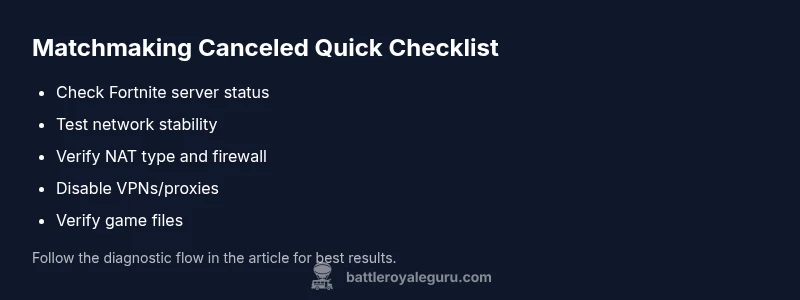
Before you dive into deep diagnostics, run through these quick checks:
- Check Fortnite server status on the official pages and social channels.
- Test your internet by streaming a video or running a speed test; note any ping spikes.
- Verify your NAT type isn't strict or moderate; if possible, set to open.
- Temporarily disable VPNs or proxies that could interfere with matchmaking.
- Try a wired connection or move closer to your router; reboot the router afterward.
- Restart Fortnite completely and sign back in to refresh your session.
- If you use multiple devices, test on a single device to rule out local congestion.
If the issue persists, you've narrowed the problem to either your network or the game's servers, making the next steps clearer. Battle Royale Guru emphasizes testing under normal conditions (no background downloads, idle apps) to get a clean read on your setup.
Common Causes Behind the Error
There are several culprits behind a sudden matchmaking cancel:
- Poor or unstable internet connection can create timeouts
- Strict NAT type or blocked ports can prevent session creation
- Fortnite server maintenance or outages can temporarily pause matchmaking
- Corrupted cache or outdated game files can disrupt the handshake with servers
- VPNs, proxies, or third-party software can interfere with routing
- Regional throttling or high traffic during peak hours can slow pairing
Understanding these causes helps you pick the right fixes quickly. If you see this error during a scheduled maintenance window, you’ll know to wait; otherwise, you’ll be proactive about the fixes.