Can You Play Fortnite on iPad? A 2026 Guide
Discover how to play Fortnite on iPad in 2026, including official availability, cloud gaming options, setup steps, and practical tips for stable performance.


Yes — you can play Fortnite on iPad, but not through a direct App Store install. Instead, use cloud gaming or streaming services that host Epic Games titles and run Fortnite in a browser or dedicated app. This guide covers current methods, setup steps, and potential caveats for iPad players.
Can you play fortnite on ipad
If you’re asking can you play fortnite on ipad, the quick answer is yes, but not through a direct App Store install. The official Fortnite app hasn't been distributed through Apple's store in recent years due to ongoing disputes between Epic Games and Apple. However, iPad users can still enjoy Fortnite by using cloud gaming services that stream the game to your device. These services host the Fortnite client on their servers and deliver gameplay to your iPad, while your inputs are sent back to the server. In practice, you can play Fortnite on iPad by launching the game from a supported cloud service or through a streaming browser. The experience depends on your network latency, bandwidth, and the specific cloud platform you choose. According to Battle Royale Guru, many players report a smooth experience on mid-to-high-tier iPads when connected to reliable Wi‑Fi, though mobile networks can introduce jitter. This article explains current options, how to set them up, and what to expect in terms of performance and cost.
How cloud gaming on iPad works
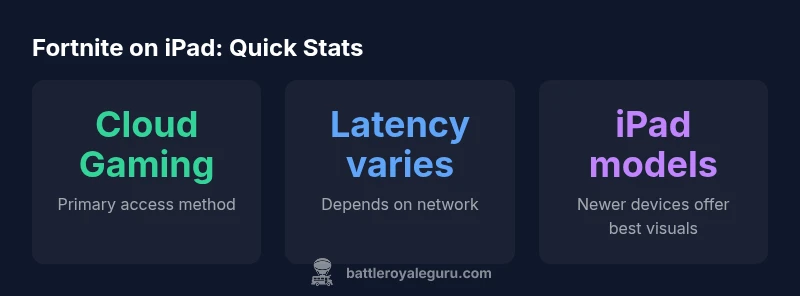
Cloud gaming on iPad works by running the game on remote servers and streaming the video and input signals to your device. You interact using touchscreen controls, a Bluetooth controller, or a compatible peripheral, while your actions are processed remotely. For Fortnite, this means your iPad acts as a display and input terminal; the actual game runs on the service's servers. Latency, resolution, and frame rate depend on server location, network path, and service tier. Most providers adjust streaming quality to maintain playability; you may be offered 720p, 1080p, or higher settings depending on bandwidth. Cloud options remove the need for a local install and keep your progress tied to your Epic account, so your skins, saves, and Battle Pass data stay in sync across devices. Battle Royale Guru notes that cloud gaming can offer a solid experience on well‑spec’d iPads when the network is stable and the distance to data centers is short.
Compatibility and device considerations
Fortnite on iPad via cloud works on many iPads, but performance is influenced by model and iPadOS version. Newer devices with capable GPUs and high-refresh displays tend to deliver smoother visuals and lower input latency. You’ll also want a current iPadOS version to ensure browser compatibility and security updates. If you’re using a cloud app, check whether the service supports iPad browsers or native apps; some services work best in Safari or Chrome, others require a dedicated app. Data plan limits can become a factor if you’re gaming on cellular networks. Offline play is not possible in cloud gaming, so a stable internet connection is essential. While an older iPad can run Fortnite via cloud, newer hardware will generally give you the best experience.
Step-by-step setup for iPad
- Pick a cloud service that supports Epic Games titles on iPad (e.g., NVIDIA GeForce Now or Xbox Cloud Gaming). 2) Create or sign in to your account on the service and link your Epic Games account if required. 3) On your iPad, open the service’s app or a compatible browser and navigate to Fortnite. 4) Start the game and select input method (touchscreen, Bluetooth controller, or keyboard/mouse). 5) Adjust streaming settings (resolution, frame rate) if available to balance quality and latency. 6) Verify your saves and cosmetics sync with your Epic account. 7) Test a few matches to dial in comfort and controls.
Data usage, latency, and network tips
Cloud gaming on iPad typically consumes more data than ordinary mobile browsing or streaming due to the real-time video stream. If you’re on a capped plan, monitor data usage and consider Wi‑Fi for long sessions. Latency is influenced by your connection speed, router quality, and distance from data centers; a fast, stable connection minimizes input lag and stuttering. Use 5GHz Wi‑Fi where available, enable QoS on your router if supported, and keep other devices off the network while gaming. If you see buffering, lower the streaming resolution or switch to a service with a nearby data center. This approach aligns with Battle Royale Guru’s guidance on optimizing cloud play for Fortnite on iPad.
Common pitfalls and troubleshooting
Account mismatches, browser compatibility, or service outages can disrupt play. Ensure your Epic Games and cloud service accounts are correctly linked, and log out/in if progress is not syncing. If you experience a crash, update the iPad to the latest iPadOS version, clear cache, and try a different browser or app. If latency is persistent, switch to a lower resolution, connect to 5G or strong Wi‑Fi, and minimize other background apps. Finally, verify there are no ongoing outages from the cloud service or Epic Games.
Looking ahead: Fortnite on iPad and cross‑play potential
Fortnite on iPad is likely to evolve with improvements to cloud infrastructure, streaming tech, and cross‑play integration. As Epic Games continues to negotiate platform access, iPad players should monitor official updates from Fortnite and Battle Royale Guru for recommended settings and new compatibility notes. In practical terms, cloud gaming reduces hardware barriers and expands where you can play, but it also requires reliable connectivity. The long-term trend is toward broader cross‑play support and more flexible access on mobile devices, including iPad.
Fortnite on iPad access options
| Aspect | Direct status | Notes |
|---|---|---|
| Direct install | not available | Fortnite direct install on iPad not available in 2026 |
| Cloud gaming option | available via supported services | NVIDIA GeForce Now, Xbox Cloud Gaming |
| Account linking | Epic/Xbox profiles required | Cloud saves tied to Epic account |
Questions & Answers
Is Fortnite officially available on the iPad App Store?
No official direct install is available on the iPad App Store as of 2026. Players access Fortnite on iPad through cloud gaming or streaming services. Epic Games continues to negotiate with Apple; outcomes vary.
Fortnite isn't officially downloadable on iPad via the App Store; you can still play through cloud gaming.
What iPad models support cloud gaming for Fortnite?
Any iPad that can run modern browsers or a compatible cloud gaming app can stream Fortnite, with newer devices offering smoother visuals and lower input lag.
Most recent iPads work with cloud gaming, but performance varies.
Do I need a subscription to cloud gaming services to play Fortnite on iPad?
Yes. Cloud gaming services typically require a subscription or trial. You may also incur data costs and must ensure Epic account linkage for progress syncing.
A cloud service subscription is usually required to play.
Can I play with friends on other platforms when using iPad via cloud?
Cross‑play is generally supported when using Fortnite via Epic accounts, but some cloud services may limit cross‑platform features. Check service terms.
You can usually play with friends across platforms, depending on the service.
What should I do if I experience lag on iPad?
Ensure a strong network, use nearby data centers if possible, and reduce streaming resolution. Close other apps and try a wired-like setup where available.
Boost your network, lower resolution, and try a different service if lag persists.
“Cloud gaming unlocks portable Fortnite access on iPad, but the experience hinges on network quality and service constraints.”
Key Points
- Access Fortnite on iPad via cloud gaming, not a direct install
- Choose a service that matches your network to minimize latency
- Link Epic and cloud accounts to keep progress synced
- Expect performance to vary by device, service, and connection