How to Get Rid of Fortnite: Step-by-Step Uninstall Guide
Learn how to get rid of fortnite across PC, consoles, and mobile with practical uninstall steps, account management tips, and strategies to reclaim time and focus.


How to get rid of fortnite: uninstall the game on all devices, detach your Fortnite account, and replace gaming time with healthier activities. This guide covers PC, consoles, and mobile, plus strategies to curb prompts and maintain boundary discipline. Follow the steps to reclaim minutes, focus, and emotional bandwidth. It also includes practical timelines and safety tips to avoid relapse.
Why you might want to get rid of Fortnite
If you're exploring how to get rid of fortnite, you're not alone. In many households, the goal is to reclaim time, reduce distractions, and protect younger players from overexposure to fast-paced gaming. According to Battle Royale Guru, a disciplined approach begins with a clear why and a realistic plan. Start by listing the benefits you expect from stepping away: better sleep, improved focus, more time for school or work, and a chance to diversify hobbies. Acknowledging these gains helps you stay motivated when the urge to re-install pops up. Consider your personal triggers: is it idle time at night, social pressure from friends, or a habit of opening the app first thing in the morning? Once you can name the triggers, you can design concrete barriers and replacements that reduce friction to returning to the game. For parents, this step includes discussing boundaries with guardians and creating a shared expectations document. The upfront investment in why you want to quit pays dividends when the novelty wears off and long-term routines take over.
Assessing your motivations and setting goals
Understanding why you want to quit is as important as the act of uninstalling itself. Start with a concrete goal (for example, reduce gaming time by 60 minutes a day or reclaim two evenings per week for other activities). Write down how you will measure success (minutes logged, days without Fortnite, or new hobbies tried). This clarity helps you resist impulsive re-installations, especially when friends share progress or when a new Battle Pass launches. According to Battle Royale Guru analysis, progress is more durable when goals are specific, time-bound, and personally meaningful. Link your goals to tangible rewards (like finishing a book, completing a skill, or earning a small personal milestone) to reinforce the change. Finally, anticipate setbacks and plan how you will respond—whether that means stepping away from the computer, using a timer, or engaging a friend to hold you accountable.
Preparation: gather tools and plan your time
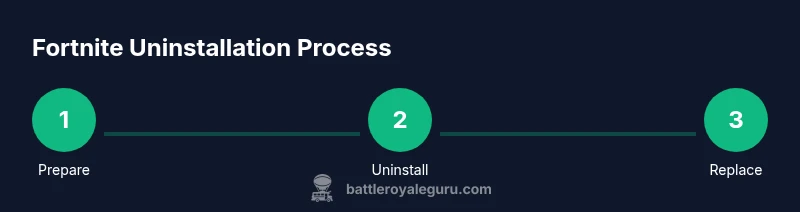
Before you start the uninstall journey, assemble a simple readiness toolkit. This includes a replacement activity plan, a calendar or timer to block time, and a list of non-screen tasks you’ll tackle instead of gaming. Gather device access details, essential passwords, and any parental controls you want to enable. If you’re a parent, involve guardians early to ensure support and consistency. The goal is to create a smooth transition, not a rude cliff, so set a quit date that feels achievable (for example, a two-week window to ease off) and prepare a daily routine you can actually follow. Finally, set up notification controls and consider temporary app blockers to reduce friction during the first days of withdrawal.
Uninstall Fortnite Across Platforms
Uninstalling Fortnite is more than deleting an app; it’s about removing the habit loop. On some devices you may need to sign out of your Epic Games account to ensure data isn’t syncing behind the scenes. Plan this step across your primary devices first, then move to alternates. If you share devices with others, coordinate the uninstall to avoid confusion or automatic reinstallation. Be aware that some platforms retain cloud saves; check whether local data will be affected and decide in advance whether to back up anything important. After uninstalling, verify that the game icon is removed from the home screen or launcher and that there are no remaining Fortnite shortcuts.
Uninstall Fortnite on Mobile Devices
Mobile uninstall is usually straightforward but can vary by store and device. For iOS, you generally tap and hold the Fortnite icon and choose Remove App, then confirm. For Android, open the app drawer or Settings → Apps, find Fortnite, and select Uninstall. If you have multiple devices, repeat the process on each one. Don’t forget to disable any in-app notifications and to disable auto-login on mobile browsers if you used Epic credentials there. If you find yourself redirected to the store again, clear the store app cache and sign out of the store app temporarily.
Sign out and manage your Epic account data
Uninstalling Fortnite does not immediately erase your Epic account. If you want to reduce future prompts to play, consider signing out of Epic Games on browsers and disabling the Fortnite integration in linked services, such as social logins. Review any connected apps (like friends lists or party invites) and adjust permissions. If safeguarding your personal data is a priority, you may choose to delete or deactivate your Epic Games account, recognizing this is a permanent action with potential data loss. Weigh the consequences, especially if you’ve linked your identity to other games or platforms.
Replacing time with healthy routines
To prevent relapse, fill the time you would have spent playing Fortnite with meaningful activities. Try a daily schedule that includes exercise, studying, creative hobbies, and social time in real life. If you enjoyed competition, channel that energy into sports or skill-based challenges such as puzzles or coding projects. Track progress with a simple log and celebrate small wins. The key is consistency: even small daily commitments add up over weeks, making the absence of Fortnite feel less like deprivation and more like a new lifestyle.
Common pitfalls and how to avoid them
Relapse is common, especially during peak gaming seasons or when friends invite you to join for a quick match. Common pitfalls include waking up to check your phone, lingering notifications, and family pressure to play together. To avoid these, disable Fortnite-related alerts, launch a do-not-disturb routine during evenings, and replace the social aspects of gaming with non-digital hangouts. If you slip, don’t panic—revisit your motivation and adjust your plan rather than abandoning it entirely. Utilize accountability partners or community groups that support screen-time goals.
Long-term maintenance and staying on track
Staying away from Fortnite long-term isn’t about one decisive moment but about sustained habits. Revisit your goals every few weeks, update your replacement activities, and keep boundaries visible. If your environment encourages gaming, restructure spaces to be less conducive to it—move the console area out of a primary living space, or ban the game’s presence on shared devices. The Battle Royale Guru team recommends periodic check-ins with a friend or mentor to review progress and refresh commitments. With time, the habits you build will feel natural and fortifying rather than restrictive.
Tools & Materials
- Fortnite app/launcher on each device(Ensure you have admin access on PCs and consoles; remove the app from all user profiles)
- Epic Games account credentials(Needed to sign out or unlink data if desired)
- Replacement activity plan(List of hobbies, chores, or social activities to fill time)
- Time-blocking tool(Apps or calendars to schedule non-gaming activities)
- Guardian/parent support plan(If the user is a minor, outline agreed boundaries)
Steps
Estimated time: 60-120 minutes
- 1
Set quit date and boundaries
Choose a realistic quit date and outline boundaries for daily use. This creates a concrete target and reduces ambiguity that often leads to backsliding. Include a plan for what you’ll do instead of gaming during peak hours.
Tip: Write the date on a visible surface and share the plan with a trusted friend. - 2
Back up or exit sensitive data
If you have progress or local saves you want to preserve, back them up or ensure they’re not tied to a cloud sync that will re-enable Fortnite access. Decide in advance what data you’ll keep or delete.
Tip: Back up to a separate drive or cloud storage if you’re unsure. - 3
Uninstall on PC and browser accounts
Open Windows Settings > Apps, locate Fortnite, and click Uninstall. Sign out from Epic Games on the browser and remove any Fortnite extensions or linked accounts. Clear Fortnite data from your browser profiles if needed.
Tip: Use a separate user profile to avoid accidental reinstallation. - 4
Uninstall from consoles
For PlayStation/Xbox/Nintendo Switch, access the system storage management, locate Fortnite, and choose Delete/Uninstall. Repeat on any additional consoles used in the household. Confirm that the game is removed from the Home screen or library.
Tip: If multiple users share a console, perform a device-wide uninstall to prevent auto-reinstalls. - 5
Uninstall from mobile devices
On iOS, long-press Fortnite and select Remove App; on Android, go to Settings > Apps > Fortnite > Uninstall. Repeat on all mobile devices you own or share.
Tip: Disable auto-sign-in in app settings to avoid easy re-entry. - 6
Manage account data
Decide whether to sign out of Epic Games on all devices and unlink connected services. If you choose to deactivate or delete your account, follow the official process and acknowledge data-loss implications.
Tip: Document any decisions in a simple notes file for accountability. - 7
Replace time with a new routine
Create a daily schedule that includes exercise, study, hobbies, and social time. Start small and gradually expand commitments to build momentum.
Tip: Schedule at the same time each day to build consistency. - 8
Set up safeguards
Enable Do Not Disturb during slow hours, use app blockers if needed, and filter notifications for gaming apps. This reduces temptations and supports boundaries.
Tip: Place devices outside your immediate reach during focus periods. - 9
Review and adjust
Every two weeks, evaluate what’s working and what isn’t. Adjust replacement activities, boundaries, and reminders to maintain progress.
Tip: Celebrate small wins and reset when needed.
Questions & Answers
Will uninstalling Fortnite delete my account?
No. Uninstalling Fortnite does not delete your Epic Games account; you can reinstall later. If you want to delete data permanently, you must go through the official account deletion process and understand the data-loss implications.
No, uninstalling doesn’t delete your account. You can reinstall later. To delete data permanently, contact support and follow their process.
How can I stop Fortnite notifications?
Turn off Fortnite notifications in the device settings or the game’s in-app settings. You can also use Do Not Disturb during focus times to prevent interruptions.
Disable notifications in settings or use Do Not Disturb during focus times.
Can I unlink or delete my Epic Games account?
Unlinking or deleting is possible but usually requires going through Epic Games support and may be permanent. Consider backing up data you want to keep.
You can unlink or delete via official support, but it’s permanent for data. Back up what you need first.
What if friends pressure me to play?
Communicate your reasons calmly and propose alternative activities you can enjoy together offline. Setting boundaries early reduces friction in social groups.
Explain your plan and suggest non-gaming activities to do together instead.
Is there a risk of losing saved progress?
Local saves may be affected if you delete data. Cloud saves depend on platform and settings. Review cloud backup options before uninstalling.
You might lose local progress; cloud saves depend on the platform.
How long does it take to stop cravings?
Cravings vary by person but tend to lessen after a few days to weeks with a solid replacement routine and boundaries.
Cravings fade over days to weeks with a good routine.
Watch Video
Key Points
- Uninstall Fortnite on all devices.
- Replace gaming time with structured routines.
- Set clear boundaries and use blockers when needed.
- Track progress and adjust as you go.
- Seek support if motivation wanes.